
Description

Reviews (16 cached)
Does not work: Won't work with delegated accounts Won't work in normal, non delegated accounts in a fresh chrome instance (no extensions) just continually asks for permissions to connect, gets permissions, then resets and asks again.
Does not work.
It was clunky but did its job, until Chrome updated to version 110.0.5481.178, and then the UI completely broke. It's unusable and the UI glitches make Gmail itself unusuable, and there's no easy way to report a bug to them. More irritating than it's worth.
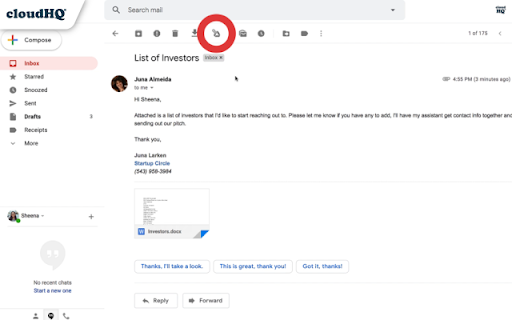
I don't know why, I don't have it in the menu. It's not like on the picture they show.
None of cloudHQ extensions work. "Oops, you’ve been logged out", even though I try to use from a completely fresh chrome browser with no extensions or cookie blockers.
This extension is awful. First, it requires you to sign in and create an account - and it is far from FREE. It limts your downloads to 50 emails. AND, it doesn't work properly. It doesn't download off of your selected emails, it downloads EVERYTHING. Stay away from this extension. I feel slimy for even giving them any information.
I really don't know about how to upload emails to Google Drive, I have ADD the extension TO CHROME already... My Outlook 2016 is not working...
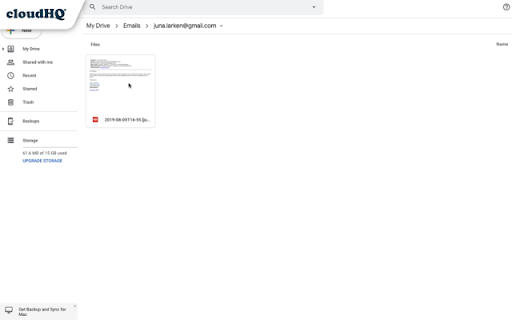
This just saves emails as a pdf which you can already do in the print dialogue box. It doesn't save the emails as a Google Doc, and is therefore pointless total garbage that doesn't add anything to Google that's not already there.
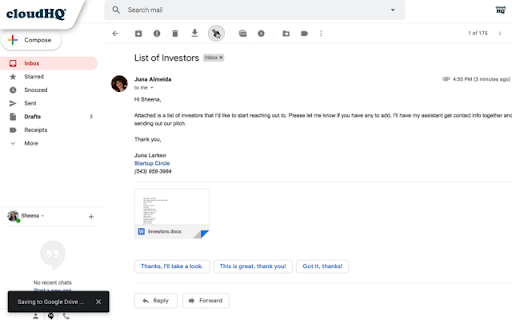
The icon to "save in one click" does not show on my toolbar, I am forced to download it as pdf and THEN manually add to drive.
$15 per month...for this? That's laughable.
Does not include the email's header information.
Probably very useful but I can't get past the fact that a CloudHQ.net account will allow CloudHQ to permanently delete all my email. Is this level of access to my gmail really necessary just to make a few useful Gmail add-ons?
I like it - but too expensive. I started using it and it works great. But trying to clean up my inbox and folders quickly took me to the 25 email a month limit. I get more than that in an hour. And definitely want to save more than 25 a month. And I would have upgraded but $14.99/mo? That's BS. Waaayyy too expensive.
has my Mark Z experience been helpful overall?.... , wekk, ut's been OK!, not nuch better!
Sounds like a useful app (I have no idea why google doesn't already have this functionality?), but to use we have to grant permissions that allow cloud HQ to: "-Read, compose, send, and permanently delete all your email from Gmail -Manage your basic mail settings -See, edit, create, and delete all of your Google Drive files -View and manage its own configuration data in your Google Drive -Add itself to Google Drive" Some of these permissions seem unnecessary to carry out your function. Why do you require all these permissions. Can you explain?
Really helpful extension but really confusing user interface to set up automatic saving of emails to drive. I got an error after I deleted a label in Gmail. The auto email I got from CloudHQ gave me links that did not go where they said they would. So, functionality of app seems really good but only if you navigate through the UI successfully.
Permissions (3)
Permissions
Details
| Version | 1.0.2.18 |
| Updated | Dec 3, 2025 |
| Size | 1.12MiB |
| First Seen | Mar 24, 2026 |
More by cloudHQ





Popular in workflow





Popular Extensions


