
Description


Reviews (200 cached)
really not good. I am trying to fill out a dmv form, with the license plate number for example, it wont allow me to enter more than one character. This is after trying to use the included Adobe AI tools to fill the form, which it claimed it could do, then hallucinated 3 times by just spitting out random formatted text versions of what i gave it (no pdf, just giving me text in the chat)
Installed without me asking, prompted me to use AI tools that I did not want, and the plugin slowed my chrome down so much that web pages would not fully load. After I uninstalled the web pages loaded quickly again. Do not use unless you absolutely have to.
Auto downloaded! What a scam! Forget these losers.
This is not a free version and for read only application. Not worth the visit and will ask you to go for paid version in order for you to use the full version. Go for other PDF app that are free like foxit.
very disappointed
That company Adobe is a monopol, taking billions from all of us. need to find a solution without beeing slaves!
cost to much
cant even delete it
Who in their right mind would think it's ok to install this garbage without consent?
App has started maliciously attacking my pc since i got home from work and my pc had auto updated itself (nearly causing a house fire). this app now opens itself at random when using google and i have quickly made sure to remove it. will be complaining to adobe properly due to the safety risks this has caused me today both physically (fire risk) and online.
This app is horrible. It doesn't work with reMarkable as it won't show the layers.
Since Google Chrome updated automatically any PDF received via gmail is presented as Adobe Acrobat PDF. Now all PDF's print really faintly so that it is almost unreadable. I cannot find a way to change the print without paying for an updated Adobe product. To be honest, even paying for an updated product may not even fix the printing problem. Not happy with this automatic change at all.
I lost count of how many times this extension has been corrupted & needed repair. & the repair never works--I always end up having to re-add through the web store. It's garbage ugh
Make it simpler to actually open up a PDF, please, e.g. reading a simple PDF should be a basic function of any other similar Adobe program that works with PDFs, Only reason I have to use anything Adobe is because it's an official form and requires 'reader 8 or higher' which hasn't worked on a PC/ Android app, both with freshly downloaded apps, at this point giving up. How about making the reader a usable extension to browsers that common people use?
Installed itself from the desktop app without my consent. Takes up way to much screen space with things that arent the PDF.
niceone
Worst extension I have ever used. I have removed from my browser 100 times but somehow it again appears. It's a ghost extension.
I dont want this program and I resent the fact I can't download and print a document I bought and paid for without have to go through this nonsense
Makes reading pdf files a nightmare when every other time I click on a pdf it wants to edit the file. When it wants to edit the file pressing on arrow keys just makes the typing pointer move and doesn't change the page. Almost unusable as it is, makes my blood boil and pressing esc doesn't cancel the edit view. I can't even edit the files as I don't have full access but still Adobe wants me to try. Wish there was a working alternative but have to keep pulling teeth with this piece of garbage P.S. Collects data as an opt out, not opt in.
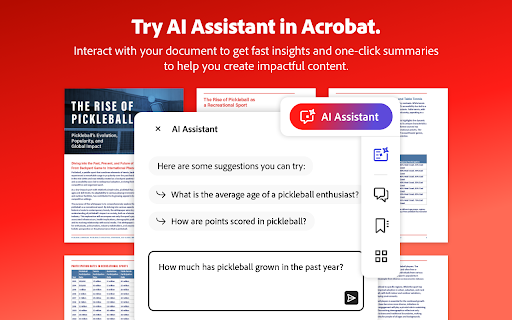
EVERY SINGLE THING THAT I CLICK, this piece of garbage asks me if I want to use AI. Is there any "I am not into the AI HYPE setting" so I can just use it to read, search and print?
Not very good at all. Not letting me do what i want it to
It's disruptive and nanny-ish. Go away please.
I have no idea what this is
it is soo bad
This adobe is messing up my print pages. They are not always printing the complete page or the page is distorted.
terrible
do not get if poor :(
This app sucks, it's truly awful and never works and I hate it and there's no alternatives and if I could I would drop a nuke on Adobe headquarters.
Can't stand it. Maybe stop the corporate greed and go back to being a human company.
There's no way to leave zero stars so 1 star it is. I haven't used the service and don't intend to moving forward but I can't delete my account until I cancel my active plans, I can't cancel my active plan until I update my payment information from a no longer active card. If I attempt to update my card info, they will bill me for another month of the service that I have not used. Greedy greedy greedy.
YOU SUCK SO BAD I CAN TASTE YOU!!!
sir it is not opening
Don't even get to use this. Retired now, so this is not a lot of HELP.
Fails to ocr
Adobe keeps crashing. I have uninstalled and reinstalled numerous of times. This is getting old.
Absolute garbage. Adobe should be ashamed.
I am sick and tired of acrobat, and all of its intrusive inside advertising. I will be going with another service, and will delete all of acrobat from my computer! It is obvious that Adobe does NOT really care about individuals, except to merchandize them. Michael
Ever since they put the AI feature in, things run horrible and Adobe doesn't care. I have talked to other professionals that say the same thing. Didn't think someone could screw this up but they did.
This is a terrible program!
Too expensive for home users
simple pdf manipulations need registration and payment of over $32 per month? When does it become affordable.
simple pdf manipulations require registration and payment
This system sucks. What happened to it doing what it claims it can do?
I could see how some of these tools could be useful. However for some reason it shows the filename instead of the title when viewing a pdf and in fact there's no way to even view the title of the pdf. And if you try to download/save the file it completely changes the file name. And there doesn't seem to be any way to change this in the settings.
To expensive, and you can not cancel the subscription, they tell you it is canceled but they keep billing and you cant purchase a desktop.
Do not like it at all! Takes too long to load up even if I just want to view the document.
to hard to share
Filled with useless AI stuff, that keeps taking up screen real-estate, I just want to read the document, as it was created to be read. Instead I have to close a bunch of useless AI things.
I really hate this app. It's artificial intelligence is just that. Artificial and does what it thinks I want, not what I actually want. It drives me crazy.
doesn't let me go through the editing task for free
Permissions (15)
Permissions
Details
| Version | 26.2.2.1 |
| Updated | Mar 16, 2026 |
| Size | 4.98MiB |
| First Seen | Mar 22, 2026 |
More by Adobe Inc.


Popular in workflow





Popular Extensions


