Text Editor icon

Text Editor

by Sevina

v0.2.4.1 Updated Feb 23, 2026 1.55MiB
CWS
40K
Users
★ 4.04
27 reviews
#628
of 49.1K
tools
#109 of 12.2K
Recently updated

Description

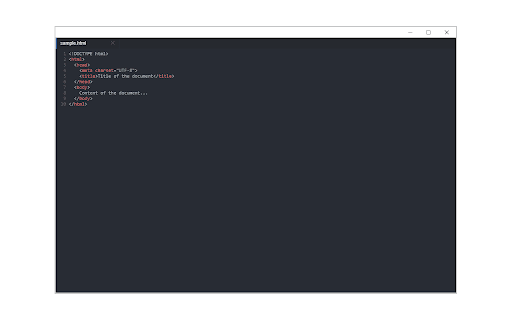
Text Editor is a full-featured text & code editor add-on for your browser. This add-on has plenty of options to adjust and is built on top of the famous CodeMirror open-source JavaScript library (https://codemirror.net/). Once you open the add-on for the first time, you will see a sidebar at the left and an empty text editor at the right. The left sidebar includes file I/O buttons. For example, a button to open file(s) or settings. There is also a right sidebar that includes all the options for this app. Note 1: This extension uses the new file system access API (https://web.dev/file-system-access/) to open and save files to disk. But, if your browser does not support this new API, it uses the - downloads - API instead to save files to disk in the default download folder (asks for downloads permission when opening the interface). Note 2: Currently, Text Editor supports three key-maps for famous text editors (i.e. sublime). Moreover, it supports more than 100 coding languages (i.e. JavaScript, CSS, HTML, etc.) If you have a feature request or found a bug to report, please fill the bug report form in the add-on's homepage (https://mybrowseraddon.com/text-editor.html).
Text Editor screenshot 1Text Editor screenshot 2Text Editor screenshot 3Text Editor screenshot 4

Reviews (6 cached)

★☆☆☆☆2026-01-12
Siva Bijoy

very bad quality

★☆☆☆☆2024-07-13
Ramesh Errabolu

I didn't find an option that allows the editor to open inside the browser tab. It opens as a pop-up window. To me being able to open inside the browser with the ability to store either in the local or remote drive is essential. I would like the app to open the editor in a manner similar to another chrome plugin called Papier Without this ability, I find the app simply not useful.

★☆☆☆☆2020-02-04
Luciano Raffaelli

Can't believe the app opens half-window, and can't be resized. Unistalled immediately

★★☆☆☆2019-12-04
Ben

Does not save to windows 10 pro pc properly, lost a lot of notes and contents!

★★☆☆☆2019-10-25
Clifford Slocombe

Does not auto save or prompt on exist for unsaved changes - lost work, gave up.

★★★☆☆2019-06-08
Kelechi Mba

Everything about it seems fine. My only query is that there is not a mode for Java specifically which is different to JavaScript, so when I want to save the file it's preset to JavaScript which I have to manually change. Also it seems for me that when I click the "Save" button nothing happens and I have to continually keep on clicking the "Save As" button whenever I want to save an updated file.

Permissions (2)

Permissions

downloads Can manage and monitor downloads storage Can store data locally in your browser

Details

Version 0.2.4.1
Updated Feb 23, 2026
Size 1.55MiB
First Seen Mar 22, 2026