
Description

Reviews (15 cached)
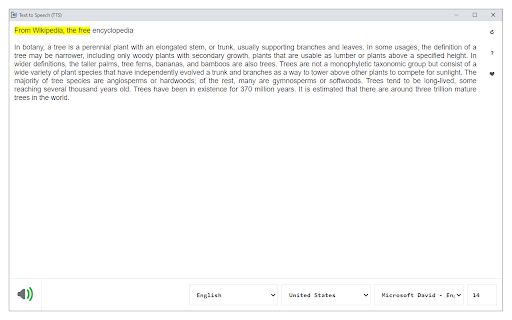
No sound after pressing the speaker symbol bottom left.Have to paste things in a textbox which is a pain,but could be worthwhile if it actually worked
Breaks page functions providing more burden than help.
Constantly stops and you have to reset the app. Sometimes it'll get 1 sentence in and then stop, other times it will get 3 paragraphs in and then stop.
not enough english voice models, there's this one specific TTS voice model an Epub Reader app called ReadEra has that's just called "en-US-language, Google, United States" and I find it sounds the least headache inducing at 1.75x speed of any TTS voice model I've ever heard, even if it doesn't sound particularly sophisticated
There is no automatic reading, and it doesnt actually read any webpage. Instead, a popup comes up that you have to manually paste all the text into for it to read. It`s a major nuisance, and completely a waste of time (as it takes 2-3x longer just to read anything in this way). Boooooooo. One commentor says 3.4 rating is underrated, I say it`s too high. I wouldn`t recommend this at all.
Not "natural". Only 3 bad voices available.
Most of voices stops speech after 50 words. Some voices say "dot". No speech speed.
Doesn't do anything
This interferes with changing the text styles in Gmail in th Edge browser. When I'm typing a Gmail reply and highlight some text to change it to italic or bold or anything, the highlight becomes un-highlighted and no style change happens. Had to remove it to solve the problem.
Cuts off very soon. US voices are bad, use UK instead (and live with the accent). Too many "joke voices" like "bubbles" (one would be too many but 8 out of 10 are like this... useless I mean...). Thanks for the effort but I will not be using this.
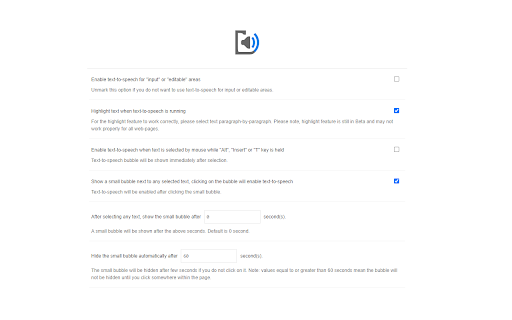
Stoped working after 50 words. Only one French voice. Wont work in editable space even when the setting is on. terrible waist of time
Can't adjust the speed, the reading speed is too slow
Like many say it is slow and should have a speed control but it is fine for me since I can't read fast anyways but I would like to change the voice and also the highlighting text function failed soon after it began.
Cuts off, and also very slow. Would love some alternate speeds.
This is an easy to use extension, but it won't switch to others languages on my computer. It only uses french voice.
Permissions (2)
Permissions
Details
| Version | 0.2.9 |
| Updated | Oct 20, 2025 |
| Size | 5.77MiB |
| First Seen | Mar 22, 2026 |
More by Sevina



Popular in tools




Popular Extensions




