
Description
Reviews (4 cached)
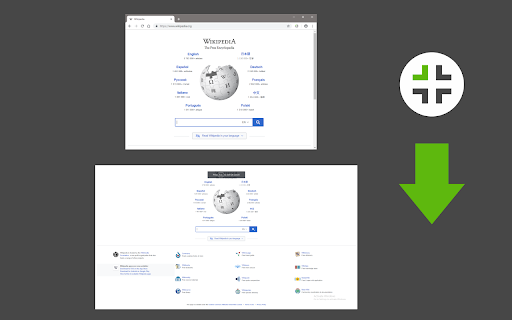
Good since it keep the window maximised after quiting fullscreen, unlike others... BUT it quit fullscreen mode when loading another webpage??? Please fix this and it would be perfect.
For me, it neither automatically applies fullscreen or has an option in options to do so, even after clicking the button to enter its fullscreen, it's the extension's version of fullscreen, not just a toggle for the brower's i.e. the browser window finally goes full screen but I can no longer double click YouTube videos to enter YouTube's fullscreen unlike simply selecting the browser's own fullscreen button nor does the fullscreen button in the YouTube video UI do anything anymore so long as I'm using this extension. It won't allow me to simply move the mouse up to view extensions (to turn this awful version of fullscreen off) or see tabs even though it isn't even actually in the video's full screen. I just double checked, so that isn't the problem. The extension is the problem. I don't understand its perfects score, the extension for me is worst than nothing.
I have 2 problems with this addon, which makes me don't want to use it: - no way to change the default keyboard shortcut in Brave, the options page does not include this setting - switching back from fullscreen mode using just the keyboard can be only done by hitting the Escape button, the keyboard shortcut does not exits it. It should work like the F11 button, which toggles the fullscreen mode.
For some reason, using this button makes it impossible to switch tabs in the full-screen mode.
Permissions (3)
Permissions
Details
| Version | 0.1.3 |
| Updated | May 14, 2025 |
| Size | 16.11KiB |
| First Seen | Mar 22, 2026 |
More by Sevina

Popular in tools




Popular Extensions




