
Description


Reviews (45 cached)
Have used it for a while then suddenly it does not work (per 20-02-2026)
Have used before and has worked great. Tried recently with ebay and zillow and no longer working at all. Tried different Chrome extension ("Save image as Type") and it worked fine with both of those sites.
just use "Save image as Type" extension instead, it works!
Does not work!
No longer works and the developer seems to have abandoned it. (Tip: always look at the last updated date).
not working
Not working
Does NOT convert .webp anymore.
Everytime I try to download something, it always pre-selects the default download folder of my browser, instead of the folder where I last saved to. Incredibly annoying.
Since the latest Chrome and Brave updates, this extension has become inconsistent. It works intermittently but frequently fails to load or function correctly. I suspect the transition to Manifest V3 might be causing these regressions. Could the developer please look into a compatibility update?
from last 1-2 weeks, whenever I try to use this ext. it crash. Please solve this issue
absolutely loved it, used it frequently but it recently broke and now crashes my browser when i attempt to use it another review mentioned a similar issue and that a reinstall fixed it, but that did not help in this case wish i could rate it higher
Stopped working
Absolutely nothing happens when this extension is clicked. The icon appears in the extentions, but it isn't working at all.
Saving webp prompts saving into html, not the png.
not working
Tries to convert webp to htm. Even though i set it to png or jpeg. Useless.
Love that it's just a simple one-button click, but the conversion quality is terrible.
Converts what are supposed to be JPG files to PNG, so still useless. Also, changes the filename from the original, which actually makes things worse.
No matter what extension I select in the options, it only saves as .htm
I add this to my Chrome browser and began getting redirected to advertisements on very well known and trusted sites (like ikea.com), anytime I was doing online shopping. This seems to be compromised. I will investigate further and update this if I find any additional information or if this report was in error.
Wants to save pictures as a HTML document. Useless
Doesnt save location - so doesnt really save any time as I am forced to navigate to the save folder each time. I could just save a snip in the same amount of time. Pointless.
Not working
No longer works for converting animated webp images to GIFs, will just save one frame as a png. Useless.
I installed it and it did not work at ALL. It would say convert and save but it would just open as if you directly clicked save image, so no conversion options.
doesn't work
I can't open any of the converted images in photo viewer.
Didn't seem to work, either in jpg or png. Made sure to right click "convert and save image as" no popup menu, and after changing settings to skip that, still won't do anything.
It doesn't work. This is trash
Did nothing. Like really ... nothing
The whole reason I wanted this, is to convert animated .webp images to .gif. This doesn't do that, sadly. What a shame. I'd definitely give it another chance if it were to add that capability though!
It is not working anymore.
Does the job but lacks the basic setting to not save to the default dl location as the default location. WEBP is a cancer but the ability to have last saved location as the save location it defaults to is kinda the standard and kinda what we need... As an aside anyone who uses webp intentionally should minecraft themselves, storage space is ever increasing, making/using a worse file format for space (in images especially) is the most hitlerian idea ever.
It works, but after downloading an image with the extension, the file breaks when I upload it online. It doesn't happen if I don't use the extension. I hope this can be fixed.
Good Lord, so it doesn't remember the last image location I saved to. I see it has not been fixed in a year so chances are it won't be. Too bad.
doesnt seem to do anything..
Great app when it works. Takes FOREVER to load the "Save as" box once it's been in use for a while. INCREDIBLY irritating feature
I love this addon, it works great except for...... I would love it even more if it behaved like the FF version and downloaded to the previous folder I downloaded to, instead of always going to the download folder and forcing me to navigate to the proper folder, this is very time consuming so I usually only use this in FF
it sadly seems to have stopped working suddenly. failed to work on 3 separate computers/several different websites when a few days it would.
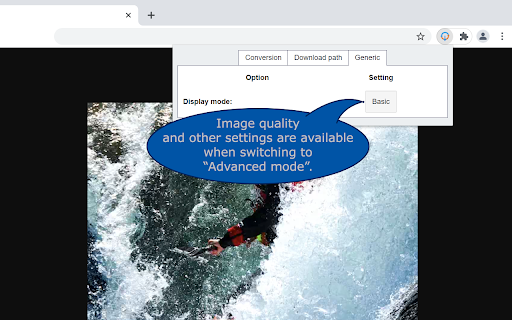
Meh. Not helpful. Or at least for not me. It seems to have a huge amount of options. But the interface of the options is a bit clunky. Some of the tabs aren't fitting in all the text correctly. And so on. I appreciate the effort. And have no doubt this extension is useful to others.
Does what it says it'll do. However, I needed this specifically to download old images that were hosted on Photo Bucket and were embedded in forums. The embedded image has a Photo Bucket watermark, opening in a new tab doesn't. However, even when saving from a new tab where the watermark is gone, this extension somehow saves a copy with the watermark as if I hadn't opened it in a new tab. It became useless for my needs so I uninstalled it.
Was great, stopped working today - anything to do with glitchy google update?
Works with still images to png format but doesn't remember the last place you saved to, forcing re-navigation with every image, and doesn't add target folder to quick access shortcuts. Fails completely with animated webp images.
Needs support to create GIFs from animated WEBP files.
Permissions (3)
Permissions
Details
| Version | 1.3.1 |
| Updated | Jun 23, 2024 |
| Size | 45.63KiB |
| First Seen | Mar 22, 2026 |
More by Nullbrains

Popular in workflow





Popular Extensions


