
Description

Reviews (18 cached)
This extension will hide the video picture and mute the audio, but it can't seem to actually block the playback! 🤔 For that reason, I AM OUT. To J J -- if you right-click on the extension icon and select "This can read and change site data", you can choose A) "When you click the extension", B) "On [insert website], or C) "On all sites". To J. S. (darkocean) -- if you right-click and select "Options", you can choose which types of elements to block. Make sure that "7. Hide all elements with background-image" is un-checked to prevent the whole page from turning white.
Useless. It doesn't block anything. it hides the thumbnail on the video, that's all this does. You can play and see the video.
Blocks it allright, the whole page gets blocked and turns white, useless!
Won't block videos, only hide them. Useless.
doesn't work
It also blocked the text at the webpage menu which are really the text.
Useless. Not working. Doesn't block html5 video elements.
Don't work
1- Hard to use, you have to right click every time and go in a panel option in order to chose what to block. 2- Some options just hide images, you will lose internet bandwidth and computer speed without knowing it. I don't know what goes in the mind of the developer in order to propose such silly idea. 3- The icon does not show what it hidden, is just turn on or off, but you cannot see what did you block the last time. 4- I was looking for something better then QuickBlock, but this one is worse. 5- This extension needs a full redesign.
Does not STOP JW Player. Has no use!
1- Hard to use, you have to right click every time and go in a panel option in order to chose what to block. 2- Some options just hide images, you will lose internet bandwidth and computer speed without knowing it. I don't know what goes in the mind of the developer in order to propose such silly idea. 3- The icon does not show what it hidden, is just turn on or off, but you cannot see what did you block the last time. 4- I was looking for something better then QuickBlock, but this one is worse. 5- This extension needs a full redesign.
not working and its just hidding its working on background
The option to block videos is grayed out, only hiding is possible. Thus it is unusable for my purpose of saving data on a metered connection.
can't get it working on chrome-extension://ffhafkagcdhnhamiaecajogjcfgienom/main.html (even thought i gave access to desktop files)
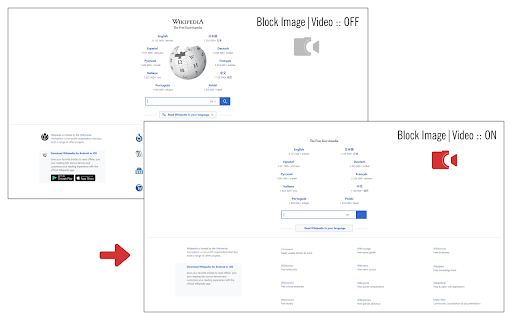
I expected to see a colored box instead of the pic (as promoted on the marketplace page of this extension), but I see no pic. Any specific settings / steps needed that I oversaw?
Doesn't block videos, doesn't have option to block all, doesn't have whitelist.
Doesn't generally leave image outline as many others do, and may change page layout.. more likely if frames are off.. (I typically like that) Doesn't block dynamic ads, but that's something you should have adguard or ublock origin for. Gives option to hide or block images & frames. Will tell you how many items it blocked. won't block icons. Videos are hidden, not blocked .. I'm seeing some squeak through. Nice convenient combo ..images/video, but I will be looking for more effective.
After configuring the block/hide options, it works quite well. As noted by others, the UI/options could use a bit of UX work and it would be nice to have a permanent blacklist/whitelist option for specified domains. Also, CSS background-image blocking requires page refresh.
Permissions (2)
Permissions
Details
| Version | 0.1.6 |
| Updated | Jul 16, 2025 |
| Size | 35.68KiB |
| First Seen | Mar 26, 2026 |
More by Jorvi



Popular in tools




Popular Extensions


