Password Lock for Messenger™ icon

Password Lock for Messenger™

by Jorvi

v0.2.0 Updated Jan 22, 2024 50.05KiB
CWS
30K
Users
★ 3.45
74 reviews
#499
of 33.7K
social
#20 of 782
⚠️Not updated in over 2 years

Description

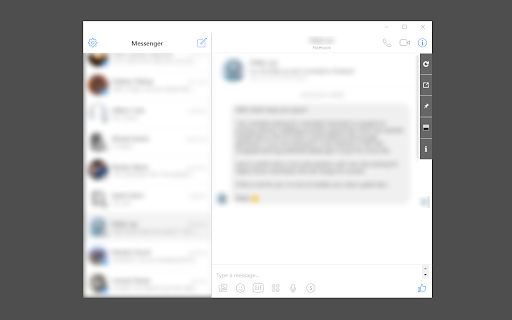
"Password Lock for Messenger™" provides a convenient way to access and use Messenger on your desktop machine (PC, MAC, or Linux). By clicking on the toolbar button, you can open Messenger in either a standalone UI or a configurable browser tab. The window is resizable to your preference, and all changes are automatically saved to memory. It's important to note that to use this extension, you must have a Facebook account. Please be aware that "Password Lock for Messenger™" is not affiliated with or related to the official Facebook/Messenger website or application. It is an unofficial app developed and maintained independently. The official Messenger software is only released for smartphones and the web. This unofficial app (browser extension) acts as a wrapper for the original Messenger application, making it usable as a browser plug-in. The extension offers an optional password protection feature that can be enabled or disabled from the right-click context menu over the toolbar button. When enabled, users must pass through password protection before using Messenger. Additionally, you can change the opening mode from the stand-alone window to the browser tab and vice versa.
Password Lock for Messenger™ screenshot 1

Reviews (15 cached)

★☆☆☆☆2023-02-27
JESICCA BERNALES

Messenger is not working

★☆☆☆☆2020-10-01
The Watch Replica

i can't record an audio on it!!

★☆☆☆☆2020-07-16
Nick Wilcox

It's basically just a bookmark shortcut... There is no difference between putting messenger.com in your bookmarks bar and this extension. This extension is useless.

★☆☆☆☆2018-05-09
Pablo Olague

NOT REAL DOESN'T HELP

★☆☆☆☆2017-10-30
Marcus Nordquist

Just a white page... Doesn´t show anything.

★☆☆☆☆2017-08-22
Anastasiia Fadeeva

open grey screen with 4 unworking buttons

★★☆☆☆2019-11-21
Alex McRobert

This extension is glitchy beyond recognition. It was working fine then just stopped appearing even though the window was apparently "open". I uninstalled and reinstalled and seemed to be going fine, but now i cannot minimise it and use chrome, it just continually pops up. Not worth the effort reinstalling again.

★★☆☆☆2018-01-05
Jark Verleysen

worked the first time but after restarting my pc it just shows a white screen

★★☆☆☆2017-10-27
RLJSR

Can't click on links.

★★★☆☆2020-11-02
Syed Zafar

Looks good, feels fast an responsive, please add the black theme support then this would be perfect go for me! Thanks for making this app!

★★★☆☆2020-11-01
Yannick Mussche

I do not get a notifications when i receive new chats. So bassically it is just a link to my messenger now.. How can i get a notifier when I have new messages?

★★★☆☆2020-01-22
Dominating Trend

Is there a dark mode for it or i didnt just see it, if there is pls let me know how to enable dark mode

★★★☆☆2019-04-09
Anas Alsaadi

It works flawlessly, and I like it, but to be honest I am looking for extension, that can help me communicate with my friends via Messenger while working. I tried the " Pin to the Top " feature, it's good but it's not exactly what I need. if you can make it look more like heads chat on android I would definitely use it. Thank you for your effort

★★★☆☆2018-10-01
Denis Boukhvalov

Doesn't have notifications, will there be an app that has notifications?

★★★☆☆2018-01-15
Maggie Steele

I cant make calls on it. everything else it good

Permissions (4)

Permissions

alarms Can schedule periodic background tasks contextMenus Can add items to the right-click menu idle Can detect when you're away from the computer storage Can store data locally in your browser

Details

Version 0.2.0
Updated Jan 22, 2024
Size 50.05KiB
First Seen Mar 22, 2026