
Description


Reviews (200 cached)
Doesn't work
Some parts stay white
just bad appearance
Using the Brave Browser. Nothing happens. You install the extension and there is no option to turn on dark mode.
does not work
Grey mode, useless
doesn't work. page is still white. am going to remove it
wont work
DO NOT DOWNLOAD THIS EXTENSION! for some reason after installing it started dimming the heck out of the websites I visit. Like bro I thought it's supposed to only affect Google Docs but it dims the hell out of other websites. Just wanted to get that out.
Does not do anything. Completely unresponsive
Not usable at all.
it looks ridiculous. what i wanted black isnt even black. deleted right after i downloaded.
doesnt work either
My mouse cursor does not revert back from dark mode and is now invisible on a white document. Removing this extension does not help either. This extension has permanently ruined Google Docs.
no longer working
doesnt work on mine
doesn't work
Be warned - this interferes with the normal functionality of Google Docs. After installation, this extension disabled the page navigator of online Word docs (i.e., the little bar that says you're at page 5 of 250). It became impossible for me to grab the page navigator and pull it down to quickly jump between sections of a large document. The pointer would no longer latch on to it for some reason. So now, if I want to reach page 132, I have no choice but to manually scroll ONE PAGE AT A TIME. I'd have to click Page Down over a hundred times to get to where I want to go!! At first I thought maybe the extension's icons were overlapped on the page navigator, but nope - this kept being a problem even when I moved them. As soon as I uninstalled this extension, I was able to quickly navigate my documents again. I want a dark screen, but not at the cost of existing Google Docs features. I wouldn't get this again unless this issue was fixed.
You have to go to a completely different website, and install a plugin instead of it being a setting? Billion dollar company btw...
Doesn't work for me. I'm on windows 12 with the latest version of Chrome. When I click the extension there is a slight pause but no submenu (as shown on youtube) and no on/off toggle. Disappointing, maybe there will be an update.
used to work perfectly before, but now all the images are inverted. not sure what changed but no one seems to know how to fix it.
Does not work
useless. downloaded and used. nothing happens
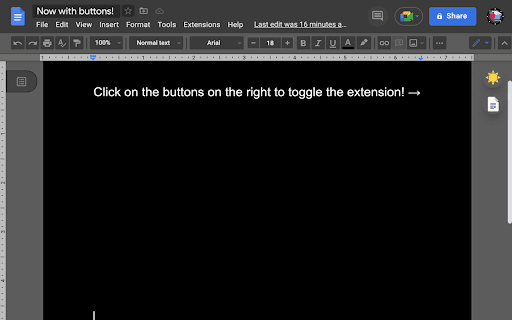
All it does is turn on high contrast mode for only docs
downloaded this extension. uninstalled shortly after because i didn't like it. despite me removing it, it still attempts to function on not only google docs, but any website you can think of. this isn't a huge issue, but it feels super suspicious, and is also just generally annoying. the permissions you give the extension when downloaded only apply to google docs, so why is it doing this on other websites? this issue could be because i'm using microsoft edge, but it's an issue nonetheless.
doesn't do anything.
Nothing happens. It downloads, adds the extention and nothing happens.
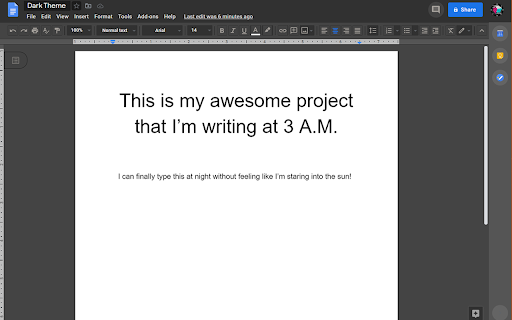
So it makes the background dark but my doc and the selections are still white.
doesnt work
shows dark mode for 1 second on sheets then reverts back to white. Doesn't work
While scrolling it can cause issues like copy hidden comments into your documents. Really annoying.
Doesnt work
Doesn't work for me, no buttons are showing up either
Doesn’t work
Does not work on google sheets. I would accept the possible name confusion Docs the program vs Docs suite. Except search brought me here after searching for "sheets" specifically. Useless.
Sheets are still white
Terrible. Doesn't work with spreadsheets
Terrible
my sheets are still white everything else is in dark mode
Doesn't work
This litterly just inverts the colors on the doc. This addon also affects anything on the doc and inverts the color of it from pictures to highlights/text color. ratining 1 stars since the doc texniclaly is "dark mode" but am seriously unsatified with everything else.
not working for me
Doesn't work.
not working. clicked extension but nothing happened.
Doesn't seem to work anymore. UI doesn't show up, docs are still blindingly white.
not working on gmail docs chrome
The left tab bar is broken, and in general the dark mode theme looks like an eye sore
didnt work on my chromebook. on phone its already built in, sad, its not for chromebook. the white in the dark is really killling my eyes :D
Yet another extension that claims to make a "dark mode" but then proceeds to only change the outer UI instead of the actual document part. Oh wait, it does, it just inverts everything else so if you're using colored highlighting to keep track of things it's all messed up now. 😐
didn't do anything
Permissions (1)
Permissions
Details
| Version | 1.5.1 |
| Updated | Aug 28, 2023 |
| Size | 138KiB |
| First Seen | Mar 22, 2026 |
Popular in workflow





Popular Extensions


