
⚠️Requests 1 sensitive permission
Description
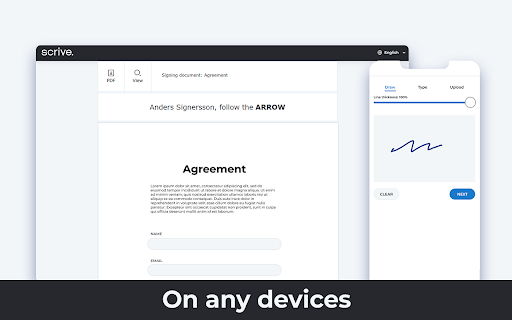
Scrive Go integrates the Scrive e-signing solution into your CRM-system. Your documents are sent to your Scrive account with a single click and can be signed within seconds.
About Scrive Go
Scrive Go replaces papers and printers. Open the document in your browser and send it with Scrive Go. Your PDF file appears on your iPad or in your browser and is ready to be signed. The final output is a document with evidence qualities better than paper.
Use case
1. Log in to your CRM-system
2. Navigate to the document in your browser
3. Press the Scrive icon in Chrome
4. The document will be sent to your Scrive account
How to get started
Contact Scrive by sending an e-mail to info@scrive.com
Find out more about Scrive, visit scrive.com


Reviews
Loading reviews...
Permissions (7)
Permissions
activeTabℹ Can access the current tab when you click the extension identityℹ Can use your Google account identity pageCaptureℹ Can save web pages as MHTML scriptingℹ Can inject scripts into web pages storageℹ Can store data locally in your browser unlimitedStorage webRequestℹ Can observe and analyze network traffic
Details
| Version | 1.1.22 |
| Updated | Nov 19, 2025 |
| Size | 124KiB |
| First Seen | Mar 22, 2026 |
More by chrome-extension

Popular in workflow

Adobe Acrobat: PDF edit, convert, sign tools
by Adobe Inc.
330M
★ 4.40
workflow
330M
★ 4.40
workflow

Chrome Remote Desktop
by Chrome Remote Desktop Release Managers
38M
★ 3.14
workflow
38M
★ 3.14
workflow

Screencastify - Screen Video Recorder
by castify-ext-dev
9M
★ 3.95
workflow
9M
★ 3.95
workflow

Microsoft Defender Browser Protection
by Microsoft Corporation
2M
★ 4.15
workflow
2M
★ 4.15
workflow

Pop up blocker for Chrome™ - Poper Blocker
by dingosolutions
2M
★ 4.76
workflow
2M
★ 4.76
workflow
Popular Extensions
Adobe Acrobat: PDF edit, convert, sign tools
by Adobe Inc.
330M
★ 4.40
workflow
330M
★ 4.40
workflow
Chrome Remote Desktop
by Chrome Remote Desktop Release Managers
38M
★ 3.14
workflow
38M
★ 3.14
workflow

Cisco Webex Extension
by cisco.chromestore
24M
★ 2.34
social
24M
★ 2.34
social

Kami for Google Chrome™
by Kami
17M
★ 4.56
education
17M
★ 4.56
education

Read&Write for Google Chrome™
by Texthelp
17M
★ 3.44
accessibility
17M
★ 3.44
accessibility