
Description



Reviews (12 cached)
Completely broken: typed words disappear all the time.
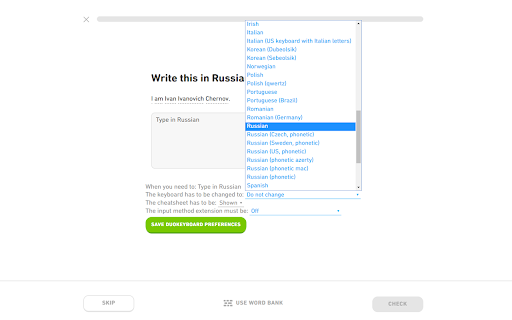
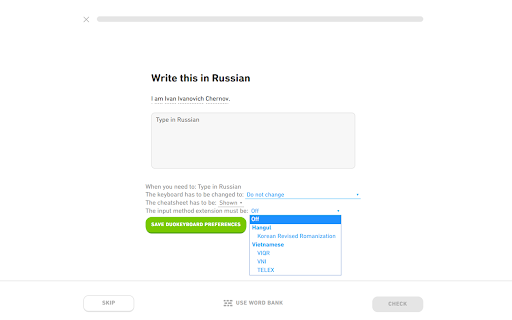
Setting take the whole screen. You cannot answer anything. Also, there's no keyboard! only the preview in settings...
This extension does not satisfy its cause. I installed this so that I could type in the Greek alphabet on Duolingo. However, once installed, I was only able to type in Greek. I had the same problem I started off with. I could not freely switch keyboards. Some questions in Duolingo require me to respond in Greek and others English. This extention does not remove the problem. The situation still remains, You either type in one language, or the other.
Was working OK initially but now it seems to be messing up exercises where you have to type in text — upon submitting some of the characters are removed without warning and thus you fail the exercise. Currently seeing this with Hebrew.
Caps doesn't work it's messy and characters get deleted
It doesn't have Japanese unfortunately
It is okay, but it needs a keyboard viewer as I don't know what to push to get the letter I need.
It was a very good and helpful app, but it stopped working and now it is completely useless (
Works on my Macbook, but on my Windows PC it types two letters for each keystroke, one in the original and one in the target language.
It used to work fine, but now the Hebrew keyboard is all jacked up, it types both the Latin character and the Hebrew letter.
The new version of the website doesn't support the extension. I survived with it, now I'm dying without it. Bring it back and I'll give it 5 stars.
It works really well but I can't use the Alt Gr keys which would really benefit me typing in Polish. When I try to use Alt Gr it just defaults back to my German keyboard layout.
Permissions (2)
Permissions
Details
| Version | 1.5.1 |
| Updated | Jan 24, 2024 |
| Size | 224KiB |
| First Seen | Mar 22, 2026 |
More by Nullbrains


Popular in workflow





Popular Extensions


