
Description
Reviews (17 cached)
Doesn't change sound at all
Doesnt affect audio from browser at all. Tried turning off and on, refreshing, different websites, and nothings seems to work.
Uses more CPU and Ram than 5 tabs of chrome combined, just by being on. When an equalizer is using that much processing power, something else is clearly going on shady behind the scenes.
bad
It wouldn't let any audio play, I had to uninstall and clear data from the site I was trying to play on before it would work again.
Slid every control available and found absolutely no change in quality of music playback.
Not work..
It doesn't work
doesn't work...
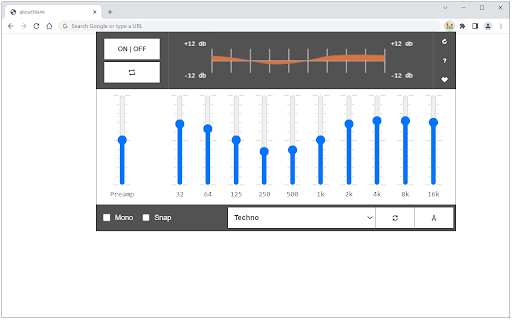
The on/off button is so confusing? Which way is On?
Does not change the sound of nightride.fm on Windows 10 with Synaptics Audio driver :(
Seems good, however I was going to rate this extension down because didn't work, but I figured out that "Reload UI" does not fix it, instead you have to refresh the page itself to take the changes! + Mono option avaible + Nice EQ - Not working on all sites - some are fully muted -To get changes in use, have to press F5 (reload the web site)
prevents playback of some html5 <video> tags
The Only problem i have is that the extension turns on and off when im on youtube
really good, with presets and custom sets! very useful to remove excess bass from podcast or radio programs where you need to hear the dialogues clearly. But is really annoying to have to be disabling and enabling the extension because it stops working and you have to enable from the extensions manager again and reload the tab
Not working now. Slimjet, on Windows-10, Insider preview.
It seems to pitch down audio if it's active :(
Permissions (2)
Permissions
Details
| Version | 0.2.0 |
| Updated | Aug 1, 2025 |
| Size | 37.43KiB |
| First Seen | Mar 22, 2026 |
More by Muyor



Popular in tools





Popular Extensions




