
⚠️Requests 1 sensitive permission ⚠️Very few reviews for its user base
Description
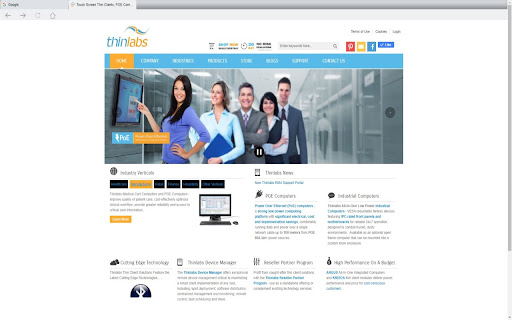
Thinlabs Kiosk extension for Chrome browsers allows a single URL or multiple URLs that are specified in the extension settings to open in a fullscreen kiosk mode. Multiple tabs are displayed on a tab bar if more than one url is specified in the extension options. The extension options page can be password protected. The same password is used to prevent the users from closing the kiosk mode browser. To start chrome in iosk mode create a shortcut with the --kiosk switch ( "C:\Program Files (x86)\Google\Chrome\Application\chrome.exe" --kiosk ) and place it in the startup folder. Disable this setting "Continue running background apps when Google Chrome is closed."
For additional information, technical support, and feature requests please contact us: https://www.thinlabs.com/content/contact-us

Reviews
Loading reviews...
Permissions (7)
Permissions
activeTabℹ Can access the current tab when you click the extension alarmsℹ Can schedule periodic background tasks background nativeMessagingℹ Can communicate with programs on your computer scriptingℹ Can inject scripts into web pages storageℹ Can store data locally in your browser tabsℹ Can see your open tabs and their URLs
Details
| Version | 1.0.46 |
| Updated | Dec 13, 2025 |
| Size | 252KiB |
| First Seen | Mar 21, 2026 |
Popular in workflow

Adobe Acrobat: PDF edit, convert, sign tools
by Adobe Inc.
330M
★ 4.40
workflow
330M
★ 4.40
workflow

Chrome Remote Desktop
by Chrome Remote Desktop Release Managers
38M
★ 3.14
workflow
38M
★ 3.14
workflow

Screencastify - Screen Video Recorder
by castify-ext-dev
9M
★ 3.95
workflow
9M
★ 3.95
workflow

Microsoft Defender Browser Protection
by Microsoft Corporation
2M
★ 4.15
workflow
2M
★ 4.15
workflow

Pop up blocker for Chrome™ - Poper Blocker
by dingosolutions
2M
★ 4.76
workflow
2M
★ 4.76
workflow
Popular Extensions
Adobe Acrobat: PDF edit, convert, sign tools
by Adobe Inc.
330M
★ 4.40
workflow
330M
★ 4.40
workflow
Chrome Remote Desktop
by Chrome Remote Desktop Release Managers
38M
★ 3.14
workflow
38M
★ 3.14
workflow

Cisco Webex Extension
by cisco.chromestore
24M
★ 2.34
social
24M
★ 2.34
social

Kami for Google Chrome™
by Kami
17M
★ 4.56
education
17M
★ 4.56
education

Read&Write for Google Chrome™
by Texthelp
17M
★ 3.44
accessibility
17M
★ 3.44
accessibility