SecureSafe Password Manager icon

SecureSafe Password Manager

by DSwiss AG

v1.4.1 Updated Nov 7, 2025 4.5MiB
CWS
7K
Users
★ 3.25
16 reviews
#6865
of 149.6K
privacy
#163 of 1.9K

Description

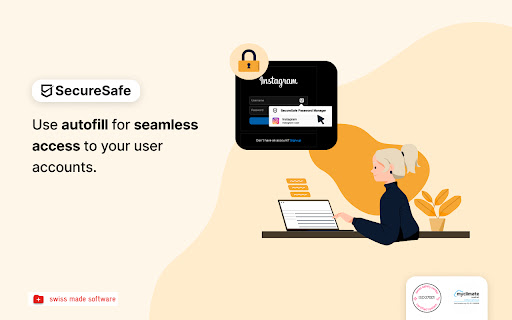
–––––––––––––––––––––––––––––––––––––––––––––– With the SecureSafe Browser Extension, you can log into websites, online stores or web applications directly from your browser. –––––––––––––––––––––––––––––––––––––––––––––– How do I log in to the SecureSafe Password Manager from my browser? Open the SecureSafe password manager by clicking on the SecureSafe icon in the top right-hand corner of the browser bar. Now log in with your SecureSafe username and password. If you do not yet have a SecureSafe account, you can register for free via our web or mobile app. –––––––––––––––––––––––––––––––––––––––––––––– How can I automatically insert passwords in the login field? Search for the password entry using the search field. Select the desired password entry with the mouse and click on the "Fill in" button to automatically populate the login fields.
SecureSafe Password Manager screenshot 1SecureSafe Password Manager screenshot 2SecureSafe Password Manager screenshot 3

Reviews (3 cached)

★☆☆☆☆2024-06-25
Jhn Rbn

The login is not working with correct password. Please fix this.

★★☆☆☆2023-05-26
Steve Hoole

Have previously (for many years) used the website option to gain safe and fast access to websites, but this recently stopped working for many sites (just opens another instance of the Securesafe page instead of the target website). So I thought I'd try the Chrome plugin. Either I'm too stupid to understand the interface - which seems to require many more steps than expected - or it simply doesn't work. The iOS app still works perfectly, so I shall probably stick with Securesafe, but it's a real shame Windows functionality is apparently broken.

★★☆☆☆2022-09-16
Kojak

Great idea, could be very useful, but unfortunatelly it's not working. When I use my user and password which is working on chrome, it doesn't with the plugin. Getting invalid password message. Have tried it a few times even with deactivated 2FA.

Permissions (6)

Permissions

activeTab Can access the current tab when you click the extension alarms Can schedule periodic background tasks notifications Can show desktop notifications storage Can store data locally in your browser tabs Can see your open tabs and their URLs webNavigation Can monitor navigation events

Details

Version 1.4.1
Updated Nov 7, 2025
Size 4.5MiB
First Seen Mar 29, 2026

