
rami - Tab Organizer for Chrome
v1.0.1.3 Updated Jun 20, 2025 104KiB
Description
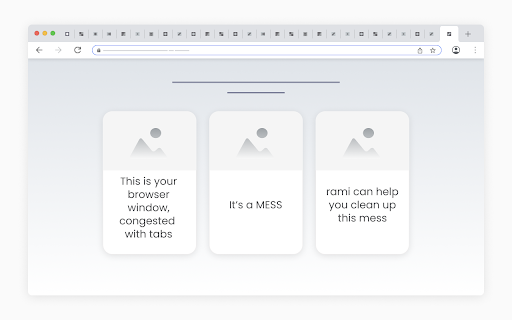
Imagine a messy browser window, congested with tabs.
rami offers a simple routine for cleaning up such windows:
- Launch rami in the messy window.
- When launched, rami loads a “tab container” for each open tab in the window.
- Start at the first container and individually consider each tab:
- Hover the container to view the tab, quickly identifying it.
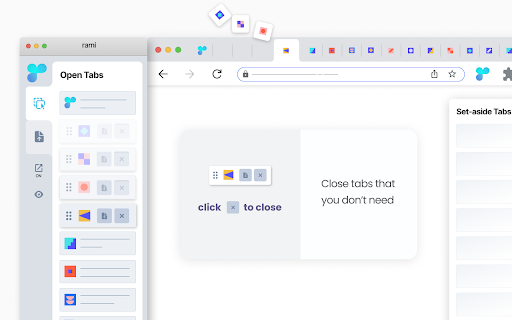
- Close the tab if you don’t need it,
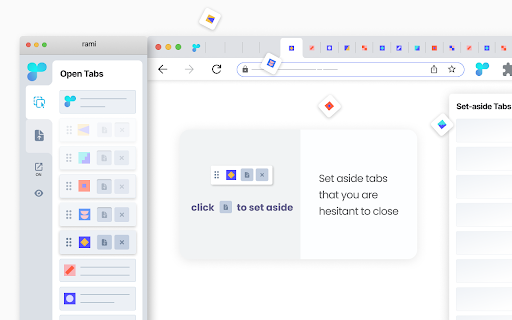
- Set aside the tab if you are hesitant to close,
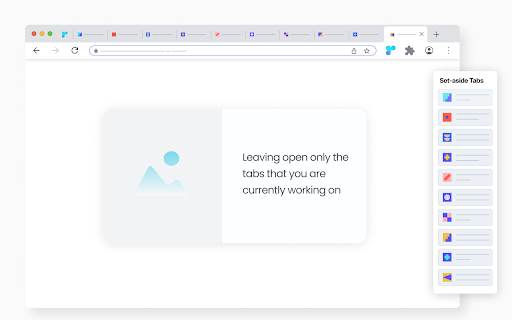
- Leave the tab open if you are currently working on it.
- You are done cleaning up the window once you have made the - set-aside|discard|keep - decision for every tab in it.
- - - - - - - - - - - - - - - - - - - - - - - -
- Buttons to set aside and close are inside the containers, easy to reach, making the cleanup process faster.
- rami is dynamic - any changes within the rami window are immediately reflected in the browser window and vice versa.
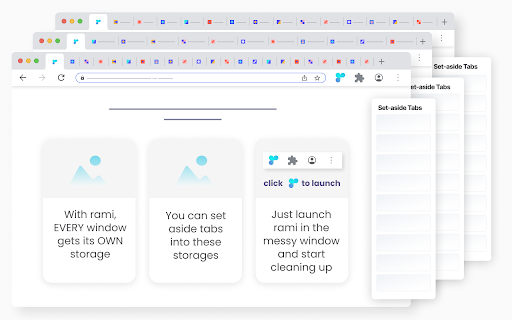
rami assigns a storage to each open window. When you set aside a tab, it is automatically placed in the storage of its parent window. This allows for one-click set-aside, as you don’t have to decide where to store the tabs. You simply set aside a tab, knowing exactly where it will be stored.
Retrieving set-aside tabs from storage is very easy:
- All storages are only two clicks away, accessible from the rami window.
- Conveniently, you can preview the set-aside tabs before returning them to their parent windows.
When a window is closed, its storage is automatically archived.
Additional features:
- From within the rami window:
- Conduct a convenient drag and drop of tabs within and across windows.
- Bring any open window in focus to clean it up or access its storage.
- Context menu set-aside - right-click a tab and select “Set Aside”.
* rami is free | no sign-up *
Reviews
Loading reviews...
Permissions (4)
Permissions
contextMenusℹ Can add items to the right-click menu storageℹ Can store data locally in your browser system.display tabsℹ Can see your open tabs and their URLs
Details
| Version | 1.0.1.3 |
| Updated | Jun 20, 2025 |
| Size | 104KiB |
| First Seen | Mar 24, 2026 |
Popular in tools

Browsec VPN - Free VPN for Chrome
by Browsec
7M
★ 4.44
tools
7M
★ 4.44
tools

Microsoft Bing Homepage & Search for Chrome
by Microsoft Corporation
4M
★ 3.72
tools
4M
★ 3.72
tools

Monica: All-In-One AI Assist & Smartest AI Agent
by Monica Team
3M
★ 4.89
tools
3M
★ 4.89
tools

Ad Blocker: Stands AdBlocker
by Stands
3M
★ 4.79
tools
3M
★ 4.79
tools

Google Dictionary (by Google)
by dictionary-extension-dev
3M
★ 4.36
tools
3M
★ 4.36
tools
Popular Extensions

Adobe Acrobat: PDF edit, convert, sign tools
by Adobe Inc.
330M
★ 4.40
workflow
330M
★ 4.40
workflow

Chrome Remote Desktop
by Chrome Remote Desktop Release Managers
38M
★ 3.14
workflow
38M
★ 3.14
workflow

Cisco Webex Extension
by cisco.chromestore
24M
★ 2.34
social
24M
★ 2.34
social

Kami for Google Chrome™
by Kami
17M
★ 4.56
education
17M
★ 4.56
education

Read&Write for Google Chrome™
by Texthelp
17M
★ 3.44
accessibility
17M
★ 3.44
accessibility