
✅Recently updated
Description
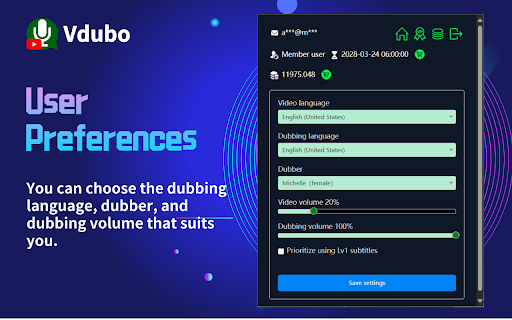
Vdubo provides online AI dubbing for video websites, based on the user-specified language. Currently, YouTube is supported. The Vdubo control icon is located at the bottom of the YouTube video being watched. Users can click the control icon at any time to start voice-over. For videos without subtitles or with unsatisfactory subtitles, members can use the speech transcription function to generate subtitles. Vdubo supports multiple languages for voice-over and can synchronize the volume and speed of the voice-over, allowing you to focus on the foreign language video without constantly looking at the subtitles, thus improving the video viewing experience.



Reviews (1 cached)
★☆☆☆☆2026-03-23
MY COUNTRY
scam scam scam scam scam just run !!!!!!!!!!!
Permissions (2)
Permissions
storageℹ Can store data locally in your browser tabsℹ Can see your open tabs and their URLs
Details
| Version | 2.1.1 |
| Updated | Mar 8, 2026 |
| Size | 1.55MiB |
| First Seen | Mar 24, 2026 |
Popular in tools

Browsec VPN - Free VPN for Chrome
by Browsec
7M
★ 4.44
tools
7M
★ 4.44
tools

Microsoft Bing Homepage & Search for Chrome
by Microsoft Corporation
4M
★ 3.72
tools
4M
★ 3.72
tools

Monica: All-In-One AI Assist & Smartest AI Agent
by Monica Team
3M
★ 4.89
tools
3M
★ 4.89
tools

Ad Blocker: Stands AdBlocker
by Stands
3M
★ 4.79
tools
3M
★ 4.79
tools

Google Dictionary (by Google)
by dictionary-extension-dev
3M
★ 4.36
tools
3M
★ 4.36
tools
Popular Extensions

Adobe Acrobat: PDF edit, convert, sign tools
by Adobe Inc.
330M
★ 4.40
workflow
330M
★ 4.40
workflow

Chrome Remote Desktop
by Chrome Remote Desktop Release Managers
38M
★ 3.14
workflow
38M
★ 3.14
workflow

Cisco Webex Extension
by cisco.chromestore
24M
★ 2.34
social
24M
★ 2.34
social

Kami for Google Chrome™
by Kami
17M
★ 4.56
education
17M
★ 4.56
education

Read&Write for Google Chrome™
by Texthelp
17M
★ 3.44
accessibility
17M
★ 3.44
accessibility