SubShift: Transfer your YouTube subscriptions icon

SubShift: Transfer your YouTube subscriptions

by Watson Tang

v1.8.1 Updated Oct 27, 2025 66.37KiB
CWS
7K
Users
β˜… 3.82
44 reviews
#1766
of 45.2K
tools
#340 of 11.2K

Description

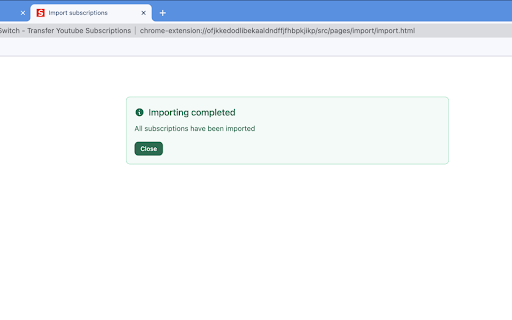
Never lose your YouTube subscriptions again. Export, backup, import, and transfer your channel list with a single click. Take control of your content preferences. Why Choose SubShift? πŸ”„ One-Click Transfer Seamlessly move your entire YouTube subscription list from one account to another. Perfect for migrating to a new personal account or a work profile. Save hours of tedious manual work. πŸ’Ύ Secure Backup & Restore Your subscription data is valuable. SubShift lets you create a backup file on your computer, ensuring you never lose your subscriptions due to a hacked, suspended, or accidentally deleted account. Think of it as an insurance policy for your content preferences. 🀝 Easy Sharing Found an amazing collection of channels? Export your subscription list and share it with friends, family, or your community, so they can import it with ease. 🧹 Manage & Organize Export your subscriptions to a clean, readable file. This allows you to review, clean up, and organize your channel list outside of YouTube for better content management. Key Features 1. Export Subscriptions: Download your complete YouTube subscription list as a file. 2. Import Subscriptions: Upload a file to instantly subscribe to all channels. 3. Simple Interface: Designed for speed and ease of useβ€”no complex settings. 4. Your Data, Your Control: All processing happens locally in your browser. We do not collect, store, or see your subscription data. Perfect For: 1. Switching Google Accounts: Move your subscriptions to a new account effortlessly. 2. Regular Backups: Proactively protect your YouTube data from unexpected loss. 3. Multi-Account Users: Sync subscriptions between personal, work, or test accounts. 4. Content Creators & Curators: Manage and share lists of channels easily. Take control of your YouTube experience. Add SubShift to Chrome today!
SubShift: Transfer your YouTube subscriptions screenshot 1SubShift: Transfer your YouTube subscriptions screenshot 2SubShift: Transfer your YouTube subscriptions screenshot 3

Reviews (8 cached)

β˜…β˜†β˜†β˜†β˜†2026-02-24
Tanush Shukla

stop opening a new tab every damn time for donation!

β˜…β˜†β˜†β˜†β˜†2025-08-16
Joe Dedalus

costs $15 to use

β˜…β˜†β˜†β˜†β˜†2025-01-21
Mr Doots Senior

Does not work any more.

β˜…β˜†β˜†β˜†β˜†2024-06-06
Chris R

Import does nothing

β˜…β˜†β˜†β˜†β˜†2023-10-29
Carlos MartΓ­nez

Not working, open tabs but it does not subscribe to channel.

β˜…β˜†β˜†β˜†β˜†2023-10-24
Jonathan vlaar

Exporting worked, it just copies the URL's of all channels subscribed to. When I tried to import it however it keeps on opening new tabs and tries to press the subscribe button or something. Which quickly filled up over 16GB RAM and generated 2gb of swap memory only at 60 / 120 windows opened. At that point I force quit Google Chrome. Quite stupid implementation, atleast use the same window. This is just a memory stress test tool at this point. Will be reporting this too

β˜…β˜…β˜…β˜†β˜†2025-09-21
Max Yt

Works even if it tells you to pay 15$... Shady. Did the job. Opened a tab for each account and subscribed.

β˜…β˜…β˜…β˜†β˜†2025-06-11
william Greenhalgh

works well but is incredibly slow took hours just to do 100+ subs, also opening up a pls donate to me window whenever i open chrome is a no from me, taken 1 star off for each problem

Permissions (4)

Permissions

alarmsβ„Ή Can schedule periodic background tasks clipboardWriteβ„Ή Can write to your clipboard scriptingβ„Ή Can inject scripts into web pages storageβ„Ή Can store data locally in your browser

Details

Version 1.8.1
Updated Oct 27, 2025
Size 66.37KiB
First Seen Mar 21, 2026



