
⚠️Requests 1 sensitive permission
Description
🔥 Altar turns everyday browsing into a living library of ideas.
Save anything you come across, including articles, images, videos, links, notes, and files and let them grow into a personal space that actually makes sense. No folders to maintain. No rigid systems to follow. Just capture freely and find clarity later.
As you browse, Altar quietly collects what matters and brings structure when you need it. Your references connect. Patterns emerge. Insights surface naturally as your archive grows. Whether you are researching, planning, designing, or writing, Altar helps you move from scattered inspiration to focused output without breaking your flow. Think of it as a creative memory that keeps up with you.
✨ Why Altar:
✔️ Save everything without stopping your momentum
✔️ Turn bookmarks into meaningful collections
✔️ See connections across ideas over time
✔️ Get clarity from information overload
✔️ Build a personal archive that improves the more you use it
🧠 Built for:
Designers, researchers, marketers, and anyone tired of messy tabs and disjointed docs.
People who think visually and want to turn inspiration into real results.
Anyone looking to supercharge their productivity and creativity without switching tools.
💻 How it Works:
Clip from anywhere: Use the ALTAR Chrome extension to save and organize instantly.
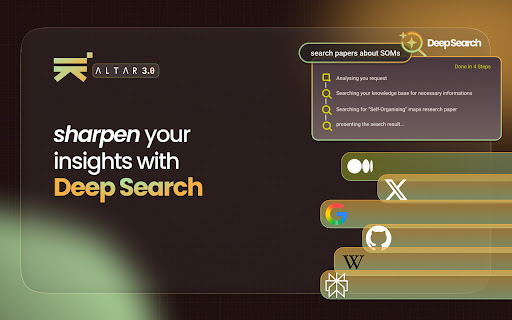
Let AI do the work: ALTAR understands your content and gives you summaries, insights, and creative suggestions.
Stay in flow: Everything you save feeds your second brain — improving over time and always available.
🔐 Privacy First:
ALTAR never reads your email, calendar, or documents without your permission. Your memory, your rules.



Reviews
Loading reviews...
Permissions (12)
Permissions
activeTabℹ Can access the current tab when you click the extension alarmsℹ Can schedule periodic background tasks background clipboardReadℹ Can read from your clipboard contextMenusℹ Can add items to the right-click menu declarativeNetRequestℹ Can block or redirect network requests favicon historyℹ Can read and modify your browsing history scriptingℹ Can inject scripts into web pages storageℹ Can store data locally in your browser tabsℹ Can see your open tabs and their URLs unlimitedStorage
Details
| Version | 0.0.81 |
| Updated | Feb 11, 2026 |
| Size | 2.35MiB |
| First Seen | Mar 21, 2026 |
Popular in functionality

Go Back With Backspace
by gobackwithbackspace
300K
★ 3.16
functionality
300K
★ 3.16
functionality

Google Search Maps Button
by Publisher54321
200K
★ 4.81
functionality
200K
★ 4.81
functionality

Disable AI Overview | Turn Off AI Overview
by hideaioverviews
100K
★ 4.06
functionality
100K
★ 4.06
functionality

IPvFoo
by Paul Marks
100K
★ 4.82
functionality
100K
★ 4.82
functionality

GNTD: Glass New Tab Dashboard
by akram.ismayilov13
100K
★ 4.23
functionality
100K
★ 4.23
functionality
Popular Extensions

Adobe Acrobat: PDF edit, convert, sign tools
by Adobe Inc.
330M
★ 4.40
workflow
330M
★ 4.40
workflow

Chrome Remote Desktop
by Chrome Remote Desktop Release Managers
38M
★ 3.14
workflow
38M
★ 3.14
workflow

Cisco Webex Extension
by cisco.chromestore
24M
★ 2.34
social
24M
★ 2.34
social

Kami for Google Chrome™
by Kami
17M
★ 4.56
education
17M
★ 4.56
education

Read&Write for Google Chrome™
by Texthelp
17M
★ 3.44
accessibility
17M
★ 3.44
accessibility