
⚠️Not updated in over a year
Description
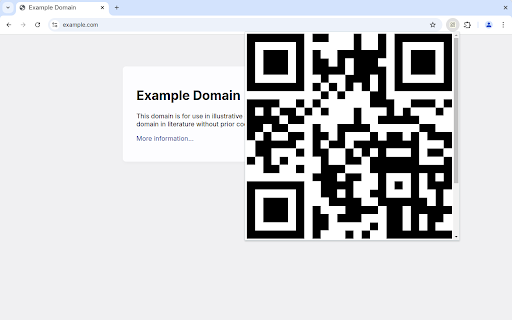
To make a QR Code for a tab, click the toolbar icon. To make a QR Code for selected text or a link, use the context menu.
Click the QR Code to reveal the control panel, where you can edit the text and save the QR Code to disk.
Icons used within the extension and in the promotional image are part of the Material Icons set
https://fonts.google.com/icons
QR Codes are generated by EasyQRCode
https://github.com/ushelp/EasyQRCodeJS
'QR Code' is a registered trademark of DENSO WAVE


Reviews
Loading reviews...
Permissions (2)
Permissions
activeTabℹ Can access the current tab when you click the extension contextMenusℹ Can add items to the right-click menu
Details
| Version | 1.2 |
| Updated | Nov 7, 2024 |
| Size | 37.72KiB |
| First Seen | Mar 22, 2026 |
More by Mythical 5th



Popular in tools

Monica: All-In-One AI Assist & Smartest AI Agent
by Monica Team
3M
★ 4.89
tools
3M
★ 4.89
tools

Ad Blocker: Stands AdBlocker
by Stands
3M
★ 4.79
tools
3M
★ 4.79
tools

Google Dictionary (by Google)
by dictionary-extension-dev
3M
★ 4.36
tools
3M
★ 4.36
tools

WPS浏览器助手:文档在线阅读编辑
by 金山PDF
2M
★ 2.90
tools
2M
★ 2.90
tools

Pie Adblock - A Powerful Free Ad Blocker
by Pie Extensions
2M
★ 4.90
tools
2M
★ 4.90
tools
Popular Extensions

Adobe Acrobat: PDF edit, convert, sign tools
by Adobe Inc.
330M
★ 4.40
workflow
330M
★ 4.40
workflow

Chrome Remote Desktop
by Chrome Remote Desktop Release Managers
38M
★ 3.14
workflow
38M
★ 3.14
workflow

Cisco Webex Extension
by cisco.chromestore
24M
★ 2.34
social
24M
★ 2.34
social

Kami for Google Chrome™
by Kami
17M
★ 4.56
education
17M
★ 4.56
education

Read&Write for Google Chrome™
by Texthelp
17M
★ 3.44
accessibility
17M
★ 3.44
accessibility