
Tab Manager - Smart Tab By NoteGPT AI
Description



Reviews (10 cached)
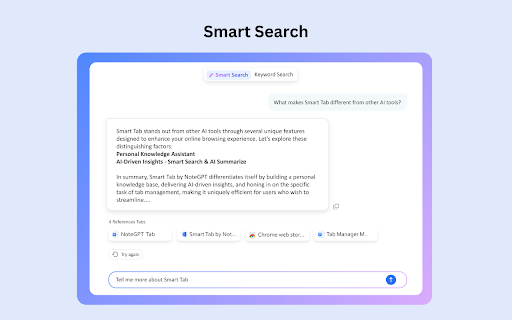
loved it until it started logging me out constantly. Each time this happens, I lose at least one tab. Often more, depending how quickly I'm saving them. It doesn't save login info either so every time I'm forced to retype email & passsword, often to only be logged out 20 seconds later or the 1st time I try to save something. I submitted this as feedback a week ago, still broken. AI search / ask AI is *also* broken now. So everything good is kind of ruined except AI over view which is nice but not sure it's enough to deal with the rest when other extensions can do that. Before that, it wasn't perfect, but good. Nice to save "sessions" of your tabs.
Workona much better
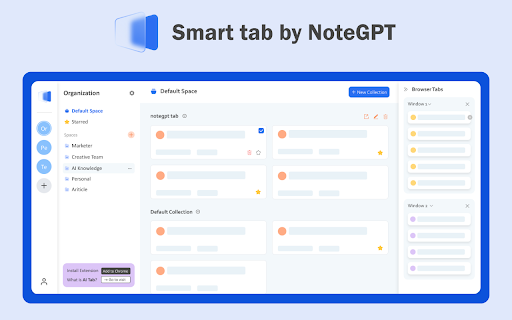
Update 6/29/2024 Just relogged into the app, and all my collections and saved tabs are gone. No response from customer service or developer. DO NOT Waste your time with this app.!!!!!! Missing critical functions & features Hi, I have been checking out this app NoteGPT Tab Manager, it seems almost the same as the one I have been using for a while now. It is called Skeema, layout is very similar to this app, but with a lot more features it seems. Raindrop.io seems to be even better. Here are some features and functions that are missing from the app. 1. I do not see any integration with Chrome tab groups, no "groups" are listed in the side list of windows. 2. need a way to select a color or icon for sessions/collections and saved windows folders. 3. Show chrome tab groups in saved and current sessions/collections, then have a "expand the groups" button to open the group and show the tabs. 4. Should be a way to "merge" current session windows tabs together with previously saved session windows collections to update the collection. 5.Give a name to a window from the browser window list on right side instead of just naming it "window". 6. A great function would be a way to click on a tab and then click on a "hot key" ("control" or "shift") key to select a range of tabs to move the selected tabs in bulk to another window. 7. Save and move specific tabs/groups into another saved window/collection so I can, for example, move all my saved YouTube tabs into a saved window of choice. 8. How to add new nested/sub-folders into a collection. 9. No merge function, Active session windows are not offered to merge with the list of saved session windows, or at least "over-write" the saved collection to update it. 10. NO BACKUP function. Check out Skeema,Raindrop.io, and Tabmanager.io for features/functions that would work well in this app. Here are some links to check these apps out. https://chromewebstore.google.com/detail/raindropio/ldgfbffkinooeloadekpmfoklnobpien https://chrome-stats.com/d/gjldbdooclkjdnhkccfdagdiocalghnf https://chrome-stats.com/d/hjicnemefbakbanoigbaonlpgflhggdf https://chromewebstore.google.com/detail/skeema/gjldbdooclkjdnhkccfdagdiocalghnf
It's not a good extension. Has a lot of bugs and very basic functionality.
You cannot drag and drop tabs between the windows. It also only opens a small window, which makes working with many windows with many tabs very difficult.
I anticipated that this would organize my bookmarks through AI by adding titles, verifying URLs, fixing broken links, eliminating duplicates, sorting them into folders with descriptive names, and tagging them accordingly.
It looks modern, but that's where it ends. The free version is quite feature-poor and even very slow. Only 15 queries per month? Other free chat bots give 40 queries per day! For Free!
it needs a resize window, window is too big.
It's a perfectly fine extension. It offers a solid utility for those who have under 100 tabs open at a time. But, it didn't fit my needs. First, it doesn't have any indicator which windows are in Incognito mode and which windows are general viewing. I can roughly figure it out for myself based on content, but a clear indicator would go a long way. Then, to use an analogy, if Windows are the equivalence of Folders and Tabs are the equivalence of Documents, the extension lacks any means by which to include Dividers. I was hoping for something like the FireFox Tree-Style Tabs extension which could let me sort and rearrange tabs, tying multiple things together into named groups not just on a basis of what window they are in... but this just lacks that kind of functionality, which is fine. It's just not what I needed personally. But that's just how things are sometimes. If you have only a few tabs and windows, this will get the job done. If you have over 1000 tabs like I do... this won't even get close to what you need without being a bit of a disorganized mess. In other words, it's a good Extension, but it lacks the functionality necessary to be an AMAZING Extension.
how about open many tabs at same domain. Please making it tidy like this extension: Aerys - Tab Manager https://chrome.google.com/webstore/detail/aerys-tab-manager/kclbicheojedbinfjdjjolmciodoihkl
Permissions (6)
Permissions
Details
| Version | 2.1.4.14 |
| Updated | May 24, 2025 |
| Size | 2.44MiB |
| First Seen | Mar 27, 2026 |
Popular in functionality





Popular Extensions


