
Image to Text for ChatGPT
v0.0.1.1 Updated Sep 23, 2024 122MiB
⚠️Not updated in over a year
Description
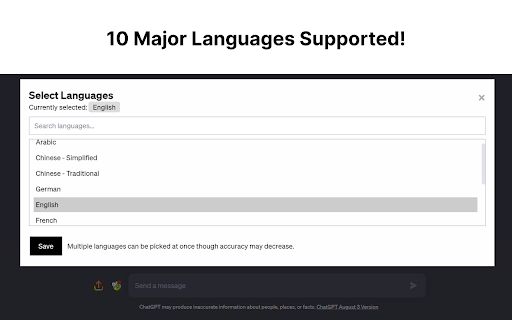
Update: Supports 12+ Major Languages!
Full Tutorial Video: https://www.youtube.com/watch?v=zob0us4bPc8
This extension was born out of a need for a fast, quick and intuitive way to get text from images into the textbox for ChatGPT. This extension accomplishes this with a great degree of accuracy and average speeds of ~5 seconds or less.
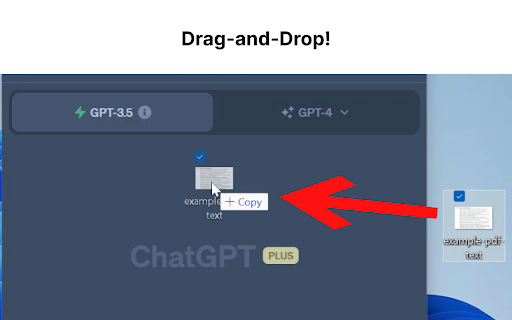
Now, you don't have to switch between multiple tools just for Optical Character Recognition (OCR). With this extension, you can easily upload an image file or drag and drop it for conversion into text, which will automatically populate your ChatGPT textbox.
Additionally, if you have a screenshot in your clipboard, you can directly paste (Ctrl+V) it into the textbox. Quick, hassle-free, and highly efficient - this extension is built with a focus on speed, user-friendliness, and most importantly, privacy.
For the Tech Savvy: Powered by Tesseract.js, this extension runs OCR directly in your browser, keeping your data secure as none of your information leaves your device. All the OCR work is performed locally, ensuring maximum privacy.
But we understand that sometimes, you may need an extra level of precision or need to retain the original format of the image, especially when dealing with content like Python code. For such instances, we provide an option to enable an embedded third-party solution created by Pieces.app. Check out their service at: https://www.codefromscreenshot.com/
All source code for complete transparency can be found on GitHub at: https://github.com/Tshetrim/Image-To-Text-OCR-extension-for-ChatGPT
Join the Discord to share feedback, errors, or just chat: https://discord.gg/8hnkBhwTJ5
Disclaimer: Please note, if you opt to use the third-party embedded option, your privacy and data handling will be subject to their policy as this extension is not affiliated with them.
Invest in your productivity today with our Chrome GPT extension, and experience the future of text transcription!


Reviews (3 cached)
★☆☆☆☆2023-07-14
alejandro Dos Santos
useless
★★☆☆☆2023-07-18
何天元
Emm……I don't even figure out how it works. I've tried a lot time like the video do, but it never success. A littlle disppointed but wish it would be better.
★★★☆☆2023-07-14
Sanjith S
I can see the potential of this extension but the issues are bit annoying. the popup UI doesn't have a feel! also hand written notes doesn't get detected or just generates some random bits of text.
Permissions (1)
Permissions
storageℹ Can store data locally in your browser
Details
| Version | 0.0.1.1 |
| Updated | Sep 23, 2024 |
| Size | 122MiB |
| First Seen | Mar 21, 2026 |
Popular in workflow

Adobe Acrobat: PDF edit, convert, sign tools
by Adobe Inc.
330M
★ 4.40
workflow
330M
★ 4.40
workflow

Chrome Remote Desktop
by Chrome Remote Desktop Release Managers
38M
★ 3.14
workflow
38M
★ 3.14
workflow

Microsoft Power Automate
by Microsoft Corporation
10M
★ 1.99
workflow
10M
★ 1.99
workflow

Screencastify - Screen Video Recorder
by castify-ext-dev
9M
★ 3.95
workflow
9M
★ 3.95
workflow

Mendeley Web Importer
by Mendeley
3M
★ 2.25
workflow
3M
★ 2.25
workflow
Popular Extensions
Adobe Acrobat: PDF edit, convert, sign tools
by Adobe Inc.
330M
★ 4.40
workflow
330M
★ 4.40
workflow
Chrome Remote Desktop
by Chrome Remote Desktop Release Managers
38M
★ 3.14
workflow
38M
★ 3.14
workflow

Cisco Webex Extension
by cisco.chromestore
24M
★ 2.34
social
24M
★ 2.34
social

Kami for Google Chrome™
by Kami
17M
★ 4.56
education
17M
★ 4.56
education

Read&Write for Google Chrome™
by Texthelp
17M
★ 3.44
accessibility
17M
★ 3.44
accessibility