
Description

Reviews (15 cached)
Doesn't work with local offline websites like file:///G:/website/main_page.htm And I feel like there is no excuse for it because I have a lot of Chrome extensions that do work with my local website.
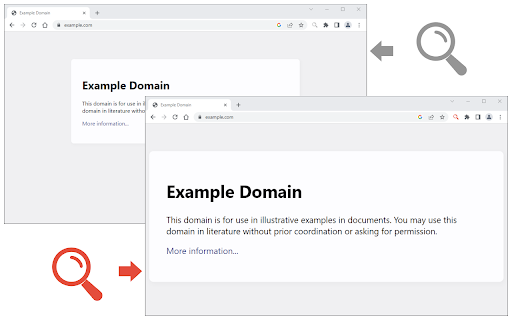
It doesn't do a normal page zoom (as you would do with Ctrl+), but scales the page so that the content goes over the edges and scrollbars appear. Pretty useless.
Worst extension not work
Does not work at all as expected.
Doesn't work like the standard zoom feature. I just wanted to ctrl+mousewheel in more intervals than 25% but this doesn't work at all until you refresh the page, which makes this just plain worthless. It's something you have to set before opening a page and not something you can change dynamically as you want or need it.
IT DOES NOT WORK İN SOME PLACES.
Zoom is working but cursor is not as per intended.
Nothing I searching for. Entire page are zoomed, no items inside. You must scroll every page to see page content.
Doesn't work for me. One, you have to adjust the zoom levels every time you visit the website. Two, a 125% default zoom by Chrome is fine, but the same zoom via this app results in the x and y axis scrolling being activated on the page, which means I have to constantly adjust the page to my needs. Uninstalling.
Couple of flaws:- (1) cannot move the Dialog Box whilst adding settings. I need to see certain parts of the page I'm modifying, which this extension obscures. (2) Can only make settings upon a domain name, NOT upon a full or partial URL. Example: Google Analytics has two distinct services on the same domain: https://analytics.google.com/analytics/web/#/p000000/..... and https://analytics.google.com/analytics/web/#/realtime/..... This extension will only create one setting for "https://analytics.google.com" which effects BOTH Google services, so one looks OK whilst the other looks too small.
Worked fine but not for my purpose. I would like to set zoom for an entire domain, in this case, for all Google Images searches. This extension will adjust for the individual page, www.images.google.com, but search results pages will still appear at standard zoom. Thank you for your otherwise useful extension. It helps people to make the Web a more accessible place!
Wish we could save settings for domains. currently it's either specific URLs, or browser-wide settings. For example I want to be able to enter " *youtube* " and effect all pages with the word youtube in their domain.
would be cool if it had an option for pages within a site too, like https://www.marktplaats.nl/my-account/favorites/index.html
works pretty well on most websites but it doesnt work on twitch
Certainly allows for more finite zooming but doesn't centre the page as built-in zoom does
Permissions (2)
Permissions
Details
| Version | 0.2.0 |
| Updated | Jan 6, 2026 |
| Size | 43.92KiB |
| First Seen | Mar 21, 2026 |
More by Grephy


Popular in tools




Popular Extensions




