
⚠️Below average rating
Description
YouTube Playlist Importer & Exporter: Your Ultimate Playlist Management Solution
In today's digital age, YouTube has become an integral part of our lives, serving as a vast repository of knowledge, entertainment, and inspiration. For many users, playlists are essential tools for organizing and accessing their favorite content. However, managing these playlists effectively can be challenging, especially when you want to back up your carefully curated collections or transfer them between accounts. That's where the YouTube Playlist Importer & Exporter Chrome extension comes in – your comprehensive solution for seamless playlist management.
## Change Log - Version 2.0
### Improvements
- **Enhanced Playlist Import Stability**: Significantly improved the reliability of the playlist import process
- **Performance Optimizations**: Faster processing of playlist data during import operations
- **Bug Fixes**: Resolved several issues that previously caused import failures
- **UI Refinements**: Improved user interface for a smoother import experience
This update focuses on making playlist imports more dependable, ensuring your playlists are correctly transferred without interruptions or errors.
## Transform How You Manage Your YouTube Playlists
The YouTube Playlist Importer & Exporter is a powerful Chrome extension designed to give you complete control over your YouTube playlists. With its intuitive interface and robust functionality, this tool revolutionizes how you handle your video collections, making it easier than ever to preserve, share, and rebuild your playlists.
### Key Features That Make a Difference
#### 1. Effortless Playlist Export
- **One-Click Export**: Simply paste your playlist URL and export your entire collection to a CSV file with a single click
- **Comprehensive Data Capture**: Each export includes essential video information:
- Video titles for easy identification
- Direct video URLs for quick access
- Thumbnail URLs for visual reference
- Video durations for time management
- **Universal Format**: Exports to CSV format, ensuring compatibility with various applications and platforms
#### 2. Streamlined Playlist Import
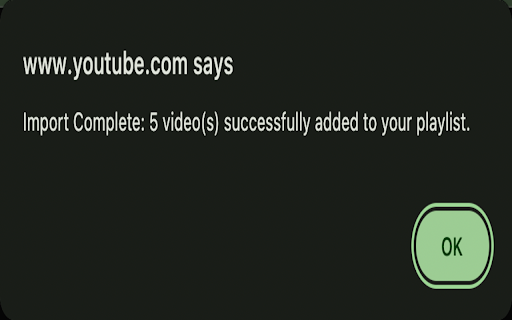
- **Bulk Video Addition**: Import multiple videos to your playlist simultaneously
- **Smart Processing**: Automatically processes each video in your CSV file
- **Progress Tracking**: Real-time feedback on import progress
- **Error Handling**: Robust error management ensures successful imports even if some videos encounter issues
#### 3. User-Friendly Interface
- **Clean, Modern Design**: An intuitive interface that makes playlist management a breeze
- **Visual Feedback**: Clear status updates keep you informed of all operations
- **Responsive Controls**: Quick and efficient interaction with your playlists
## Why You Need This Extension
### For Content Creators
- **Backup Your Work**: Protect your carefully curated playlists from accidental deletion or YouTube glitches
- **Content Organization**: Easily manage multiple playlists across different channels or accounts
- **Efficient Workflow**: Save time when creating new playlists by importing pre-prepared video lists
### For Educational Users
- **Course Material Management**: Easily organize and share educational video collections
- **Curriculum Backup**: Keep your teaching materials safe and easily transferable
- **Cross-Platform Sharing**: Share course playlists with students or colleagues in a universal format
### For Music Enthusiasts
- **Playlist Preservation**: Never lose your favorite music collections
- **Easy Sharing**: Share your music playlists with friends in a format they can easily import
- **Quick Recovery**: Quickly rebuild playlists if they get corrupted or accidentally deleted
### For Power Users
- **Bulk Operations**: Save time with efficient bulk import and export capabilities
- **Data Portability**: Move playlists between accounts without manual copying
- **Format Flexibility**: Work with your playlist data in spreadsheet applications for advanced organization
## Technical Excellence
The extension is built with the latest technology standards:
- **Manifest V3 Compatible**: Utilizing the latest Chrome extension framework for optimal performance and security
- **Efficient Processing**: Smart algorithms ensure smooth handling of large playlists
- **Minimal Permissions**: Only requests essential permissions for playlist management functionality
- **Regular Updates**: Maintained to ensure compatibility with YouTube's latest changes
## Real-World Applications
### Content Management
- Archive your favorite educational videos
- Organize research materials
- Create and share course curricula
- Manage multiple themed playlists
### Professional Use
- Build and maintain training video collections
- Create shareable resource libraries
- Backup company YouTube channels
- Manage marketing video collections
### Personal Organization
- Preserve music playlists
- Organize watching history
- Create backup copies of favorites
- Share collections with friends and family
## How It Works
### Exporting Your Playlists
1. Click the extension icon in your Chrome browser
2. Paste your YouTube playlist URL
3. Click "Export to CSV"
4. Save the generated file to your computer
### Importing Your Playlists
1. Open the extension
2. Select your CSV file
3. Click "Import Playlist"
4. Watch as your playlist is automatically populated
## Security and Privacy
We understand the importance of your data privacy and security. The YouTube Playlist Importer & Exporter:
- Operates entirely within your browser
- Doesn't store any personal data
- Requires minimal permissions
- Processes data locally on your machine
## Perfect For
- **Content Creators**: Who need to manage multiple playlists across different channels
- **Educators**: Who share educational content with students
- **Music Lovers**: Who want to backup and share their music collections
- **Researchers**: Who compile video resources for their work
- **Business Users**: Who maintain training or marketing video collections
- **Casual Users**: Who want to keep their favorite playlists safe
## Technical Specifications
- **File Format**: Standard CSV (Comma-Separated Values)
- **Browser Compatibility**: Google Chrome and Chromium-based browsers
- **Operating System**: Works on all major platforms (Windows, macOS, Linux)
- **Data Fields**: Title, URL, Duration, Thumbnail URL
- **Import/Export Speed**: Optimized for efficiency with progress tracking
## The Smart Choice for Playlist Management
The YouTube Playlist Importer & Exporter is more than just a tool – it's your complete solution for YouTube playlist management. Whether you're a content creator, educator, music enthusiast, or casual user, this extension provides the features you need to manage your playlists effectively.
With its combination of powerful features, user-friendly interface, and robust performance, this extension is the smart choice for anyone who values their YouTube playlists and wants a reliable way to manage them.
Don't let your carefully curated playlists remain vulnerable to loss or stuck in YouTube's ecosystem. Take control of your content today with the YouTube Playlist Importer & Exporter Chrome extension – the ultimate tool for YouTube playlist management.
## Getting Started
Installation is quick and easy:
1. Install the extension from the Chrome Web Store
2. Click the extension icon to access the interface
3. Start managing your playlists with confidence
Transform how you manage your YouTube playlists today with the YouTube Playlist Importer & Exporter – your trusted companion for playlist organization and preservation.



Reviews
Loading reviews...
Permissions (5)
Permissions
downloadsℹ Can manage and monitor downloads identityℹ Can use your Google account identity scriptingℹ Can inject scripts into web pages storageℹ Can store data locally in your browser tabsℹ Can see your open tabs and their URLs
Details
| Version | 2.1 |
| Updated | Jul 14, 2025 |
| Size | 64.08KiB |
| First Seen | Mar 24, 2026 |
More by kaliko


Popular in tools

Browsec VPN - Free VPN for Chrome
by Browsec
7M
★ 4.44
tools
7M
★ 4.44
tools

Microsoft Bing Homepage & Search for Chrome
by Microsoft Corporation
4M
★ 3.72
tools
4M
★ 3.72
tools

Monica: All-In-One AI Assist & Smartest AI Agent
by Monica Team
3M
★ 4.89
tools
3M
★ 4.89
tools

Ad Blocker: Stands AdBlocker
by Stands
3M
★ 4.79
tools
3M
★ 4.79
tools

Google Dictionary (by Google)
by dictionary-extension-dev
3M
★ 4.36
tools
3M
★ 4.36
tools
Popular Extensions

Adobe Acrobat: PDF edit, convert, sign tools
by Adobe Inc.
330M
★ 4.40
workflow
330M
★ 4.40
workflow

Chrome Remote Desktop
by Chrome Remote Desktop Release Managers
38M
★ 3.14
workflow
38M
★ 3.14
workflow

Cisco Webex Extension
by cisco.chromestore
24M
★ 2.34
social
24M
★ 2.34
social

Kami for Google Chrome™
by Kami
17M
★ 4.56
education
17M
★ 4.56
education

Read&Write for Google Chrome™
by Texthelp
17M
★ 3.44
accessibility
17M
★ 3.44
accessibility