
⚠️Not updated in over 2 years ⚠️Below average rating
Description
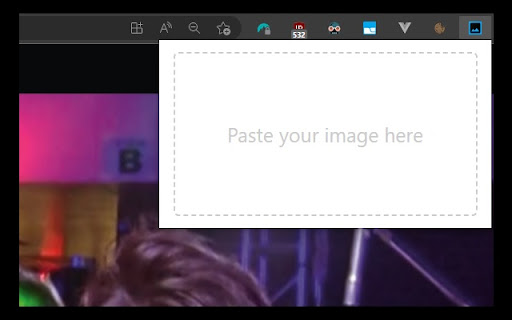
Image Pin allows you to place images over the website you're currently browsing. You can drag, resize and clear the image.
How to use:
- make a screenshot using in-build application in your Operating System or copy and image
- click on Image Pin browser extension icon
- paste your image (Ctrl + V on Windows, Command + V on Mac)
Feature set is currently limited, contact me if you find this useful and would like to see more features. Cheers!

Reviews
Loading reviews...
Permissions (1)
Permissions
storageℹ Can store data locally in your browser
Details
| Version | 1.0 |
| Updated | Dec 11, 2022 |
| Size | 53.82KiB |
| First Seen | Mar 22, 2026 |
Popular in workflow

Adobe Acrobat: PDF edit, convert, sign tools
by Adobe Inc.
330M
★ 4.40
workflow
330M
★ 4.40
workflow

Chrome Remote Desktop
by Chrome Remote Desktop Release Managers
38M
★ 3.14
workflow
38M
★ 3.14
workflow

Microsoft Power Automate
by Microsoft Corporation
10M
★ 1.99
workflow
10M
★ 1.99
workflow

Screencastify - Screen Video Recorder
by castify-ext-dev
9M
★ 3.95
workflow
9M
★ 3.95
workflow

iCloud Bookmarks
by Apple Inc.
7M
★ 3.38
workflow
7M
★ 3.38
workflow
Popular Extensions
Adobe Acrobat: PDF edit, convert, sign tools
by Adobe Inc.
330M
★ 4.40
workflow
330M
★ 4.40
workflow
Chrome Remote Desktop
by Chrome Remote Desktop Release Managers
38M
★ 3.14
workflow
38M
★ 3.14
workflow

Cisco Webex Extension
by cisco.chromestore
24M
★ 2.34
social
24M
★ 2.34
social

Kami for Google Chrome™
by Kami
17M
★ 4.56
education
17M
★ 4.56
education

Read&Write for Google Chrome™
by Texthelp
17M
★ 3.44
accessibility
17M
★ 3.44
accessibility