⚠️Not updated in over a year
Description
# Retro Terminal View
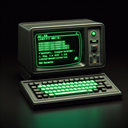
Transform modern websites into nostalgic 1980s-style terminal displays! Experience the internet as if you're using a vintage computer terminal, complete with classic green-on-black monospace text and a blinking cursor.
### Key Features:
- Converts any website into an authentic retro terminal interface
- Classic green monochrome display
- DOS-style command prompt animations
- Removes ads and unnecessary visual elements
- Preserves all text content and links
- Collects image links in an organized list
- Toggle between normal and terminal view with one click
- Clean, distraction-free reading experience
### Perfect For:
- Retro computing enthusiasts
- Developers who prefer text-based interfaces
- Anyone seeking a distraction-free reading experience
- Users who want to reduce webpage clutter
- Fans of classic computer aesthetics
### How It Works:
Simply click the extension icon to toggle between normal view and terminal mode. When enabled, the extension transforms the current webpage into a clean, text-only terminal display while maintaining all functionality and navigation.
### Note:
- Works on most websites
- Some dynamic web applications may have limited functionality
- JavaScript-heavy sites may require page refresh when toggling modes
This is an open-source project. If you find it useful, consider supporting its development through the donation link in the terminal header.
Experience the web like it's 1985! 🖥️
Changelog:
Version 1.1.0 (November 12, 2024)
⌨️ Added keyboard shortcut (Alt+T) to quickly toggle terminal mode
🚀 Improved performance on dynamic websites through optimized update handling
Note: You can customize the keyboard shortcut in Chrome's extension settings (chrome://extensions > Keyboard shortcuts)


Reviews
Loading reviews...
Permissions (4)
Permissions
activeTabℹ Can access the current tab when you click the extension commands scriptingℹ Can inject scripts into web pages storageℹ Can store data locally in your browser
Details
| Version | 1.1.0 |
| Updated | Feb 1, 2025 |
| Size | 17.21KiB |
| First Seen | Mar 23, 2026 |
Popular in tools

Microsoft Bing Homepage & Search for Chrome
by Microsoft Corporation
4M
★ 3.72
tools
4M
★ 3.72
tools

Monica: All-In-One AI Assist & Smartest AI Agent
by Monica Team
3M
★ 4.89
tools
3M
★ 4.89
tools

Ad Blocker: Stands AdBlocker
by Stands
3M
★ 4.79
tools
3M
★ 4.79
tools

Google Dictionary (by Google)
by dictionary-extension-dev
3M
★ 4.36
tools
3M
★ 4.36
tools

WPS浏览器助手:文档在线阅读编辑
by 金山PDF
2M
★ 2.90
tools
2M
★ 2.90
tools
Popular Extensions

Adobe Acrobat: PDF edit, convert, sign tools
by Adobe Inc.
330M
★ 4.40
workflow
330M
★ 4.40
workflow

Chrome Remote Desktop
by Chrome Remote Desktop Release Managers
38M
★ 3.14
workflow
38M
★ 3.14
workflow

Cisco Webex Extension
by cisco.chromestore
24M
★ 2.34
social
24M
★ 2.34
social

Kami for Google Chrome™
by Kami
17M
★ 4.56
education
17M
★ 4.56
education

Read&Write for Google Chrome™
by Texthelp
17M
★ 3.44
accessibility
17M
★ 3.44
accessibility