
⚠️Not updated in over a year
Description
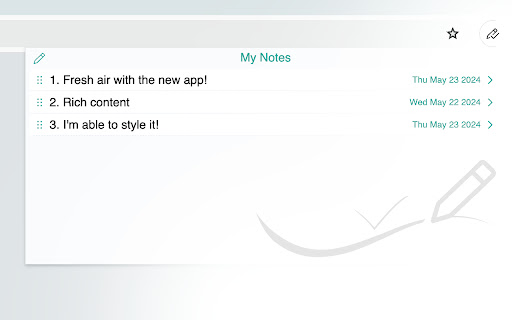
It is a simple and useful application that saves a quick note right without leaving a browser. This extension can sync with Google Drive and encrypt the data if desired... to keep it safe, and secure.
Features
- Markdown it! A plain text format editor for writing structured documents. Based on the CodeMirror with markdown-it renderer followed by the CommonMark spec.
- WYSIWYG-style editing. A Rich content editor ideally produce clean, semantically meaningful documents while still being easy to understand. Based on the ProseMirror with the bridge the gap between editing explicit, unambiguous content like Markdown, and classical WYSIWYG editor.
- Automatically saves notes to Google Drive into data file If Authorized on options page.
- Can encrypt all data synced to the cloud, using AES-GCM encryption with the only key that the user carries.
- No one can know about sensitive information until decrypted.
- Please be noted, if a key is lost, it will be impossible to recover the data. Please remember that key and keep it safe.
- Drag & drop to reorder the notes in a desired order.
- Dark and Light themes.
- No data is collected from a user.
- Offline mode.
changes in 2.1.2 release:
- added offline support
- fixed markdown rendering issues
- fixed link conversion when edit link in Visual Editor
- added support to copy text as Markdown in Visual Editor (cmd/ctr-shift-c)
- added parsing from Markdown text to Visual text on paste
- fixed empty lines not rendering in Visual Editor
changes in 2.1.1 release:
- fixed sync error fails to parse a note when a new un-synced note has no changes yet.



Reviews (1 cached)
★★★☆☆2024-09-12
leafbelly
Practically, I like this, but in execution, there are some odd UI choices. First, why does every single font style have serifs? Is there an option somewhere to choose a sans-serif font, like Arial or Helvetica -- or something similar? It seems like that would be the obvious font choice for taking notes. Why would you need flair for fonts that are just for your own practical use? You might as well add Comic Sans or Papyrus. Right? Also, when I try to change to a different font, this software puts a series of pounds/hashtags in front of the text .
Permissions (6)
Permissions
alarmsℹ Can schedule periodic background tasks identityℹ Can use your Google account identity idleℹ Can detect when you're away from the computer offscreen storageℹ Can store data locally in your browser unlimitedStorage
Details
| Version | 2.1.2 |
| Updated | Jul 11, 2024 |
| Size | 3.71MiB |
| First Seen | Mar 23, 2026 |
Popular in workflow

Adobe Acrobat: PDF edit, convert, sign tools
by Adobe Inc.
330M
★ 4.40
workflow
330M
★ 4.40
workflow

Chrome Remote Desktop
by Chrome Remote Desktop Release Managers
38M
★ 3.14
workflow
38M
★ 3.14
workflow

Microsoft Power Automate
by Microsoft Corporation
10M
★ 1.99
workflow
10M
★ 1.99
workflow

Screencastify - Screen Video Recorder
by castify-ext-dev
9M
★ 3.95
workflow
9M
★ 3.95
workflow

Mendeley Web Importer
by Mendeley
3M
★ 2.25
workflow
3M
★ 2.25
workflow
Popular Extensions
Adobe Acrobat: PDF edit, convert, sign tools
by Adobe Inc.
330M
★ 4.40
workflow
330M
★ 4.40
workflow
Chrome Remote Desktop
by Chrome Remote Desktop Release Managers
38M
★ 3.14
workflow
38M
★ 3.14
workflow

Cisco Webex Extension
by cisco.chromestore
24M
★ 2.34
social
24M
★ 2.34
social

Kami for Google Chrome™
by Kami
17M
★ 4.56
education
17M
★ 4.56
education

Read&Write for Google Chrome™
by Texthelp
17M
★ 3.44
accessibility
17M
★ 3.44
accessibility