
⚠️Not updated in over 2 years
Description
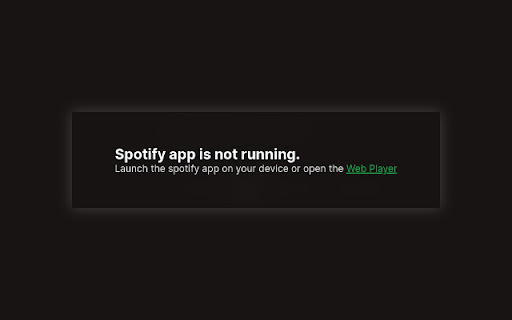
NOTE: This extension only works with premium Spotify accounts.
Tired of switching or tabbing out of your current page just to change a song on the Spotify app, to then realize you have ruined the flow of all your chrome tabs and your valuable time? then Spotify Player+ is for you.
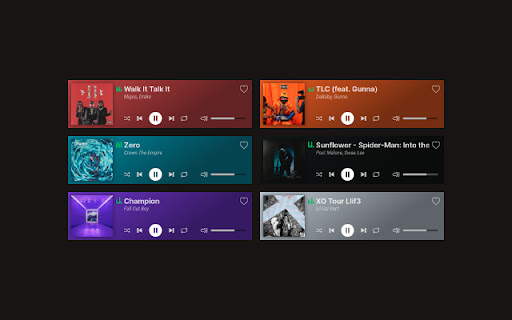
This is a mini player that you can use to play/pause/shuffle/skip tracks and more. After you've installed the extension, you simply just hit the Spotify Player+ icon at the top right corner of your browser to open the mini controller.
Key Features:
• Listen to Music or Podcasts;
• Play/Stop/Shuffle/Repeat tracks;
• Previous/Next tracks;
• Like/Save track;
• Change volume of track;
• Seek 15 seconds Forward/Backward on podcasts;



Reviews (2 cached)
★☆☆☆☆2024-11-06
Jacob Ortiz
trash on chromebook
★★☆☆☆2023-02-21
Sam
This extension does not/no longer works, I tried to skip and pause but it didn't work.
Permissions (2)
Permissions
identityℹ Can use your Google account identity storageℹ Can store data locally in your browser
Details
| Version | 1.2.0 |
| Updated | Jan 12, 2022 |
| Size | 54.5KiB |
| First Seen | Mar 25, 2026 |
Popular in workflow

Adobe Acrobat: PDF edit, convert, sign tools
by Adobe Inc.
330M
★ 4.40
workflow
330M
★ 4.40
workflow

Chrome Remote Desktop
by Chrome Remote Desktop Release Managers
38M
★ 3.14
workflow
38M
★ 3.14
workflow

Microsoft Power Automate
by Microsoft Corporation
10M
★ 1.99
workflow
10M
★ 1.99
workflow

Screencastify - Screen Video Recorder
by castify-ext-dev
9M
★ 3.95
workflow
9M
★ 3.95
workflow

LastPass: Free Password Manager
by LastPass
8M
★ 4.26
workflow
8M
★ 4.26
workflow
Popular Extensions
Adobe Acrobat: PDF edit, convert, sign tools
by Adobe Inc.
330M
★ 4.40
workflow
330M
★ 4.40
workflow
Chrome Remote Desktop
by Chrome Remote Desktop Release Managers
38M
★ 3.14
workflow
38M
★ 3.14
workflow

Cisco Webex Extension
by cisco.chromestore
24M
★ 2.34
social
24M
★ 2.34
social

Kami for Google Chrome™
by Kami
17M
★ 4.56
education
17M
★ 4.56
education

Read&Write for Google Chrome™
by Texthelp
17M
★ 3.44
accessibility
17M
★ 3.44
accessibility