
Shortcut 2 Calendar - Fastest way to Add Events into your Calendar
v2.2 Updated Apr 14, 2025 37.26KiB
Description
⚡Introducing Screenshot to Calendar: Add Events Effortlessly to your Calendar⚡
In the fast-paced world we navigate daily, keeping track of events and appointments can often feel like juggling with too many balls in the air. We've all been there—spotting an important event online or receiving an event invitation via email, only to think, "I'll add that to my calendar later," and then, inevitably, it slips through the cracks. 📅
Recognizing this common challenge, we are thrilled to introduce Screenshot to Calendar, a Chrome extension designed to seamlessly ensure that no event or meeting dates are ever overlooked again.
Why Screenshot to Calendar? 🤯
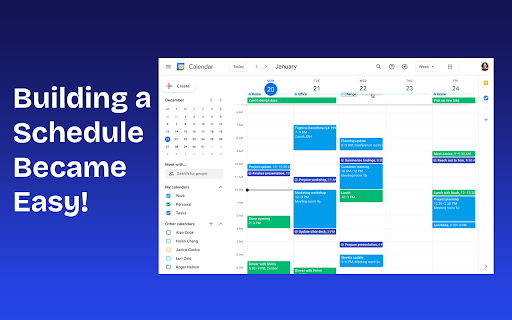
Screenshot to Calendar is not just a tool; it's your personal hack in the digital realm, dedicated to making life simpler 🔮 and more organized. With a quick shortcut, this extension allows you to capture any event you come across on your browser and instantly adds it to your calendar. It's that easy—no more switching tabs, no more manual entries, and definitely no more forgotten commitments. 🔥🔥🔥


Reviews
Loading reviews...
Permissions (6)
Permissions
activeTabℹ Can access the current tab when you click the extension commands contextMenusℹ Can add items to the right-click menu identityℹ Can use your Google account identity identity.email notificationsℹ Can show desktop notifications
Details
| Version | 2.2 |
| Updated | Apr 14, 2025 |
| Size | 37.26KiB |
| First Seen | Mar 24, 2026 |
Popular in workflow

Adobe Acrobat: PDF edit, convert, sign tools
by Adobe Inc.
330M
★ 4.40
workflow
330M
★ 4.40
workflow

Chrome Remote Desktop
by Chrome Remote Desktop Release Managers
38M
★ 3.14
workflow
38M
★ 3.14
workflow

Microsoft Power Automate
by Microsoft Corporation
10M
★ 1.99
workflow
10M
★ 1.99
workflow

Screencastify - Screen Video Recorder
by castify-ext-dev
9M
★ 3.95
workflow
9M
★ 3.95
workflow

iCloud Bookmarks
by Apple Inc.
7M
★ 3.38
workflow
7M
★ 3.38
workflow
Popular Extensions
Adobe Acrobat: PDF edit, convert, sign tools
by Adobe Inc.
330M
★ 4.40
workflow
330M
★ 4.40
workflow
Chrome Remote Desktop
by Chrome Remote Desktop Release Managers
38M
★ 3.14
workflow
38M
★ 3.14
workflow

Cisco Webex Extension
by cisco.chromestore
24M
★ 2.34
social
24M
★ 2.34
social

Kami for Google Chrome™
by Kami
17M
★ 4.56
education
17M
★ 4.56
education

Read&Write for Google Chrome™
by Texthelp
17M
★ 3.44
accessibility
17M
★ 3.44
accessibility