
Switch Workstation Tab Manager
Description

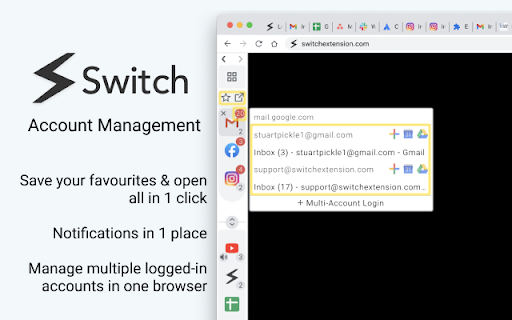
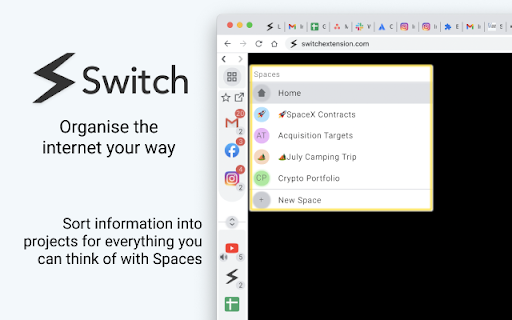

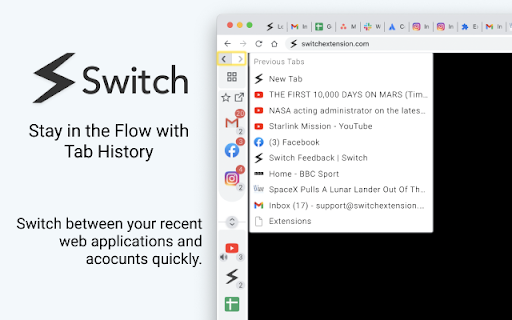
Reviews (22 cached)
This doesn't work. And from looking at other reviews, it's cause it was abandoned a few years ago.
need an alternative for sessionbox, this plugin could be much much better
!!!!! DO NOT INSTALL, EXTENSION HAS BEEN ABANDONED !!!!!| No longer works with Google sign-in. It's pretty obvious that this developer took the money and ran and just completely abandoned this. "Your message wasn't delivered to support@swtichextension.com because the domain swtichextension.com couldn't be found. Check for typos or unnecessary spaces and try again."
!!!!! DO NOT INSTALL, EXTENSION HAS BEEN ABANDONED !!!!! Developer has ABANDONED this extension and is ignoring requests to cancel the Pro plan from myself and other users.
BEWARE!! This is ABANDONWARE, and the developer is either unable or unwilling to respond to requests to cancel the pro plan!!! I had to CANCEL MY DEBIT CARD and get a new one because its been months and they won't stop charging! I'm going to do everything possible to get Google to take action here.
doesn't work. asks you to pay for full features.
Multiple accounts seem to work for everything but the only website I want to use it with - Discord. :(
Rating a 1. The extension itself isn't terrible, but if you pay for the Pro plan, there's no way to cancel if you want out other than sending an email, and if your experience is anything like mine, you will NOT get you plan switched back to free and you WILL continue to be billed. Avoid. A scam as far as I'm concerned.
Hello! This chrome extension does not work on a Brave Browser (Chromium Based).
I just downloaded it on a MacBook Air and it doesn't work at all, can't open or use it. I guess only you'll only be able to use it if you pay. Uninstalling.
ok
Not free because it's a completely pointless piece of garbage if you don't pay them money.
I liked the idea and also the videos i've seen. But sadly nearly ALL my tabs that i am opening are loading and loading and spinning and loading. After deactivating the extension, all pages i'm opening are instantly there. Sad. Looked promising. Deinstalling now... :'(
I was hoping you would having to keep all your tabs open with this extension, but you still have to have your tabs open for it to work. I guess I just don't have enough tabs open at one time to make it work. Although at the time of writing this review, I do have over 25 tabs open. But with a 27" iMac, it's not too much to not see them. I guess I'm just not the target audience for this extension. I don't see the value in it. It also does not work on most websites correctly. Websites will be bouncing side to side as your scroll as they try and resize because of this workspace taking up some of the side of the window. Or words on the edge will be cut off. On Switch's own website, their install link at the top right was halfway cut due to this extension being on. I guess I can see how it's good for some, but unless you have 100 tabs open on a 13" laptop, I don't think it's worth it.
Too slow and bulky. Just a glorified tab organizer when used without a paid subscription. For that use, I'd reccomend the far faster Aerys extension.
Nothing you will get for free, the least you have to give them your email address to try atleast what the extension does and its really irritating. The price is too high atleast for a person living in a third world country. Replaces your new tab setup without any heads up. Extension seems to be promising but the developers are very aggressive in getting what they want.
It's invalid after 2021/12/14.
I installed this extension for a few weeks until I realized it has glitches that prevented displaying some websites. For example, with this extension installed, the simple front page at https://www.java.com/en/ is showing a blank page. I have repeatedly tested installing/uninstalling this extension. Whenever it is installed, the java.com and some other websites failed to load.
keeps getting a pop up to either pay a monthy fee, annual fee, or sign up for a 14 day trial. please make it possible to stop this constant pop up. it's very very distracting. thank you
Good idea, but not exactly working, because I need to zoom in some websites and this bar also got zoomed in and things fall apart.I need constant size for this bar. Also I need an option to hide it by default
It's a good exstention but does not work well with microsoft edge. do you think that you could fix that?
Finally a good tab manager! Really digging this and glad I found it. It would be 5 stars if it didn't cost so much! I am SUPER disappointed to see the pro features are $29/year or $3/month. Even my antivirus and malware protection programs don't cost that much with the promo deals they offer. Sorry, but this kind of software is a nice to have kind of thing and you need to offer way more to charge that much. I'd consider $10-20 for a lifetime like a few others but that's it. Update: I've been using this now for over a month and I really like a lot of things about it and it has a ton of potential. I still think its costs too much and thus haven't purchased. I may delete soon though because it tends to mess up the display of some websites. I find if its active the tool bar will shift over websites in weird ways. As soon as I minimize the menu the issues go away so I know its causing them. I'd almost prefer it to have an option to keep it minimized on each new page you load, or a short cut key to open it. I find myself having to close it a lot. Maybe think about moving the bar to the bottom of the page? Seems it would interfere with the DIVs less that way.
Permissions (11)
Permissions
Details
| Version | 3.8.8 |
| Updated | May 16, 2025 |
| Size | 7.88MiB |
| First Seen | Mar 25, 2026 |
Popular in functionality




Popular Extensions




