
⚠️Requests 1 sensitive permission
Description
JoggAI – AI-Powered Screen Recorder
Turn your screen recordings into polished, AI-avatar–narrated videos — automatically, in minutes.
JoggAI records your screen and your voice, removes filler words, and transforms everything into a professional AI Avatar video with natural narration and perfect lip sync. No camera. No studio. No manual editing.
Create AI Avatar–led videos from your screen recordings in just a few steps:
1. Record Your Screen & Voice: Capture your full screen, a window, or a selected area — while speaking naturally.
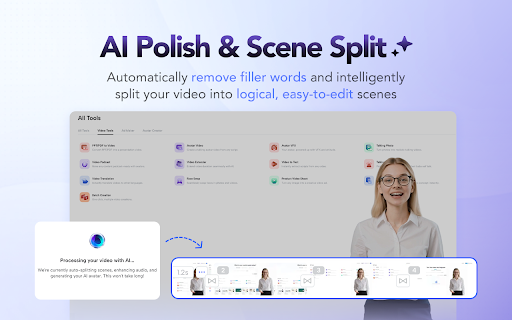
2. Remove Filler Words & Auto Scene Split: JoggAI automatically detects and removes filler words, then splits your recording into clean, editable scenes.
3. AI Avatar Narration: Replace your raw audio with a studio-quality AI voice and a perfectly lip-synced AI Avatar.
4. Finalize & Export: Fine-tune the script or scenes, then export your video instantly.
Why JoggAI?
🤖 AI Avatar with Natural Lip Sync
Your AI Avatar delivers narration with precise lip movement and natural expressions — no webcam or filming required.
🎥 Smart Screen Recording
Record your screen flexibly and add blur or annotations instantly to protect sensitive information.
✨ AI-Powered Cleanup & Editing
Automatically remove filler words, split scenes, and upgrade your audio to professional AI voiceovers — all in one click.
🔄 Script-Video Auto Sync
Edit your script at any time. The video timing adjusts automatically to stay perfectly aligned.
🌍 One-Click Translation
Translate your script and AI voiceover into multiple languages to reach a global audience instantly.
📌 JoggAI is more than a screen recorder. It’s a browser-based AI Avatar video studio designed for:
• Product demos & tutorials
• Training and onboarding videos
• Marketing walkthroughs
• Educational content
• Sales enablement videos
All powered by advanced AI models — no filming, no timelines, no learning curve.
Record once. Speak naturally. Let JoggAI handle the rest. Install the JoggAI Chrome Extension and create your first AI Avatar screen recording today.




Reviews
Loading reviews...
Permissions (11)
Permissions
activeTabℹ Can access the current tab when you click the extension alarmsℹ Can schedule periodic background tasks clipboardWriteℹ Can write to your clipboard desktopCaptureℹ Can capture screen, window, or tab content offscreen scriptingℹ Can inject scripts into web pages storageℹ Can store data locally in your browser system.display tabCaptureℹ Can capture tab audio/video tabsℹ Can see your open tabs and their URLs unlimitedStorage
Details
| Version | 1.0.1 |
| Updated | Feb 11, 2026 |
| Size | 9.53MiB |
| First Seen | Mar 21, 2026 |
Popular in tools

Browsec VPN - Free VPN for Chrome
by Browsec
7M
★ 4.44
tools
7M
★ 4.44
tools

Microsoft Bing Homepage & Search for Chrome
by Microsoft Corporation
4M
★ 3.72
tools
4M
★ 3.72
tools

Monica: All-In-One AI Assist & Smartest AI Agent
by Monica Team
3M
★ 4.89
tools
3M
★ 4.89
tools

Ad Blocker: Stands AdBlocker
by Stands
3M
★ 4.79
tools
3M
★ 4.79
tools

Google Dictionary (by Google)
by dictionary-extension-dev
3M
★ 4.36
tools
3M
★ 4.36
tools
Popular Extensions

Adobe Acrobat: PDF edit, convert, sign tools
by Adobe Inc.
330M
★ 4.40
workflow
330M
★ 4.40
workflow

Chrome Remote Desktop
by Chrome Remote Desktop Release Managers
38M
★ 3.14
workflow
38M
★ 3.14
workflow

Cisco Webex Extension
by cisco.chromestore
24M
★ 2.34
social
24M
★ 2.34
social

Kami for Google Chrome™
by Kami
17M
★ 4.56
education
17M
★ 4.56
education

Read&Write for Google Chrome™
by Texthelp
17M
★ 3.44
accessibility
17M
★ 3.44
accessibility