Popup Blocker - block pop up requests icon

Popup Blocker - block pop up requests

by PopupBlocker

v1.0.8 Updated Jan 14, 2026 272KiB
CWS
10K
Users
β˜… 3.70
30 reviews
#1052
of 45K
tools
#195 of 11.2K

Description

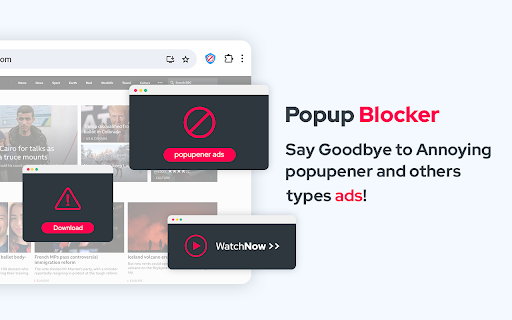
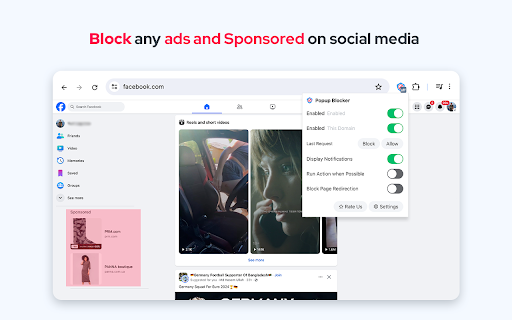
Streaming, shopping, and WordPress sites often open unwanted pop-ups or redirect users to ad pages. This Chrome extension prevents all types of popups and popunders before they appear. When a popup is blocked, you'll see a badge count and an optional page notification. If multiple identical requests are made, the badge counter increments. For previously visited sites, the extension automatically allows or denies requests based on your prior decisions. What happens if a website tries to open a popup while using this extension? The extension blocks the popup request and displays a notification in the top right corner of the page. Enjoy distraction-free browsing! You’ll have the option to: - Deny the request - Allow the request - Open the request in a background tab - Redirect the current page to the requested source Do I need an Adblock? This extension doesn't hinder network requests or ads similar to adblock extensions. It serves a specific purpose, safeguarding you from popups and popunders. For an enhanced browsing experience, pair this extension with Adblock. Think of it as an additional tool to minimize distractions and interruptions. Notes: - By placing your mouse over a notification, the counter stops counting so that the user can review the popup request. - By placing your mouse over a notification, you can get the full URL in the tooltip (when the full URL is not visible). - You can ignore page notifications for a site by adding the hostname to the whitelist (renamed to exception list). - This extension does not block overlay pop-ups like cookie messages. - It works offline. There are no server-side activities whatsoever Please, rate us! We work hard to provide you with the best experience. If you like our extension, please provide us with a 5 star rating!
Popup Blocker - block pop up requests screenshot 1Popup Blocker - block pop up requests screenshot 2Popup Blocker - block pop up requests screenshot 3

Reviews (9 cached)

β˜…β˜†β˜†β˜†β˜†2025-11-10
LuckyPistonWicks

does not ever work

β˜…β˜†β˜†β˜†β˜†2025-02-21
Courtney O.

DOES NOT WORK AT ALL

β˜…β˜†β˜†β˜†β˜†2025-02-16
J A

Does not block popups, setting are not saved, they go back to default and there is no option to save settings.

β˜…β˜†β˜†β˜†β˜†2024-09-15
Ria S

Literally does not work at all!!!!!!!!!!!!!! Try it. Go to aerelleco.com or any freaking clothing shop that extremely annoyingly will bombard you with popup: this extension DOES NOT WORK. Tell me what I'm doing wrong?

β˜…β˜†β˜†β˜†β˜†2024-08-06
Laurits Guld Rosengren

Why cant i pick 0?

β˜…β˜†β˜†β˜†β˜†2024-03-28
MIKE GROG

lets porn adds through doesnt always work

β˜…β˜…β˜†β˜†β˜†2024-09-23
Bagher 13

It's stupid that there is a list of options that the user can customize but there is no save option in this list πŸ˜…

β˜…β˜…β˜†β˜†β˜†2024-02-29
James Utting

Needs to have a Black List, This is functioning on every website by default, which causes problems on some websites. I would prefer to only manually activated on those websites where pop ups are a problem, thus could easily be achieved via a Black List.

β˜…β˜…β˜…β˜†β˜†2024-11-22
dave

it stops the pop up for me and that is enough

Permissions (2)

Permissions

scriptingβ„Ή Can inject scripts into web pages storageβ„Ή Can store data locally in your browser

Details

Version 1.0.8
Updated Jan 14, 2026
Size 272KiB
First Seen Mar 22, 2026



