
Description


Reviews (7 cached)
Downloaded and very excited but even though it installs and I can pin it, I click and nothing happens. I troubleshooted for 10 minutes and it doesnt work.
its not working properly its not helpfull, i was using to last 1 year but now is not showing any email id in gmail...problem is that i making any email so not showing any activity in gmail like not showing linkedin profile ,personal photo etc...soo please fix it this problem ???
It doesnt work on my sytem.. the extension is added to chrome but that right click menu in the video does not appear anywhere. Cant see any settings that are changeable to make it appear either. I like the concept though!
An excuse to Data Mine your personal information for free. They get you to link to your databases. Display of contacts and use them is poor(never saw a list)
Doesn't work
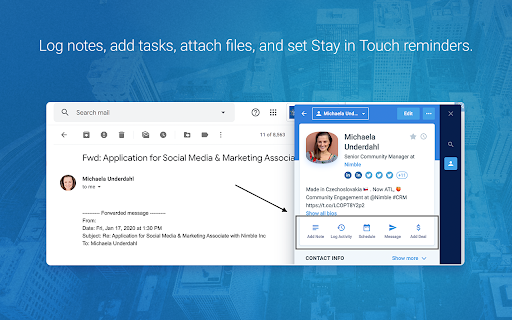
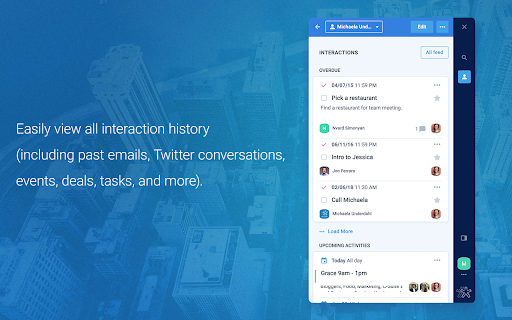
First, only people who don't pay attention will install this without realizing that this is an extension for use with a CRM platform for which you have to pay. This review is NOT about the CRM platform (Nimble), but about this accessory tool that is made to go with it. Like the Zoho CRM and HubSpot CRM browser plugins, this is designed to eliminate the need for lots of typing when trying to get content about contacts off of web pages and into the CRM. What this does REALLY WELL is go out and attempt to find all the social media accounts associated with a person. Cool! What it does INCONSISTENTLY is pull information from LinkedIn profile pages. For example, it pulls in the company name as Chief Bottle Washer at Acme Company, instead of just "Acme Company". this error in parsing means typing and editing -- which is what this extension should eliminate. And it doesn't pull ANY of the other info (phone, twitter account, email address).
Good Extension
Permissions (8)
Permissions
Details
| Version | 26.1.22 |
| Updated | Jan 28, 2026 |
| Size | 1.09MiB |
| First Seen | Mar 22, 2026 |
Popular in workflow





Popular Extensions


