
Foxit PDF Editor Cloud: Edit and Convert
v1.4.0 Updated Dec 23, 2025 224KiB
⚠️Requests 1 sensitive permission
Description
Introducing the New Foxit PDF Editor Cloud Chrome Extension
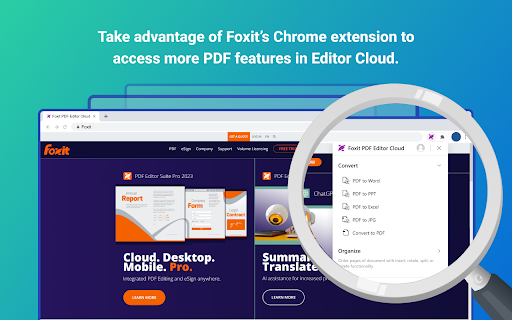
Experience effortless in-browser PDF reader and PDF editor capabilities FREE with the Foxit PDF Editor Cloud Chrome extension - so you can create, edit, convert, and annotate PDFs without having to switch applications. This extension is built with speed in mind, so it won’t cause browser lag or cross-team delays.
Foxit PDF Editor Cloud for Chrome: It’s the better, faster, more intelligent PDF viewing experience.
How to Utilize Foxit's PDF Extension:
1. Install the Foxit extension for Chrome
2. Pin the extension for quick access
3. Open any PDF in your browser
Foxit delivers premium PDF capabilities with our unique toolkit featuring:
• Foxit’s award-winning easy-to-use interface
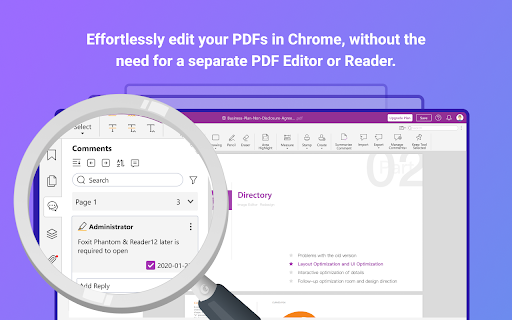
• Simple in-browser PDF editing
• Quick highlighting and annotation
• Insert, rotate, split, and delete PDF pages
• Search the contents of a PDF document
• Click to Convert PDF files
• Streamlined PDF document workflows
And it’s all free to use.
Combine this free Chrome extension with your Foxit PDF Editor Cloud subscription for even more functionality.
• Save PDFs directly to your cloud for easy access on any device
• Collaborate and share files on the cloud
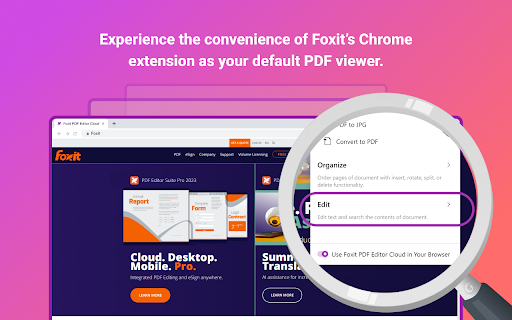
• Open files directly in your PDF editor as your default viewer
• Access powerful AI tools
• Gain access to advanced security features and much more
Terms & Conditions: Your usage of this application is subject to Foxit's General Terms of Use and Privacy Policy, available at Foxit Legal Page https://www.foxit.com/product/terms-of-service.html
Reviews (4 cached)
★☆☆☆☆2024-12-30
wes d
constantly asks me for credentials. like every week or so. have to re-enter in order to download the pdf. which is an absurd feature to put behind a paywall, btw.
★☆☆☆☆2024-07-30
Benjamin Kus
Causes many issues browsing many websites. Scroll bar disappears & mouse scroll does not work, page layout negatively affected such as leaving massive spaces between items that should not happen, then I cannot click on buttons or cells that exist. When I turn this extension off, everything is instantly fixed.
★☆☆☆☆2024-04-10
OSRS R0YCE DA 59
you can not edit pdf for free
★★★☆☆2024-08-16
Tom Hamilton
If you don't want to pay $149, use foxit reader not editor. If you download editor it will block sharing until you pay or downgrade to reader. Reader has a typewriter mode that can fill forms fine.
Permissions (3)
Permissions
storageℹ Can store data locally in your browser tabsℹ Can see your open tabs and their URLs webRequestℹ Can observe and analyze network traffic
Details
| Version | 1.4.0 |
| Updated | Dec 23, 2025 |
| Size | 224KiB |
| First Seen | Mar 22, 2026 |
More by Foxit Software

Popular in tools

Monica: All-In-One AI Assist & Smartest AI Agent
by Monica Team
3M
★ 4.89
tools
3M
★ 4.89
tools

Ad Blocker: Stands AdBlocker
by Stands
3M
★ 4.79
tools
3M
★ 4.79
tools

Google Dictionary (by Google)
by dictionary-extension-dev
3M
★ 4.36
tools
3M
★ 4.36
tools

WPS浏览器助手:文档在线阅读编辑
by 金山PDF
2M
★ 2.90
tools
2M
★ 2.90
tools

Pie Adblock - A Powerful Free Ad Blocker
by Pie Extensions
2M
★ 4.90
tools
2M
★ 4.90
tools
Popular Extensions

Adobe Acrobat: PDF edit, convert, sign tools
by Adobe Inc.
330M
★ 4.40
workflow
330M
★ 4.40
workflow

Chrome Remote Desktop
by Chrome Remote Desktop Release Managers
38M
★ 3.14
workflow
38M
★ 3.14
workflow

Cisco Webex Extension
by cisco.chromestore
24M
★ 2.34
social
24M
★ 2.34
social

Kami for Google Chrome™
by Kami
17M
★ 4.56
education
17M
★ 4.56
education

Read&Write for Google Chrome™
by Texthelp
17M
★ 3.44
accessibility
17M
★ 3.44
accessibility