
Description


Reviews (27 cached)
ignore the average rating for this extension. those ratings were all for a different extension. this is now a new extension, under a new name and with completely different functionality, but with the same ratings and reviews. that's a form of lying on the part of the developer. i will keep this negative review up until either 1) the extension returns to its previously-advertised functionality, or 2) all previous reviews and ratings are deleted.
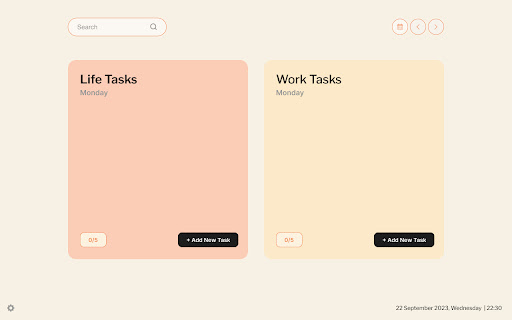
"Balance – your perfect daily ToDo", replaced a previously installed extension "Color Eye Dropper" in an attempt to hijacked the current install base "Color Eye Dropper".
Lame! It says "copied" when I'm ready to copy but it copies the thing I had copied before. Waste of time. Getting a different colour picker. Thank you but no thank you.
It does not work. I click it and nothing happens, I tried the shortcut and nothing happens. I'm on mac.
its very slow
doesn't work anymore please fix.
Simple and easy to use. Just shift+alt+c for easy colour picking. (5/5) Edit: Ultimate Color Picker got hacked. UNINSTALL
It doesn't work anymore
It asks for a rating and also adversities a Facebook extension.
I loved the concept and simplicity. However, when I select the arrow for the next day to enter a to do list for that day it just refreshed to today and my current day's list vanished. If I select the calendar and go to today, my list is missing, it only shows on a new tab. If I select a date it just refreshes the screen with todays date and a missing list. Not as productive as I want it to be, as I want to list tomorrows tasks and be able to look back on previous days. I'm gutted. Fix that and I'll be back.
Copying code doesn't copy sometimes.
Color accuracy is not great
color de-selecting problem is annoying.
A simple extension that works... but is let-down by a couple of annoying bugs that ruin UX: 1) You can't remove selected colours from the list, even though the interface suggests you should be able to. 2) You can't deactivate the extension. So, if you want to do anything else on the page, you can't unless you refresh.
Great tool - did exactly what I needed BUT it keeps repeatedly turning on when you don't need it (this was on iMac). Like every minute - it makes it unusable I'm afraid, so our relationship was all too brief! A real shame - needs fixing and then you have a great tool.
won't go away after I use it. Can't do anything because it just keeps color picking:(
Not so good.
Useful, but keeps showing up even when I don't want it to, forcing you to pick a color and then close the window to be able to keep on working. Very annoying, I'll just find another one.
While the plugin works the copy functionality doesn't. It doesn't copy it to the clipboard and you can't select and copy it yourself. (chrome 95)
For me, the pointer does not line up with what the pixelated window thingy is showing. It's WAY off, by a few hundred pixels. I tried reloading the webpages I tested on (one of which is XKCD, something simple and straightforward) and kept seeing the same issue. Also, would be nice to exit the extension by hitting the escape key. This extension has promise, but that bug is too much for me.
I can't do anything else on wix/other program whilst this is open. The copy tool also doesn't work when using in wix as when I paste it the colour won't change. I have to screen shot the number, shut down the picker then type it in manually.
When I close the selector and turn on the debugging mode, the selector pops up again. vice versa
needed a color picker and it was very accurate but, keeps being active when I am trying to edit other things in slides, wish I could toggle it off with some button when I don't need it yet.
Can't get it to stop when changing tabs Even after exiting, it continues on the next pages and tabs. It also doesn't always get the color correct. Not as good as what I use on chrome, but the best I could find compatible with Brave.
Exactly what i'm looking for except it starts itself randomly when I restore Chrome windows on MacOs. So Have to uninstall.
It's very buggy, the copy hex code feature works maybe 50% of the time or not at all.
I really like how quick and easy to use this tool is. Just click click and boom the rgb and hex color codes appear. Also once they appear, you just click the code and it's automatically copied to the keyboard. Great user experience. The issue is that the code given doesn't match the actual color on the screen. There is some approximation that happens that gives you a "close" color but not the exact match. Fix that and you've got a five star tool.
Details
| Version | 20.1.7 |
| Updated | May 17, 2023 |
| Size | 9.88MiB |
| First Seen | Mar 23, 2026 |
Popular in workflow





Popular Extensions


