Export ChatGPT Conversation icon

Export ChatGPT Conversation

by jamesniranye

v1.4 Updated Apr 4, 2023 51.13KiB
CWS
9K
Users
★ 3.19
21 reviews
#1687
of 49.1K
workflow
#491 of 6.1K
⚠️Not updated in over 2 years

Description

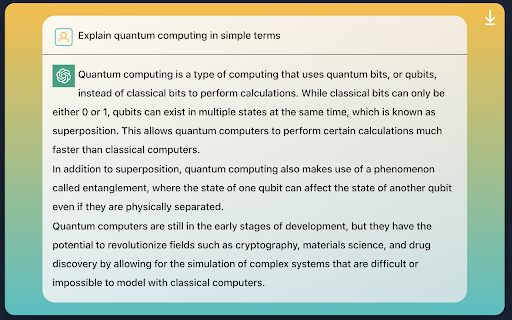
Introducing the "Export ChatGPT Conversation" app, a convenient tool for saving and organizing your conversations with ChatGPT, the cutting-edge AI language model developed by OpenAI. This app allows you to easily export your conversations with ChatGPT and save them directly to Notion, the all-in-one workspace for note-taking, project management, and more. With the "Export ChatGPT Conversation" app, you can easily capture and preserve the insights and information you gain through your conversations with ChatGPT. The app automatically formats your conversation into a clean and organized format, ready to be saved to your Notion workspace. Exporting your conversation to Notion is simple and straightforward. Simply connect your Notion account to the app and choose the page where you want to save your conversation. Then, initiate a conversation with ChatGPT and start capturing valuable information and insights. When you're ready to save your conversation, just click the "Export to Notion" button and your conversation will be automatically added to your selected Notion page, fully formatted and ready for future reference. With the "Export ChatGPT" app, you'll never have to worry about losing track of the valuable information you gain through your conversations with ChatGPT. Whether you're using ChatGPT for research, knowledge gathering, or just for fun, this app makes it easy to save and organize your conversations for future reference. Try it out today and see how it can help you make the most of your conversations with ChatGPT!
Export ChatGPT Conversation screenshot 1Export ChatGPT Conversation screenshot 2

Reviews (11 cached)

★☆☆☆☆2024-02-28
Raja J

Doesn't work, limited to 2000, formatting is also broken, you can try, "Export ChatGPT Conversations (MarkDown and Plain Text) Extension" to overcome these limitations.

★★☆☆☆2024-10-22
ITzAD 20

only question exported

★★☆☆☆2023-11-17
Daniel Temesi

Duplicates the messages in conversation. However it does export correctly.

★★☆☆☆2023-08-31
João Daniel

I didn't use the images so far, but "Copy to clipboard" and "Export to Notion" are limited to a certain amount of characters (about 2k), which is too short. Also, both this options duplicate each message when copying or exporting.

★★☆☆☆2023-04-15
Jeremy Boucher

Did work for me. Constantly go the error: 500: HTTP status code 401 {"object":"error","status":401,"code":"unauthorized","message":"API token is invalid."} - Uninstalled, reinstalled, ensured all blocking was turned off, made the Notion account email the same as my OpenAi account... Tried everything but no joy.

★★☆☆☆2023-04-12
Melinda Collings

Cannot export over 2000 characters. Most of my conversations are longer.

★★★☆☆2024-07-09
Evans William

I found this one works perfect. https://chromewebstore.google.com/detail/chatgpt-exporter-extract/ilmdofdhpnhffldihboadndccenlnfll

★★★☆☆2023-04-15
Gert Bhat

Exports text, but not bulletpoints, numbered lists, etc...

★★★☆☆2023-04-03
강희진 Kang Heejin

When I try to print as image, the image sometimes doesn't capture the full screen.

★★★☆☆2023-03-26
star

hello , it's not working now . The exception : Export ChatGPT Conversation 500: pageContent.nodes is not iterable

★★★☆☆2023-03-25
scideas software

Download as images option doesn't create images, it creates HTML on the developers own site, not substantially any different from the original, just different styling.

Permissions (3)

Permissions

activeTab Can access the current tab when you click the extension scripting Can inject scripts into web pages storage Can store data locally in your browser

Details

Version 1.4
Updated Apr 4, 2023
Size 51.13KiB
First Seen Mar 23, 2026


