
Description
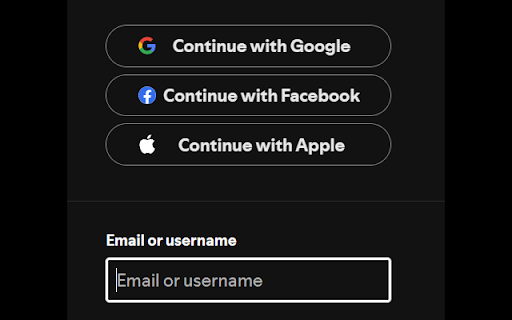
Choose which sites to automatically focus on the first text field.
Manually focus on the first text field with Ctrl+Shift+E
Useful for keyboard users when the website doesn't use autofocus on the login, two-factor auth, search text boxes and others.
It's annoying to type in a 2FA code only to realise the field wasn't focused and it has to be typed in again.
Supports multiple text box types: text, textarea, email, password, tel, number, search and url.
When there is no text box, the first input of any kind is focused.
- Use on Amazon.com, youtube.com, facebook.com and others
Install Notes:
- Default Shortcut Key: Ctrl+Shift+E this can be changed in Extensions > Manage Extensions > Keyboard Shortcuts


Reviews
Loading reviews...
Permissions (3)
Permissions
activeTabℹ Can access the current tab when you click the extension contextMenusℹ Can add items to the right-click menu storageℹ Can store data locally in your browser
Details
| Version | 1.3 |
| Updated | May 6, 2025 |
| Size | 8.43KiB |
| First Seen | Mar 22, 2026 |
Popular in functionality

Infinity New Tab
by Infinity Teams
400K
★ 4.57
functionality
400K
★ 4.57
functionality

Go Back With Backspace
by gobackwithbackspace
300K
★ 3.16
functionality
300K
★ 3.16
functionality

Google Search Maps Button
by Publisher54321
200K
★ 4.81
functionality
200K
★ 4.81
functionality

Disable AI Overview | Turn Off AI Overview
by hideaioverviews
100K
★ 4.06
functionality
100K
★ 4.06
functionality

IPvFoo
by Paul Marks
100K
★ 4.82
functionality
100K
★ 4.82
functionality
Popular Extensions

Adobe Acrobat: PDF edit, convert, sign tools
by Adobe Inc.
330M
★ 4.40
workflow
330M
★ 4.40
workflow

Chrome Remote Desktop
by Chrome Remote Desktop Release Managers
38M
★ 3.14
workflow
38M
★ 3.14
workflow

Cisco Webex Extension
by cisco.chromestore
24M
★ 2.34
social
24M
★ 2.34
social

Kami for Google Chrome™
by Kami
17M
★ 4.56
education
17M
★ 4.56
education

Read&Write for Google Chrome™
by Texthelp
17M
★ 3.44
accessibility
17M
★ 3.44
accessibility