
Description
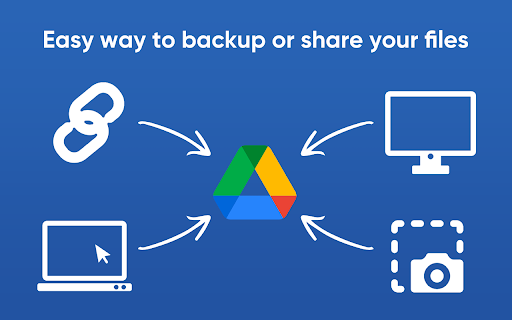
🌟 Upload to Google Drive™ is your all-in-one solution for seamless file uploads. Easily transfer documents, photos, videos, and large PDFs to your Google Drive™ account with just a few clicks. Whether you need to save important files or access them across multiple devices, this extension keeps your digital life organized and accessible.
🚀 Quick Start Tips
1️⃣ Install and pin the extension for quick access.
2️⃣ Sign in to your Google Drive™ account.
3️⃣ Click the extension icon to open the upload window and set your preferred folder.
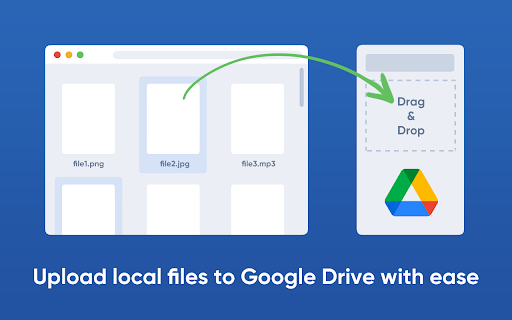
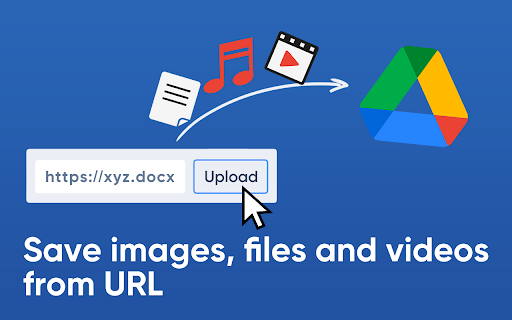
4️⃣ Drag and drop files, documents, photos, or videos, or right-click on a link to upload it directly to Google Drive™.
🔑 Key Features:
- Fast Uploads: Save files effortlessly without opening multiple tabs.
- Wide Format Support: Upload documents, spreadsheets, presentations, PDFs, and more.
- Media Uploads: Store photos, videos, and images with ease.
- Secure Environment: Ensure your files remain safe in Google Drive™.
📂 Effortless File Management
Upload to Google Drive™ streamlines file transfers by allowing users to save various file formats directly to their account. Say goodbye to switching between platforms—handle everything from one place.
🖼️ Save Photos and Videos with Ease
Not just for documents! Upload to Google Drive™ makes it easy to save photos, images, and videos, making it an excellent tool for photographers, artists, and content creators.
🎥 Archive Videos Instantly
Whether you're a videographer or capturing everyday moments, this extension ensures that your videos are safely stored and accessible whenever needed.
⏱️ Save Time and Boost Efficiency
Upload files to Google Drive™ instantly without downloading them first. This feature is especially helpful for users managing large numbers of documents, images, and media files.
👨💻 Simplified File Sharing
Share important files, photos, and videos with colleagues, family, or friends directly from Google Drive™.
💻 Browser Compatibility
Currently compatible with Google Chrome. We plan to extend support to Mozilla Firefox, Microsoft Edge, and Safari soon, ensuring broader accessibility.
⚙️ Planned Future Features:
- Link Sharing: Instantly generate a sharing link after uploading.
- File Conversion: Convert Microsoft Office files to Google Docs format.
- Multi-Account Support: Choose different accounts for immediate uploads.
🔒 Enhanced Security
Protect sensitive files with Google Drive’s secure environment. Only you and authorized users can access your uploaded files.
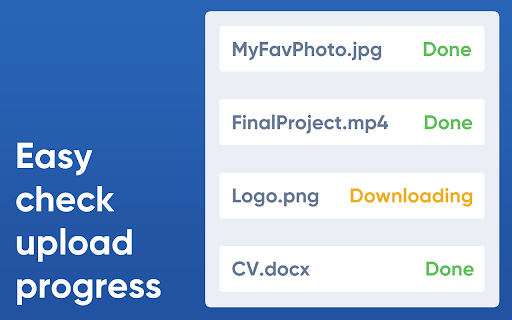
📤 Upload Multiple Files Simultaneously
Save time by uploading multiple files at once, ideal for managing bulk content effectively.
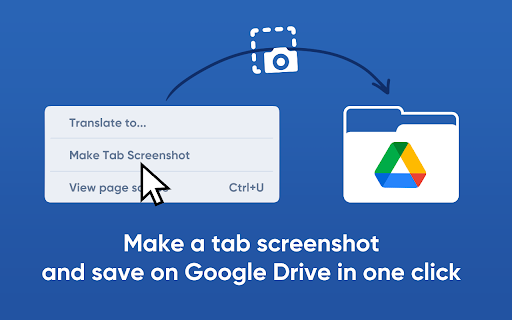
🖥️ Screenshot Capture Feature
Quickly capture and save screenshots directly to your Google Drive™ folder. Perfect for visual records, project documentation, and saving important information.
📱 Access Files Anywhere
Manage and access your files easily, whether you're at home, work, or on the go.
📚 Ideal for Students and Educators
Streamline the process of saving and sharing lecture notes, research papers, and multimedia presentations.
🎓 Boost Productivity for Professionals
Save and share work-related files, reports, and documents with ease. Collaborate effortlessly with your team.
👥 Valuable for Organizations and Businesses
Seamlessly integrate with cloud storage infrastructures, keeping records, confidential documents, and critical files secure and accessible.
✅ Get Started Today!
Transform your file management experience with Upload to Google Drive™. Download the extension and enjoy effortless organization, quick uploads, and enhanced productivity.
⚠️ This extension is developed by third-party developers and is not affiliated with Google LLC or its subsidiaries.
Reviews (3 cached)
★☆☆☆☆2024-12-07
Vitalii Shevtsov
It doesn't work! I tried to save the file via the link, but after clicking the “Upload” button, nothing happened
★☆☆☆☆2024-04-16
Abu Siam
why can't i connect it w my account?clicking on sigh in to google dooesnt work
★☆☆☆☆2024-03-17
Saeed Khani
Unfortunately, this plugin does not work at all
Permissions (5)
Permissions
activeTabℹ Can access the current tab when you click the extension contextMenusℹ Can add items to the right-click menu identityℹ Can use your Google account identity sidePanel storageℹ Can store data locally in your browser
Details
| Version | 0.1.4 |
| Updated | Mar 31, 2025 |
| Size | 116KiB |
| First Seen | Mar 22, 2026 |
More by Milext.com


Popular in tools

Microsoft Bing Homepage & Search for Chrome
by Microsoft Corporation
4M
★ 3.72
tools
4M
★ 3.72
tools

Monica: All-In-One AI Assist & Smartest AI Agent
by Monica Team
3M
★ 4.89
tools
3M
★ 4.89
tools

Ad Blocker: Stands AdBlocker
by Stands
3M
★ 4.79
tools
3M
★ 4.79
tools

Google Dictionary (by Google)
by dictionary-extension-dev
3M
★ 4.36
tools
3M
★ 4.36
tools

WPS浏览器助手:文档在线阅读编辑
by 金山PDF
2M
★ 2.90
tools
2M
★ 2.90
tools
Popular Extensions

Adobe Acrobat: PDF edit, convert, sign tools
by Adobe Inc.
330M
★ 4.40
workflow
330M
★ 4.40
workflow

Chrome Remote Desktop
by Chrome Remote Desktop Release Managers
38M
★ 3.14
workflow
38M
★ 3.14
workflow

Cisco Webex Extension
by cisco.chromestore
24M
★ 2.34
social
24M
★ 2.34
social

Kami for Google Chrome™
by Kami
17M
★ 4.56
education
17M
★ 4.56
education

Read&Write for Google Chrome™
by Texthelp
17M
★ 3.44
accessibility
17M
★ 3.44
accessibility