
⚠️Not updated in over a year
Description
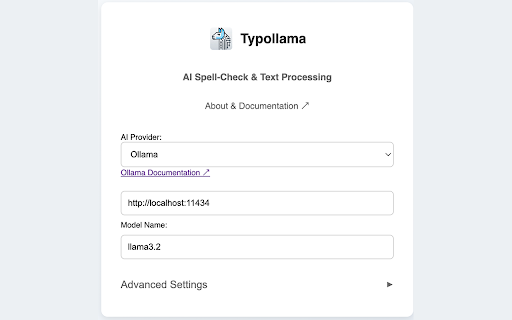
Typollama is an open-source easy to use Chrome extension that helps you improve your writing with smart corrections and customizable AI enhancements. Compatible with any language, it allows you to configure your preferred AI provider and simply Double-tap CTRL for seamless corrections. Whether you're working online or offline, Typollama keeps your data private—we never collect or share it.
💵 Is it Free to Use?
Typollama itself doesn’t process your text directly but leverages third-party AI providers for text analysis. Some AI providers, like Google Gemini, offer limited free usage, while you can also run local AI models like Ollama or LM Studio for no extra cost. Chrome’s built-in AI model, which is available in preview, operates locally and is free to use. You can enable it easily with a few settings adjustments. For more details, check out Google's AI Developer Guide: https://developer.chrome.com/docs/ai/get-started#use_apis_on_localhost
Why Use Typollama?
⚡ Fast and Easy Fixes
Double-tap CTRL to quickly correct grammar, spelling, and clarity. Need a rewrite without changing the meaning? Triple-tap CTRL for an instant refresh.
🔄 Choose Your AI Provider
Pick the AI solution that works best for you:
Local Processing: Ollama, LM Studio, Chrome AI
Cloud-Based Options: OpenAI, Google Gemini, and many others
🛠️ Three Key Features
✔ Spellcheck: Fix grammar and spelling mistakes effortlessly.
✔ Rewrite: Improve readability while keeping your original meaning.
✔ Custom Tool: Create an AI assistant that matches your writing style
🎨 Fully Customizable
Control the AI’s style, tone, and behavior to fit your needs.
🔒 Privacy First
Use local offline tools for security or cloud-based AI for more features—you decide.
As an open-source tool, Typollama is built with transparency and flexibility in mind. Whether you're writing emails, reports, or messages, it helps you communicate more clearly and efficiently. Try it today!


Reviews
Loading reviews...
Permissions (3)
Permissions
clipboardWriteℹ Can write to your clipboard contextMenusℹ Can add items to the right-click menu storageℹ Can store data locally in your browser
Details
| Version | 1.3 |
| Updated | Feb 20, 2025 |
| Size | 1.59MiB |
| First Seen | Mar 26, 2026 |
Popular in tools

Browsec VPN - Free VPN for Chrome
by Browsec
7M
★ 4.44
tools
7M
★ 4.44
tools

Microsoft Bing Homepage & Search for Chrome
by Microsoft Corporation
4M
★ 3.72
tools
4M
★ 3.72
tools

IE Tab
by Blackfish Software
4M
★ 4.31
tools
4M
★ 4.31
tools

Monica: All-In-One AI Assist & Smartest AI Agent
by Monica Team
3M
★ 4.89
tools
3M
★ 4.89
tools

Ad Blocker: Stands AdBlocker
by Stands
3M
★ 4.79
tools
3M
★ 4.79
tools
Popular Extensions

Adobe Acrobat: PDF edit, convert, sign tools
by Adobe Inc.
330M
★ 4.40
workflow
330M
★ 4.40
workflow

Chrome Remote Desktop
by Chrome Remote Desktop Release Managers
38M
★ 3.14
workflow
38M
★ 3.14
workflow

Cisco Webex Extension
by cisco.chromestore
24M
★ 2.34
social
24M
★ 2.34
social

Kami for Google Chrome™
by Kami
17M
★ 4.56
education
17M
★ 4.56
education

Read&Write for Google Chrome™
by Texthelp
17M
★ 3.44
accessibility
17M
★ 3.44
accessibility