
Description


Reviews (8 cached)
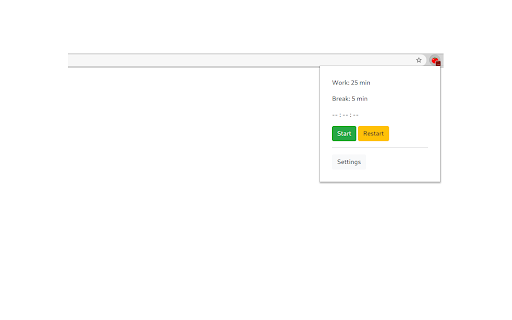
It does not have a PAUSE bottom
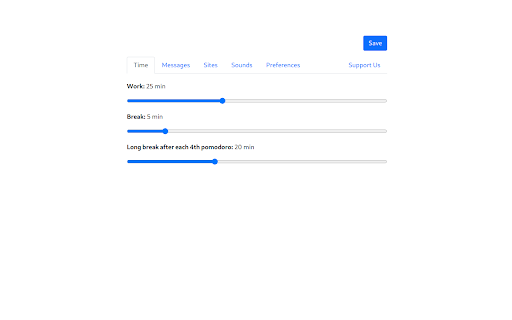
So after using it for a while it switches tolong breaks mode and then you simply cant switch it back.
My favourite Pomodoro extension was recently removed. Tried this one out but it's seriously lacking. - You can't pause the timer phase you have going at the moment - You have no option to start the timer either from working or break phase. Which is very frustrating if you "stop" the timer at the beginning of a break phase (to extend the work phase a bit longer). When you later go to restart the timer in the original "break phase", it just automatically restarts "he working" phase with no other option, even if you stopped it at break. - There are no stats One positive: you can see the countdown from your bookmark bar when you're working. I'm deleting this one as it doesn't hold a candle to my original app.
It start automaticly and when i press the stop button, few minutes later start again, and i cant use my browser
1. What is the point with a silent timer? 2. I have to re-load the internet sites to get rid of the blocking-tomato-picture. If I have a youtube video up, it will then restart and I need to find out how far in I was. 3. I reccomend the app Forest instead.
It does not have any alarm to alert when a work session is ending. No alarm from break sessions too. How are we going to know when 25 mins work session ends and 5 mins break starts or 5 mins break ends and 25 mins work session starts?
it starts when i open chrome automatically which is so annoying.
Please change the Notification, the "lazy human" phrase is so negative. Instead say "make it done" or something like that
Permissions (6)
Permissions
Details
| Version | 2.0.0 |
| Updated | Jul 13, 2025 |
| Size | 309KiB |
| First Seen | Mar 26, 2026 |
Popular in workflow





Popular Extensions


