
Maestro Label Designer Font Finder
by Google Developer Group Publisher
Description


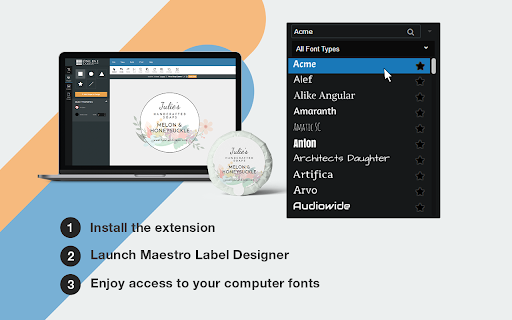
Reviews (10 cached)
Where is this pulling my fonts from? Just install the extension and poof? What folders is it looking for the fonts in? More effort was put into the images for this extension than the program itself...
doesnt work, it sees the fonts and I can change them but it will default back to a different font after I have edited to the font that I want and i dont know why. seems that maestro doesnt care to get this issue resolved. I find it really irritating that this program doesnt have just the basic Arial font either, which is why I tried this route to get it in, if there is a chance that someone could share with me a similar font to arial that is provided w the regular maestro fonts that would be fantastic. this is really wasting a lot of time
It recognizes the fonts installed in my laptop and sometimes it does not. I makes me waste so much time. When are you going to fix this app? listen to customers!
New fonts did not appear in Maestro.
It does not work. Directions say downloaded fonts are automatically transferred to your maestro but it is not. So frustrating that I have to call them to find out how to fix it.
It does not work. Only certain fonts are available.
no working
It doesn't work.
Doesn't recognise all my installed fonts, so no use to me.
I have to uninstall my fonts and reinstall them all the time to get the extension to work. And even worse, I'll pull up a label that's already been created with one of my fonts and worked fine for years and suddenly I can't see them at all. They are there when you print though. So it's impossible to edit or even change to a new font without creating an entirely new label.
Permissions (1)
Permissions
Details
| Version | 1.0.2 |
| Updated | Apr 22, 2024 |
| Size | 12.34KiB |
| First Seen | Mar 24, 2026 |
Popular in workflow





Popular Extensions


