
⚠️Not updated in over 2 years ⚠️Requests 2 sensitive permissions
Description
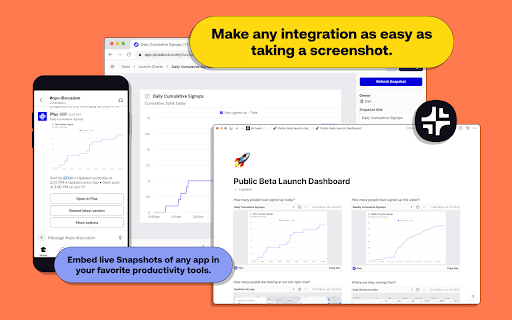
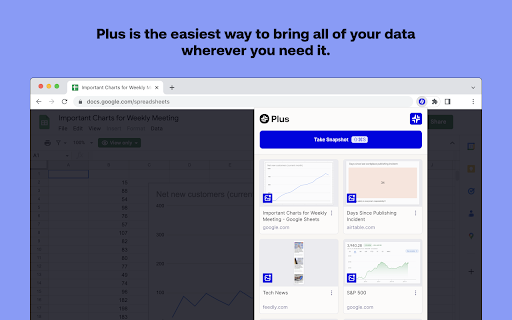
Plus is the easiest way to bring all of your data wherever you need it, and makes any integration as simple and intuitive as taking and sharing a screenshot.
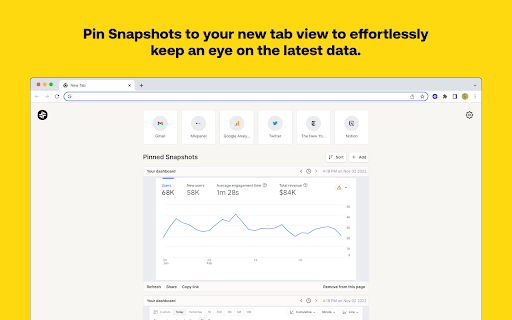
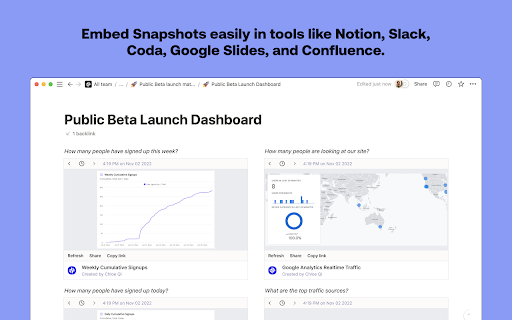
Plus New Tab: Pin live Snapshots to your new tab view to effortlessly keep an eye on the latest data. Now you always have an up-to-date view of everything you need to know every time you open a new tab.
How it works:
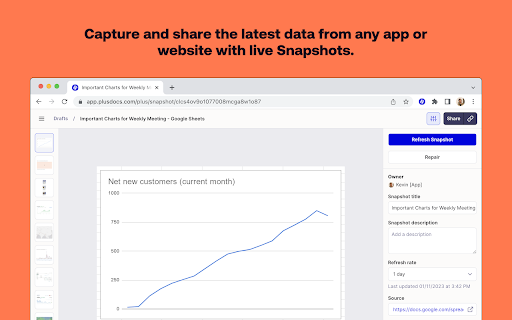
1. Take screenshots of the websites, apps and dashboards that you and your team want to stay updated on.
2. Choose how often Plus should automatically update the snapshots.
3. Embed the screen grabs in the productivity tools you use every day to create one unified view of all your data.
4. Share the consolidated data with your team or clients. You can also use the Slack integration to automatically share up-to-date screenshots with your team.
5. Pin the screenshots that are most important to you in Plus’s new tab extension to get a live feed of all your snapshots whenever you open a new tab.
Features:
• Always fresh data: Our automated screenshots ensure that your data is always up-to-date
• Plus New Tab: Stay updated on the latest data by pinning Snapshots to your new tab view.
• Version history - keep track of historical versions of all of your snapshots
• Embed anywhere - use your screen grabs in all of your favorite tools
• Share links - easily share data by linking to automated screenshots
• Build pages - build custom pages by bringing together live screenshots within Plus or your favorite productivity tool
Key use cases:
• Build no code dashboards - combine automated snapshots within productivity tools to create dashboards from different data sources
• Automated metrics reporting - use our Slack integration to automatically share metrics with your team via up-to-date screenshots
• Share data with clients - report key metrics to clients without the need to share logins
• Create a data library for your team - save automated snapshots of all your team’s key dashboards in one place
Most popular integrations:
• Collaboration: Notion, Slack, Confluence, Coda, Slite, Obsidian.
• Presentation: Google Slides, Canva, Tome, Fermat.
Plus is the fastest way to build dashboards, share data, and automate reports. All without the need for any complicated technical integrations.
About Plus:
At Plus, we’re building an easier way to capture, see, and share information across different sources. Modern companies use hundreds of apps to get work done. We help teams move faster by making it easy to capture and share their most important information.
Plus is the easiest way to bring all of your team’s data wherever you need it. Our goal is to make any data integration as simple and intuitive as sharing a screenshot.
Reviews (7 cached)
★☆☆☆☆2025-06-02
Yann
doesn't work, doesn't do anything
★☆☆☆☆2025-03-14
Jaisen SOOLEN
Worst app avoid losing your time
★☆☆☆☆2025-01-30
Denis Shepovalov
No screenshots here
★☆☆☆☆2025-01-02
Shiko Genossar
Its not working as it should Just showing a 'capturing...' or 'connecting' message forever
★☆☆☆☆2024-01-23
Anton Immel
I'm trying to make a snapshot of a tool that requires login credentials and there is no possibility to do that. The snapshot remains indefinitely in "capturing" and there is no way to contact support.
★★★☆☆2024-10-17
Josh Jacobson
Would use this ~100x more if it only requested read permissions for the specific webpages it was used on (rather than all sites). Because of this broad permission set, I use it in a separate browser instance with a separate username.
★★★☆☆2023-01-18
Cristian
It says I have to log in to a website that doesn't have a login and it's just a landing page.
Permissions (5)
Permissions
cookiesℹ Can read and modify browser cookies faviconfontSettings storageℹ Can store data locally in your browser webRequestℹ Can observe and analyze network traffic
Details
| Version | 4.9.1 |
| Updated | May 26, 2023 |
| Size | 3.69MiB |
| First Seen | Mar 24, 2026 |
Popular in workflow

Adobe Acrobat: PDF edit, convert, sign tools
by Adobe Inc.
330M
★ 4.40
workflow
330M
★ 4.40
workflow

Chrome Remote Desktop
by Chrome Remote Desktop Release Managers
38M
★ 3.14
workflow
38M
★ 3.14
workflow

Microsoft Power Automate
by Microsoft Corporation
10M
★ 1.99
workflow
10M
★ 1.99
workflow

Screencastify - Screen Video Recorder
by castify-ext-dev
9M
★ 3.95
workflow
9M
★ 3.95
workflow

Mendeley Web Importer
by Mendeley
3M
★ 2.25
workflow
3M
★ 2.25
workflow
Popular Extensions
Adobe Acrobat: PDF edit, convert, sign tools
by Adobe Inc.
330M
★ 4.40
workflow
330M
★ 4.40
workflow
Chrome Remote Desktop
by Chrome Remote Desktop Release Managers
38M
★ 3.14
workflow
38M
★ 3.14
workflow

Cisco Webex Extension
by cisco.chromestore
24M
★ 2.34
social
24M
★ 2.34
social

Kami for Google Chrome™
by Kami
17M
★ 4.56
education
17M
★ 4.56
education

Read&Write for Google Chrome™
by Texthelp
17M
★ 3.44
accessibility
17M
★ 3.44
accessibility