
⚠️Requests 1 sensitive permission
Description
Description and Advantages of the Tag Insight Chrome Extension:
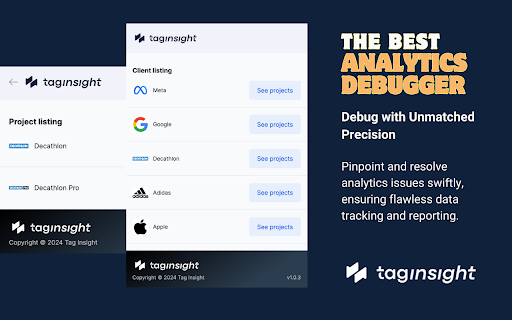
The Tag Insight Chrome Extension serves as a vital bridge between web environments and the Tag Insight SaaS platform. It's specifically designed to facilitate the testing of web analytics and tracking implementations.
Functionalities:
Seamless Integration with Tag Insight SaaS: The extension works in tandem with the Tag Insight platform, capturing dataLayer data (of the Google Tag Manager DataLayer variable) and interactions from web pages for analysis within the SaaS.
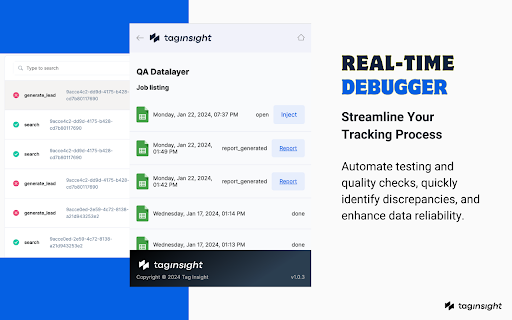
Efficient Data Capture for testing: It streamlines the process of gathering dataLayer data for quality assurance tests, enabling the Tag Insight platform to analyze and provide feedback.
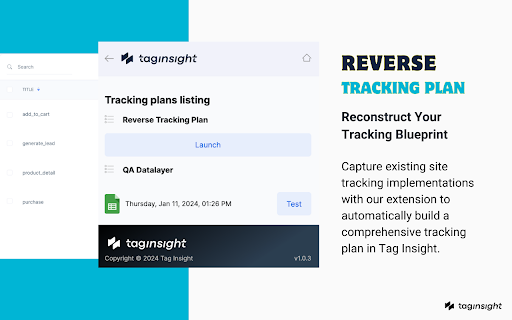
Simplified Testing Process: Users can initiate and conduct tests effortlessly directly from their browser, with all results and analytics being processed and displayed in the Tag Insight SaaS interface.
Advantages for Users:
Enhanced Testing Efficiency: By simplifying the data collection process for tests, the extension saves significant time and effort, allowing users to focus on interpreting results and making decisions.
Centralized Analysis and Reporting: With all testing results and quality assurances accessible through the Tag Insight SaaS, users benefit from a centralized, comprehensive view of their analytics performance.
Streamlined Workflow: The Chrome Extension enhances the overall functionality of Tag Insight by enabling quick and easy data collection, leading to a more streamlined workflow in web analytics and tracking.
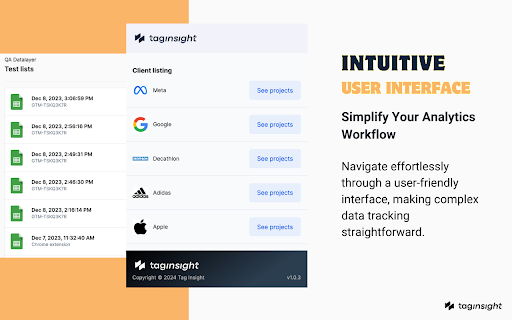
User-Friendly Design: Designed for ease of use, the extension requires minimal technical expertise, making advanced analytics testing accessible to a broader range of professionals.
In summary, the Tag Insight Chrome Extension is an integral component of the Tag Insight ecosystem, designed to enhance the efficiency and effectiveness of web tracking and analytics testing. Its primary.
Role is to facilitate data collection for the SaaS platform, where detailed analysis and reporting take place. This integration offers a streamlined, user-friendly approach to web analytics, making it a valuable tool for professionals in the field.
Reviews
Loading reviews...
Permissions (5)
Permissions
activeTabℹ Can access the current tab when you click the extension scriptingℹ Can inject scripts into web pages storageℹ Can store data locally in your browser tabsℹ Can see your open tabs and their URLs webRequestℹ Can observe and analyze network traffic
Details
| Version | 1.0.43 |
| Updated | Feb 9, 2026 |
| Size | 481KiB |
| First Seen | Mar 21, 2026 |
Popular in tools

Microsoft Bing Homepage & Search for Chrome
by Microsoft Corporation
4M
★ 3.72
tools
4M
★ 3.72
tools

Monica: All-In-One AI Assist & Smartest AI Agent
by Monica Team
3M
★ 4.89
tools
3M
★ 4.89
tools

Ad Blocker: Stands AdBlocker
by Stands
3M
★ 4.79
tools
3M
★ 4.79
tools

Google Dictionary (by Google)
by dictionary-extension-dev
3M
★ 4.36
tools
3M
★ 4.36
tools

WPS浏览器助手:文档在线阅读编辑
by 金山PDF
2M
★ 2.90
tools
2M
★ 2.90
tools
Popular Extensions

Adobe Acrobat: PDF edit, convert, sign tools
by Adobe Inc.
330M
★ 4.40
workflow
330M
★ 4.40
workflow

Chrome Remote Desktop
by Chrome Remote Desktop Release Managers
38M
★ 3.14
workflow
38M
★ 3.14
workflow

Cisco Webex Extension
by cisco.chromestore
24M
★ 2.34
social
24M
★ 2.34
social

Kami for Google Chrome™
by Kami
17M
★ 4.56
education
17M
★ 4.56
education

Read&Write for Google Chrome™
by Texthelp
17M
★ 3.44
accessibility
17M
★ 3.44
accessibility