
⚠️Not updated in over a year ✅Highly rated
Description
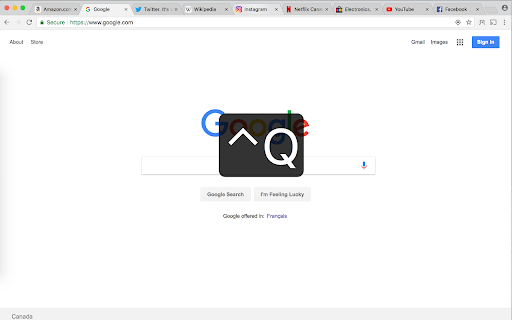
Switch to the previously active tab (last tab) by pressing Ctrl+Q, or clicking the Previous Tab icon.
You can change the keyboard shortcut by visiting chrome://extensions/shortcuts .
Chrome does not allow any extensions to use Ctrl+Tab or Ctrl+` as keyboard shortcuts.
The supported keys are Alt, Ctrl, Cmd along with:
A-Z, 0-9, Comma, Period, Home, End, PageUp, PageDown, Space, Insert, Delete, Arrow keys (Up, Down, Left, Right) and the Media Keys (MediaNextTrack, MediaPlayPause, MediaPrevTrack, MediaStop).
Donations are appreciated at donate.previoustab.com

Reviews (6 cached)
★☆☆☆☆2025-07-10
Jessy Kate Schingler
it was a great minimum viable extension - just did one thing and did it well. stopped working recently on arc browser (chromium based).
★☆☆☆☆2024-07-17
Deathrape2001
$CAM!! Does NOTHING = not even a configuration window =P
★☆☆☆☆2024-05-02
M P
Doesn't seem to work at all in Kiwi Browser for Android. No affect whatsover.
★☆☆☆☆2022-09-07
Tom McDevitt
Didn't work. Easy 1-star review.
★★★☆☆2023-08-29
Adriano Silveira
Super simple but we can't change the shortcut, if the users prefer with CTRL + TAB? It is default for Firefox and other browser as opera.
★★★☆☆2021-09-05
Mike Krier
But why can't I change the keyboard mapping? Alt-Q seems to be the obvious mapping.
Details
| Version | 1.2.0 |
| Updated | Jul 11, 2024 |
| Size | 470KiB |
| First Seen | Mar 21, 2026 |
More by previoustab.com

Popular in functionality

Go Back With Backspace
by gobackwithbackspace
300K
★ 3.16
functionality
300K
★ 3.16
functionality

Google Search Maps Button
by Publisher54321
200K
★ 4.81
functionality
200K
★ 4.81
functionality

Disable AI Overview | Turn Off AI Overview
by hideaioverviews
100K
★ 4.06
functionality
100K
★ 4.06
functionality

IPvFoo
by Paul Marks
100K
★ 4.82
functionality
100K
★ 4.82
functionality

GNTD: Glass New Tab Dashboard
by akram.ismayilov13
100K
★ 4.23
functionality
100K
★ 4.23
functionality
Popular Extensions

Adobe Acrobat: PDF edit, convert, sign tools
by Adobe Inc.
330M
★ 4.40
workflow
330M
★ 4.40
workflow

Chrome Remote Desktop
by Chrome Remote Desktop Release Managers
38M
★ 3.14
workflow
38M
★ 3.14
workflow

Cisco Webex Extension
by cisco.chromestore
24M
★ 2.34
social
24M
★ 2.34
social

Kami for Google Chrome™
by Kami
17M
★ 4.56
education
17M
★ 4.56
education

Read&Write for Google Chrome™
by Texthelp
17M
★ 3.44
accessibility
17M
★ 3.44
accessibility