
Description
Reviews (14 cached)
I installed the extension a week ago and I thought it was going to be the answer to all my prayers, but it doesn't do anything now. I'm only blocking one site on a schedule and starting yesterday I can visit that site as if it's not blocked.
it doesnt record anything but youtube
where can I find my record in chrome ?
Trash. It instantly closes your Facebook tabs after a while. I had to disable each extension one by one to find that this piece of ... is the cause.
When I open a website e.g., Facebook and then close my browser, often this extension continues counting. 10 minutes later I get a notification that I reached my daily limit for Facebook even tough my browser has been closed for 10 minutes. Maybe its when I close my browser with ctrl+w or something. Either way, this extension is disappointing.
It has been wonderful, but once I updated chrome, it simply won't record my times - hence, it fails to work!!! Please fix this issue!
Blocked time frames functionality does not seem to work
defaults allow regex for websites.. *://*.instagram.com/ but if you try to use it for a custom site... *://*.website.com/ it doesnt let you... why?
It took so long to set up i wouldn't even bother getting it. It not worth it
The feature that blocks websites for specific times/days of the week does not work. That is the reason why I downloaded this extension over other ones so please fix this!!!
It's technically doing what it should do, but instead of restricting access to the site, it just closes all tabs you have from it, if you're someone like me who needs the sites for tomorrow at the exact link, it's pretty dumb that you have to reopen and search all the links every day. Recommendation: Instead of closing the site redirect to your webpage while saving the url, so you can continue where you left off.
Good concept - but should be refined what happens when time limit is reached. It just closes your page instead of suspending. What if I want to save it for later (tomorrow). I cant because the extension just closes the page without warning.
It's good, but there is one flaw that annoys me greatly. Say you've closed your laptop on YouTube. THE TIMER STILL RUNS. Today it shows that I spent over 20 hours on YouTube, which is way off. That is very annoying, but other than that, it is pretty good.
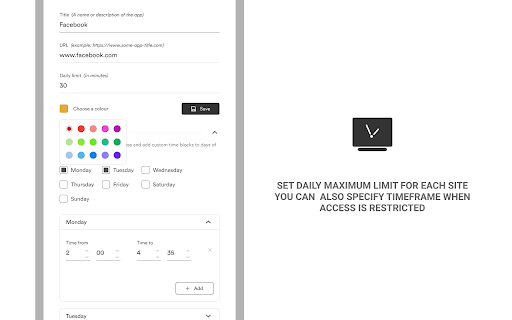
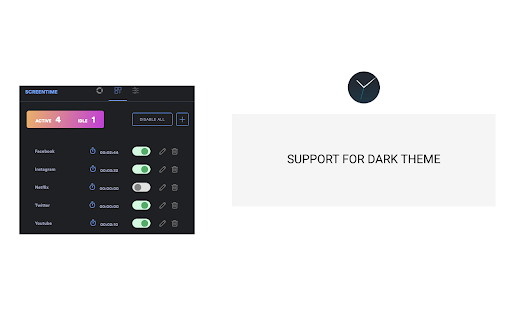
This is nice and simple, which is great. However, I can't tell if things are on or off, and I can't tell if the add screen did anything. I added a limit, days and times, but nothing seemed to enable the add button. The toggle switches say nothing to me. Is a dark background off or on? I don't know. So I can only hope I set it up right. What I'd hope to see it a clear marking for on or off. 1 or 0 to keep it international, perhaps. On the times page, Only show the add button if I actually need to save something, otherwise totally hide it, and don't show it until I have changed everything I need to change to have something worth saving.
Permissions (4)
Permissions
Details
| Version | 5.0.8 |
| Updated | Dec 11, 2023 |
| Size | 1.62MiB |
| First Seen | Mar 21, 2026 |
Popular in workflow





Popular Extensions


