
Description

Reviews (9 cached)
great idea. doesnt work
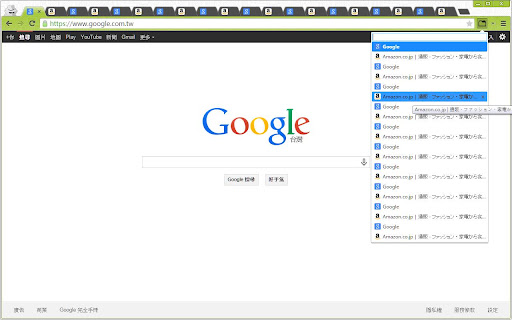
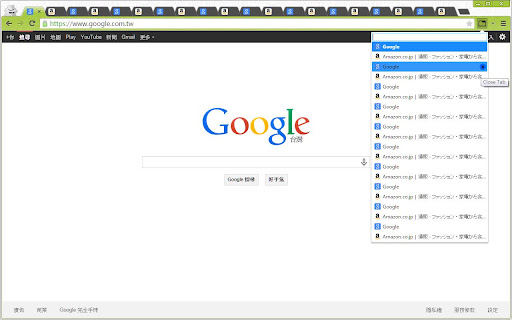
Seems fine, but the whole point for me is to see the list of tabs I have open and close the ones I don't need. The list closes every time I click the X to close a tab, requiring me to re-open the extension's list after each closure. This doesn't make any sense.
It's alright, but could be improved: 1. Middle-click doesn't close a tab, therefore... 2. ...you need to close tabs with the X, that gets blocked by an expanding scroll bar. You have like one pixel's width of room to click the X 3. MAJOR BUG Moving a tab somewhere else always creates another "new tab" 4. No dark mode, design in general not in line with Chrome 5. Doesn't automatically open in the position where your current tab is. The whole point of this is for us who need a hundred tabs open at once, so scrolling every time is annoying. 6. Doesn't work with Chrome's Tab Groups. Would be awesome if it did. 7. When hovering over a tab row, the darkened row is a bit taller than a normal one, puching all the tabs below id down. Minor thing but shows lack of polish If the above things worked I would totally donate to the creator. Now, what I like about this one: + Icon shows amount of open tabs in that window + Website icons are always loaded and the extension doesn't forget them like "Keepin' Tabs" does + Search bar is always visible and automatically selected when you open the list. So, combined with a hotkey, you don't need to touch your mouse to find a tab. However you need to click it to open it, which is disappointing. I think it should select the top one and you should be able to browse with arrows, and then just press enter to open that tab.
I don't know is it only me or other people experience too, whenever I move a tab from dropdown menu a new tab is open.
Please add one more option which we can use to close all tabs at once. Thanks.
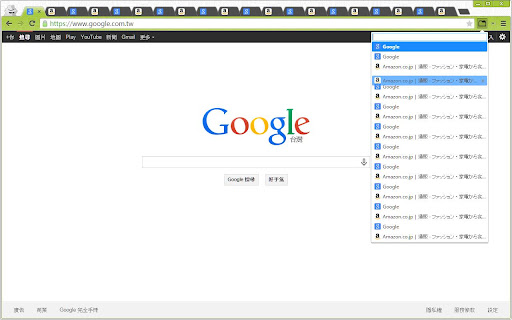
overlap
I'm giving 3 stars in an attempt to be "neutral". I just think anyone contemplating getting this extension should at least be aware of the fact that, within a given Chrome window, you're only going to see the tabs FOR THAT ONE WINDOW. (Or am I missing something?) For some of us, that's a bit of a deal-breaker.
Good extension, but in recent months the text keeps overlapping for many tabs, making it unreadable, so I can't tell what the tab is. This is starting to become a bit of a disadvantage. Would be great to get this sorted, as it's excellent otherwise.
It's good, but there's a usability problem: The currently active tab and the selected tab are both colored with similar shades of blue. Please change the color of the current active tab to green. Also, give the user an options interface to pick the colors they prefer.
Permissions (3)
Permissions
Details
| Version | 1.2.0 |
| Updated | Jul 19, 2025 |
| Size | 62.55KiB |
| First Seen | Mar 26, 2026 |
Popular in workflow



Popular Extensions

