
Description


Reviews (18 cached)
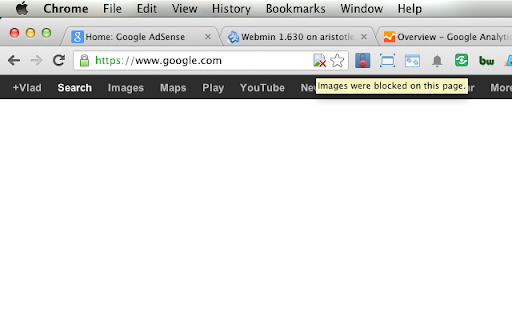
Is there a way to remove the "icon" of a missing image?
turns off alone, stupid
After it updated, it loaded a full page ad for their "partner's new extension" for some AI wrapper around GPT. Not cool!
Overcomplicates. Works after-the-fact. This should be a simple universal on-off switch and add options from there. Instead, you get the images on whether you like it or not, and then you can switch off.
I dunno if there's some setting preventing the correct functioning of the extension, but when I toggle nothing happens, other than the page reloading. I need this functionality for the most basic use: disable images for emails I'm designing, so it's like local, static webpages... and it's not working. I had a quick scour of the available resources but nothing jumps to the eye as "do this to make it work" so it's an instant remove for me.
This extension does not work. It reloads the page when you click to hide all images but when the page is loaded again lots of images are still there.
This extension simply doesn't work. The switch itself toggles back and forth after clicking, and the images are loaded, regardless of the switch position. Does 0% of the things it says it does.
Really poor. You have to turn images on or off for each individual website... No way to disable images globally and then simply turn them on again.
Have to click it every time for every single site
Doesn't work on Google...
ridiculous. when I click on the extention the ability to enable and disable images on a page is greyed out.
It works sometimes but at other times it just refuses to respond to clicks and images stay on a certain website.
permission list is extensive, should be opt-in and explained
I find it quite useless since I need to enable the setting for every site therefore downloading all the images the first time I load a page and using my data plan
hmm after the update i'm having issues with the extension, it simple stops working after a short while, i have to close the browser and open it again to fix it, but like before only for a short while.(Pressing the button does nothing!) I'm on latest Vivaldi build.
Well it works actually but there is a but! when you turn it on for a website you can only disable it when you remove the extension. if you press its icon again nothing happens, so you will refresh the page to take effect and when you refresh it the extensions icon will change again, settings did not make any change, I added website to allow list and it did not work because it was on the block list at the same time! I tried to remove it from block list and it was not possible :D
this is helpful image please add feature when drag a mouse on off picture show like a flash light thanks
For whatever reason, it didn't work in the first place. Now it does. It works - except the pictures are from a third-party-host. In this case you still see pictures. That costs one star. The second problem: Most pictures have a description. Now I don't see a picture but a placeholder. Sometimes the text in the description is very, very long. In this case you get a very, very large placeholder that destroys the layout of the page. That costs the second star. This addon really needs an option "Don't show placeholder"
Permissions (4)
Permissions
Details
| Version | 3.2.0.0 |
| Updated | Jul 9, 2024 |
| Size | 51.73KiB |
| First Seen | Mar 27, 2026 |
More by singleclickapps


Popular in developer





Popular Extensions




