
GoFullPage - Full Page Screen Capture icon

GoFullPage - Full Page Screen Capture

by GoFullPage

v8.6 Updated Jan 21, 2026 1.7MiB
CWS
10M
Users
★ 4.89
83.9K reviews
#18
of 137.6K
developer
#1 of 12.1K
Highly rated 1M+ users

Description

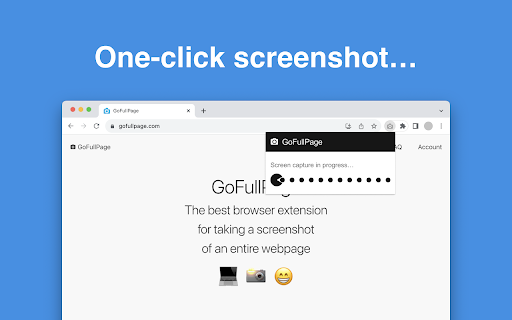
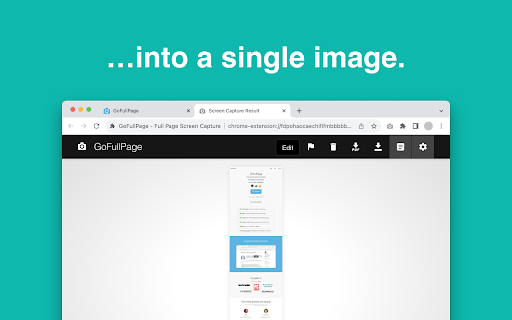
The simplest way to take a full page screenshot of your current browser window. Click on the extension icon (or press Alt+Shift+P), watch the extension capture each part of the page, and be transported to a new tab of your screenshot where you can download it as an image or PDF or even just drag it to your desktop. *No bloat, no ads, no unnecessary permissions, just a simple way to turn a full web page into an image.* The advanced screen capture technology handles complex pages—including inner scrollable elements as well as embedded iframes—unlike any other extension. If you encounter an issue, please report it via the customer support flag icon on the capture page, so we can improve the extension for you and everyone else who uses it. In order to screenshot the entire page it must scroll to each visible part, so please be patient as it quickly assembles all the pieces. For the rare scenario where your page is too large for Chrome to store in one image, it will let you know and split it up into images in separate tabs. Export your result to PNG, JPEG, or various PDF paper sizes—all configurable from the extension’s options. *NEW:* crop, annotate, and add your favorite emojis to any screenshot with the new premium editor! This extension is run by an independent developer. View the original open source project on github: https://github.com/mrcoles/full-page-screen-capture-chrome-extension Change Log: 8.6 — 2026-01-14 — scrollbar fixes and capture improvements for LLM chat UIs 8.5 — 2025-03-19 — limit "save as" on auto-download and multi-download to deal with Chrome issue 8.4 — 2025-02-04 — fix issue with unexpected smooth scroll and visible scrollbars 8.3 — 2024-06-10 — fix keyboard shortcut 8.2 — 2024-05-30 — frame capture fixes for Chrome Manifest V3 8.1 — 2024-05-29 — additional Chrome Manifest V3 updates 8.0 — 2024-05-21 — support for Chrome Manifest V3 7.12 — 2023-07-13 — fix link from gofullpage.com + editor sidebar overflow 7.11 — 2023-07-06 — fix demo video render issue 7.10 — 2023-06-19 — bugfix for tab closing issue found in Chromium 114 7.9 — 2023-04-28 — fix issue when recapturing a page without reloading 7.8 — 2023-03-31 — editor theme defaults for timestamps + capture improvements involving Google search and ChatGPT’s chat interface + smooth scroll fix 7.7 — 2022-05-26 — improved datestamp + editor v2 7.6 — 2021-07-14 — fix issue with capture animation 7.5 — 2021-05-20 — bugfixes including quota issue with Chrome Canary, added auto-scroll when cropping in editor 7.4 — 2021-03-18 — various bugfixes including issue with PDF landscape export 7.3 — 2021-03-17 — fixed date localization issue + PDF export issues with transparent backgrounds and URLs on full image 7.2 — 2021-02-20 — improvements for other Chromium browsers 7.1 — 2020-09-14 — fixed scrolling issue affecting Twitch + added URL and date option to PDF & editor exports for premium users 7.0 — 2020-07-20 — Updated project name from “Full Page Screen Capture” to “GoFullPage” (same team, new name) 6.6 — 2020-07-15 — PDF export supports landscape layout + smart page splitting to prevent text lines from getting cut in half 6.5 — 2019-11-26 — welcome info page for new installs, fixed backwards compatibility bug 6.4 — 2019-11-15 — fixed issue where zoomed in pages sometimes resulted in blank sections in screenshots 6.3 — 2019-11-08 — various bugfixes including faster image copy and better backwards compatibility 6.2 — 2019-10-28 — native copy to clipboard support & additional controls via keyboard shortcuts and right-click dialog 6.1 — 2019-10-11 — editor improvements: easier selecting of elements and emoji rendering fix 6.0 — 2019-10-10 — introducing the new screenshot editor: crop, annotate, and add emojis to your screenshots! 5.7 — 2019-09-15 — bugfix for issue with imgur.com 5.6 — 2019-09-13 — initial bugfix for blank screenshots caused by Chrome 77 when capturing long pages 5.5 — 2019-09-04 — fixed issues that were affecting Behance and BBC News websites 5.4 — 2019-09-03 — add "Save as" to options page and user-reported bugfixes 5.3 — 2019-08-02 — minor bugfixes 5.2 — 2019-07-22 — various bugfixes, including issue with PDFs getting truncated on export 5.1 — 2019-04-22 — visual refresh, bugfixes from user-reported issues including fix for Chrome regression with iframe permissions 4.9 — 2018-09-15 — various bugfixes from user-reported issues, including Salesforce lightning dashboards 4.8 — 2018-08-14 — extra handling for Chrome 68 bug with downloads related to allow incognito setting (stay tuned for updates to handle issues with downloading in Chrome Beta & Canary >= v69) 4.7 — 2018-08-08 — bugfixes for some parallax sites and other edge cases 4.6 — 2018-07-23 — fixed regression with a number of pages that stopped scrolling, improvements for fixed background images 4.5 — 2018-07-18 — bugfixes, zoomed in white lines fix 4.4 — 2018-07-16 — new support for fixed header jump, new permissions controls, downloads fix, parallax improvements 4.3 — 2018-06-29 — bugfix for sporadic iframe error 4.2 — 2018-06-14 — bugfixes from user reports 4.1 — 2018-06-12 — bugfixes, zoomed out white lines fix 4.0 — 2018-06-10 — new support for iframes and framesets, Chrome 67 compatability updates 3.17 — 2018-05-30 — improvements to scrolling issue and handling of animations 3.16 — 2018-05-21 — fix for user-reported scrolling issue 3.15 — 2018-05-08 — additional improvements to fixed elements, better capture of feeds 3.14 — 2018-05-02 — improvement to export to PDF filenames 3.13 — 2018-05-01 — fix save as recent download location issue, improvement to fixed elements 3.12 — 2018-04-27 — added export to PDF option, plus bugfixes and performance improvements 3.11 — 2018-04-09 — improvements to captured screen, support for fixed backgrounds 3.10 — 2018-03-30 — bugfixes for various pages, cleaner Options page 3.9 — 2018-03-24 — fix issue saving options, improvements to scrollbar handling 3.8 — 2018-03-22 — add ability to specify download directory, bugfixes 3.7 — 2018-03-20 — download as PNG or JPG via options page, bugfixes for user reported issues 3.6 — 2018-03-16 — bugfixes for various pages including adwords, improved download functionality 3.5 — 2018-03-14 — bugfixes from user reports, stability improvements to capture page 3.4 — 2018-03-09 — improvements with scrollbars and fixed position elements via user reports 3.3 — 2018-03-07 — timestamps in filenames, batch download/delete feature, auto-download option 3.2 — 2018-03-05 — improvements to scrollbars and fixed position elements via user reports 3.1 — 2018-03-03 — updates to customer support feature 3.0 — 2018-02-27 — new advanced scrolling algorithm for difficult pages like Gmail and more! 2.12 — 2018-02-23 — bugfixes for svgs and user-reported pages 2.11 — 2018-02-21 — bugfixes for several user-reported pages 2.10 — 2018-02-20 — advanced support for fixed position elements 2.9 — 2018-02-13 — bugfix for some body scroll issues, natural size for zoom in on high pixel ratio displays 2.8 — 2018-02-08 — improved messaging for restricted URLs 2.7 — 2018-02-06 — bug fix for Chrome version 60 and below 2.6 — 2018-02-05 — style updates, bug fixes 2.4 — 2018-02-02 — fix for quota errors that can prevent capturing an image 2.3 — 2018-01-31 — new customer support feature for better service! 2.2 — 2016-09-01 — support for ctrl+s (or cmd+s on Mac) to save the screenshot 2.1 — 2016-08-22 — fixed capture zoom in/out issues, add an expand button to capture header 2.0 — 2016-08-19 — updated result tab for screenshots with click to download and ability to view/delete your screenshots 1.0.1 — 2016-05-14 — fix incognito mode "File not found" bug and better tab handling 1.0.0 — 2016-05-09 — this is a major release: introduces keyboard shortcut, splitting of images for pages that are too long, better handling of zoomed/emulator pages, more subtle gray icon, SVG support, and stability fixes (thank you @bluememory14, @BSierakowski, @denilsonsa, and all submitters of bug reports) 0.0.15 — 2015-04-05 — add timestamp to images so they are unique paths (via @HetIsNiels) and popup display fix 0.0.14 — 2015-02-14 — more “retina” fixes 0.0.13 — 2015-01-02 — remove scale feature to hopefully fix bugs experienced on “retina” displays 0.0.12 — 2014-08-24 — change permissions to more restrictive “activeTab” 0.0.11 — 2014-04-19 — backwards compatible permissions update 0.0.10 — 2014-04-17 — fixed permissions issue that prevents screen capture in Chrome 34 0.0.9 — 2013-12-08 — fixed bugs when the image is pieced together on retina screens 0.0.8 — 2013-11-17 — improved calculation of page width and height on non-standard pages 0.0.7 — 2013-10-10 — 10x speed improvement in capture time and restore to original scroll positions after capture (via @terrycojones) 0.0.6 — 2013-01-26 — Fixed scenario when captured image can load as a broken icon (caused by loading image before it has been written to the file system) 0.0.5 — 2013–01–21 — Fixed small bug in 0.0.4 0.0.4 — 2013–01–21 — Replaced deprecated BlobBuilder with Blob (via @gleitz) 0.0.3 — 2012-11-25 — Removed need to reload pages that were open before the extension is installed 0.0.2 — 2012-11-21 — Better messaging for pages that can't be screen captured (e.g., content scripts cannot run on the chrome webstore), and the generated image now incorporates the URL into its name 0.0.1 — 2012-11-06 — Initial release
GoFullPage - Full Page Screen Capture screenshot 1GoFullPage - Full Page Screen Capture screenshot 2GoFullPage - Full Page Screen Capture screenshot 3

Reviews (200 cached)

★☆☆☆☆2026-03-19
Barak ron ratson

terribale tool

★☆☆☆☆2026-03-04
Vinit Deep

it's not working in gemini or claude local host website or any google page builder.

★☆☆☆☆2026-02-13
David Inman

Worked great when I first started using it but for the last few weeks all it does is give me the header and footer with blocks of page pasted in. Update your stuff.

★☆☆☆☆2026-02-13
Steven Fry

Does not work. Only captures what is visible. It does not capture below the fold.

★☆☆☆☆2026-02-07
Tonio K.

lock behind paywall better use built-in chrome dev tools

★☆☆☆☆2026-02-02
Alexis Jr

It's a paid extension, you must pay to use

★☆☆☆☆2026-01-31
Abdulmuti

Pay first!

★☆☆☆☆2026-01-22
Manu S

You need to pay to download edited docs. All the other reviews are probably just paid reviews

★☆☆☆☆2026-01-21
Marek Gruszka

You have to pay to download screenshot. Absurd.

★☆☆☆☆2026-01-18
Adam Takvam

Why does it not copy the image to the clipboard?! That seems like the most obvious thing in the world.

★☆☆☆☆2026-01-18
Apoorv Jain

Signup for continue to export? Rather ask in advance!

★☆☆☆☆2026-01-08
Darky Daff

Awful, to save the screenshot i have to get a premium, literally useless without it.

★☆☆☆☆2026-01-05
Her APK

Do not install it, they just ask for money.

★☆☆☆☆2025-12-12
Lovey Gorakhpuriya

it is not working to capture full screen

★☆☆☆☆2025-12-10
David Cohen

After doing all the work needed. I finally go to save the pdf. Then i spend 10 min figuring out how to do a trial.. The trick.. If you dont enter ur card information to be auto charged one the trial is over.. Then you dont get a 7 day trial. I really loved the idea and the product but common... Its called a trial....

★☆☆☆☆2025-12-08
Dakhel Super

simple extension like this shouldn't be need any paid method on it

★☆☆☆☆2025-12-02
Leia

I'm wondering if these reviews are a bunch of bots. I can't save any screen shots from this extension. Can't export as a pdf nor png. You're told to authenticate, after which you'll be signed up for a 7 day trial.

★☆☆☆☆2025-11-11
Duncan Thomson

if you want a free screen grab and crop tool this is a total waste of time.

★☆☆☆☆2025-11-05
MohamadHosein Mohamadi

not any free trial or free downloading

★☆☆☆☆2025-10-30
S.A.Z Tamim

It says free but at the end it wants money. Just a waste of time!

★☆☆☆☆2025-10-21
Nathaniel Acut

Does not scroll a pdf file. Only converts the visible part. I want to convert a whole page that is zoomed.

★☆☆☆☆2025-10-13
Edward Whitehead

Am I the only one that gets bars covering content? How do i fix this?

★☆☆☆☆2025-09-25
Shang Tsung

Unfortunately, the extension is quite useless for taking a portion of the screenshot, without going through a paywall.

★☆☆☆☆2025-09-09
Yukta M

You need to pay to export ur ss, Horrible

★☆☆☆☆2025-08-26
Natasha M

garbage with paywall

★☆☆☆☆2025-08-25
Jeff Maguire

BS garbage app with hidden fees!

★☆☆☆☆2025-07-30
Elliott Newman

not working

★☆☆☆☆2025-07-27
Calypso M

After using this for several years and giving up, I decided to try it once again because I need something that can scroll Discord text channel posts. It does everything EXCEPT screenshot the posts. It screenshots the Online Member List. It screenshots the Discord's Channel List. But when I attempt to use it to screenshot some posts from TODAY, it scrolls really far up into the channel and mixes a partial screenshot from today with screenshots of posts from 2 months ago. I wish this would work properly. I really need a functional screenshot app. Back to Windows Snipping Tool, screenshotting in pieces, it is. If this ever changes to a functional app for Discord, I'll change my one star to a five star.

★☆☆☆☆2025-07-20
Peregrine Chadwick

Gated trash

★☆☆☆☆2025-07-20
James Alxl

adds lines doesn't stich correctly anymore please fix.

★☆☆☆☆2025-07-16
‮‮ ‮‮

Subscription service to crop/edit the screenshot? Hah! There are completely free options that have the same exact features. No thanks!

★☆☆☆☆2025-07-16
fabrizio

No scrolling, as you can see from their own images, cant take a shot of the full page.

★☆☆☆☆2025-07-15
Hridita Sarkar

Doesn't scroll full website and doesn't wait to load.

★☆☆☆☆2025-07-11
Andy Liu

need premium to export

★☆☆☆☆2025-06-27
Smith CF

Stopped working several months ago. End of June 2025, still doesn't work.

★☆☆☆☆2025-06-09
Pixlumo Digital

Have an issue from recent days

★☆☆☆☆2025-06-06
Gee

asking to pay to export, sign up for a free 7 day trial. HAH. what a joke.

★☆☆☆☆2025-05-23
David Stenbeck

Basic function locked behind a paywall

★☆☆☆☆2025-05-15
Olga Karyukalova

notworking,cant save oredit,force to sign up.

★☆☆☆☆2025-05-15
SimpleWork

nagging to pay (I mean 7-days free trial) from first capture export...

★☆☆☆☆2025-05-14
Paulo Faustino

I can't control which websites the extension has access to anymore, what the heck?

★☆☆☆☆2025-05-09
Andreas Palmer

It's a shame that while you can crop images, exporting requires a paid subscription.

★☆☆☆☆2025-05-09
Ali T

Absolute rip off. Wants me to start a PAID account for just screenshots. I am sure this 4.9 rating is the result of paid reviews. Absolute trap. You want my credit card number to do the most basic things there is? Morons.

★☆☆☆☆2025-05-08
Michael N

Not Free!

★☆☆☆☆2025-04-26
MAX Shiroi (夕莉)

pay for export your screenshot lol.

★☆☆☆☆2025-04-24
Adam Hybel

GoFullPage is incredibly effective for capturing webpages, and its core functionality is genuinely useful and much appreciated. However, I'm giving it 1 star due to a critical issue: it is closed-source. This lack of transparency is a major concern. We, the users, cannot verify the code we are running in our browsers. This presents potential security and privacy risks, as there's no way to audit the extension for hidden tracking or malicious behaviour. Trust requires transparency. I genuinely love what this extension does, and I would instantly change my rating to 5 stars if the developers embraced free and open-source principles. I strongly urge other users to request this change as well. Open source is vital for user security and trust in browser extensions. Developers, please consider making GoFullPage open-source. The concept is fantastic, but its closed nature prevents a wholehearted recommendation.

★☆☆☆☆2025-04-20
Quinn Alvina

in start it was free to use but now they charge you for downloading the screen shot , i mean what the purpose of taking screenshot if you can't download it silly

★☆☆☆☆2025-04-16
Annie Nguyen

Not free to export image

★☆☆☆☆2025-04-03
Kassandra Karan

Can't export screenshots without paying a subscription, description is a total lie

★☆☆☆☆2025-03-19
George Starkey

Requires a paid subscription to use.

Permissions (6)

Permissions

activeTab Can access the current tab when you click the extension downloads Can manage and monitor downloads scripting Can inject scripts into web pages storage Can store data locally in your browser unlimitedStorage webNavigation Can monitor navigation events

Details

Version 8.6
Updated Jan 21, 2026
Size 1.7MiB
First Seen Mar 29, 2026



