Disable Cookies icon

Disable Cookies

by singleclickapps

v2.0.0.0 Updated Jan 31, 2025 58.1KiB
CWS
20K
Users
★ 3.86
43 reviews
#824
of 46.4K
developer
#70 of 3.3K
⚠️Not updated in over a year

Description

Use this extension to disable/enable cookies on the current site. It's a simple switch: click to disable, click to enable. It works on "per host" basis and will disable cookies for the domain only (the site opened in the currently selected tab). It will not stop third-party cookies set by the current site (analytics etc.) -- to disable third-party cookies you should use the respective content settings (chrome://settings/content/cookies) When you disable cookies, it will delete cookies set by this site and will reload the current page. (Auto-reload/delete can be disabled in the Options page) There are some options available, but basically, the extension does just that and nothing more.
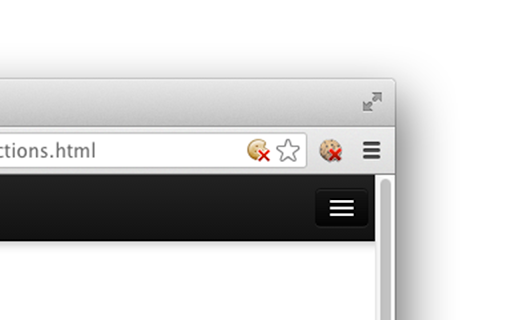
Disable Cookies screenshot 1Disable Cookies screenshot 2

Reviews (10 cached)

★☆☆☆☆2026-03-03
Robert Frosting

Blocks websites from loading

★☆☆☆☆2025-02-05
Sajmik Sajmik

doesn't work on most websites :(

★☆☆☆☆2021-02-17
D

It doesn't work...

★☆☆☆☆2019-04-19
david shaw

If it used to work before. it doesn't work now. Need to find another.

★☆☆☆☆2018-10-16
Et Cogito Ergo Sum

100% Useless

★☆☆☆☆2017-07-06
David Becerra

This is a virus.

★★☆☆☆2018-03-28
Tokyo G

It doesn't do what it says it does. It says that it will stop cookies from a website AND delete any cookies that have been added so far. However, it only does the first bit. Any cookies that the website added when you first accessed the website ARE NOT deleted auto by this extension.

★★☆☆☆2017-07-30
Nameless Youtuber

Only disabled some of the cookies. There are a lot that will get through.

★★☆☆☆2017-01-27
Frank Utne

Disables, does not remove, cookies for site despite claims to the contrary. I still have to delete cookies using Edit This Cookie. Then you have to re-enable cookies for the site manually. I don't want that. I just want to delete them with one click but have the site add cookies again when I go back there.

★★★☆☆2026-02-18
Katie

i'm confused. does the X on the cookie mean cookies are disabled or that the extension is disabled, meaning cookies are allowed? it only says "disable cookies" but it says that no matter what it's set to, rather than instructing to the opposite.

Permissions (5)

Permissions

browsingData Can delete browsing history and data contentSettings Can change content settings like JavaScript and cookies per-site contextMenus Can add items to the right-click menu storage Can store data locally in your browser tabs Can see your open tabs and their URLs

Details

Version 2.0.0.0
Updated Jan 31, 2025
Size 58.1KiB
First Seen Mar 22, 2026