
⚠️Not updated in over a year
Description
MeetRemote - Effortless Control for Google Meet
**Updated January 2025!**
# Key Features
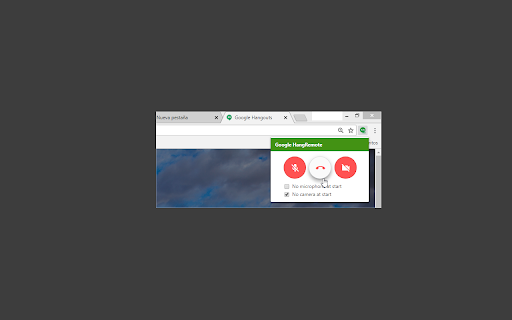
Take control of your Google Meet video calls with ease:
• 🔇 Mute/Unmute Microphone
• 🎥 Enable/Disable Camera
• 🚪 Leave Video Calls Instantly (closes the tab).
• ⚙️ Default Mic/Cam Settings: Start every call with your mic or cam off automatically.
• ⌨️ Customizable Shortcuts for effortless toggling.
# Why Use MeetRemote?
•• Stay in Control ••: Avoid surprises by ensuring your mic and camera start in your preferred state every time.
•• Quick Access ••: Control your mic and camera directly from the extension icon—no need to search for the Meet tab.
•• Keyboard Shortcuts for Speed ••:
• Windows:
• Alt+Shift+V - Toggle Webcam (mnemonic is “A is for Audio”)
• Alt+Shift+A - Toggle Microphone (mnemonic is “V is for Video”)
• Alt+Shift+Q - Quit Meeting (mnemonic is “Q is for Quit)
• Mac:
• Option+Shift+V - Toggle Webcam
• Option+Shift+A - Toggle Microphone
• Option+Shift+Q - Quit Meeting
** Open Source & Community Driven **
Contribute or explore the code here: GitHub - MeetRemote [https://github.com/cheluskis/hangremote]
## Notes
• Currently supports only one Google Meet session at a time.
# Latest Update
*January 2025*
• Optimized compatibility for the latest version of Google Meet.
• More stability and shortcuts redefined for a smoother experience.
## Changelog:
• 1.1.1: Improve stability
• 1.1.0: Streamlined focus exclusively on Google Meet.
• 1.0.3 Fixed support for Google Meet
• 1.0.2: Added Google Meet support.
• 1.0.0: Initial release for Hangouts.


Reviews (1 cached)
★★★☆☆2020-03-30
Johann Schleier-Smith
Basic functionality is good. Unfortunately it breaks keyboard shortcuts in Google Docs, e.g., for bulleted list.
Permissions (3)
Permissions
commands storageℹ Can store data locally in your browser tabsℹ Can see your open tabs and their URLs
Details
| Version | 1.1.1 |
| Updated | Jan 23, 2025 |
| Size | 19.79KiB |
| First Seen | Mar 26, 2026 |
Popular in workflow

Adobe Acrobat: PDF edit, convert, sign tools
by Adobe Inc.
331M
★ 4.40
workflow
331M
★ 4.40
workflow

Chrome Remote Desktop
by Chrome Remote Desktop Release Managers
38M
★ 3.14
workflow
38M
★ 3.14
workflow

Microsoft Single Sign On
by Microsoft
36M
★ 2.27
workflow
36M
★ 2.27
workflow

MetaMask
by metamask
13M
★ 2.68
workflow
13M
★ 2.68
workflow

Microsoft Power Automate
by Microsoft Corporation
10M
★ 1.99
workflow
10M
★ 1.99
workflow
Popular Extensions
Adobe Acrobat: PDF edit, convert, sign tools
by Adobe Inc.
331M
★ 4.40
workflow
331M
★ 4.40
workflow
Chrome Remote Desktop
by Chrome Remote Desktop Release Managers
38M
★ 3.14
workflow
38M
★ 3.14
workflow
Microsoft Single Sign On
by Microsoft
36M
★ 2.27
workflow
36M
★ 2.27
workflow

Cisco Webex Extension
by cisco.chromestore
24M
★ 2.34
social
24M
★ 2.34
social

Kami for Google Chrome™
by Kami
19M
★ 4.56
education
19M
★ 4.56
education