
Description
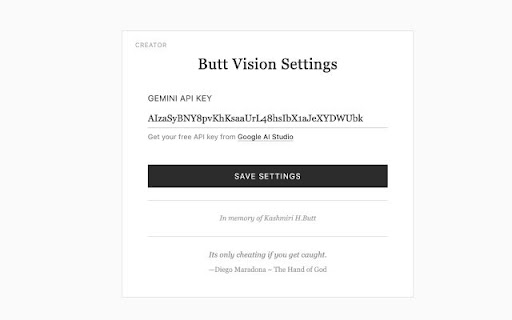
Assists users in efficiently practicing MCQs.
Only intended for research purposes.
How to use:
1. Configure your Groq API Key.
2. Have a multiple choice question visible on the screen.
3. Shortcut keys:
- For Windows press "Ctrl + Shift + Q"
- For Mac press "⌥Option + Shift + Q"
4. The correct answer will be displayed in the bottom right corner.
5. Press "esc" to exit.
Reviews
Loading reviews...
Permissions (4)
Permissions
activeTabℹ Can access the current tab when you click the extension scriptingℹ Can inject scripts into web pages storageℹ Can store data locally in your browser tabsℹ Can see your open tabs and their URLs
Details
| Version | 1.3 |
| Updated | Dec 19, 2025 |
| Size | 40.28KiB |
| First Seen | Mar 22, 2026 |
More by Deez Nust

Popular in education

Kami for Google Chrome™
by Kami
17M
★ 4.56
education
17M
★ 4.56
education

Language Reactor
by Dioco
2M
★ 4.20
education
2M
★ 4.20
education

xFanatical Safe Doc
by xFanatical
700K
★ 1.46
education
700K
★ 1.46
education

GPTZero: AI Detection & Writing Replay
by chrome-extension-publisher
400K
★ 4.57
education
400K
★ 4.57
education

You Shall Not Pass by Jim Tyler
by JamesTyler
400K
★ 1.44
education
400K
★ 1.44
education
Popular Extensions

Adobe Acrobat: PDF edit, convert, sign tools
by Adobe Inc.
330M
★ 4.40
workflow
330M
★ 4.40
workflow

Chrome Remote Desktop
by Chrome Remote Desktop Release Managers
38M
★ 3.14
workflow
38M
★ 3.14
workflow

Cisco Webex Extension
by cisco.chromestore
24M
★ 2.34
social
24M
★ 2.34
social
Kami for Google Chrome™
by Kami
17M
★ 4.56
education
17M
★ 4.56
education

Read&Write for Google Chrome™
by Texthelp
17M
★ 3.44
accessibility
17M
★ 3.44
accessibility